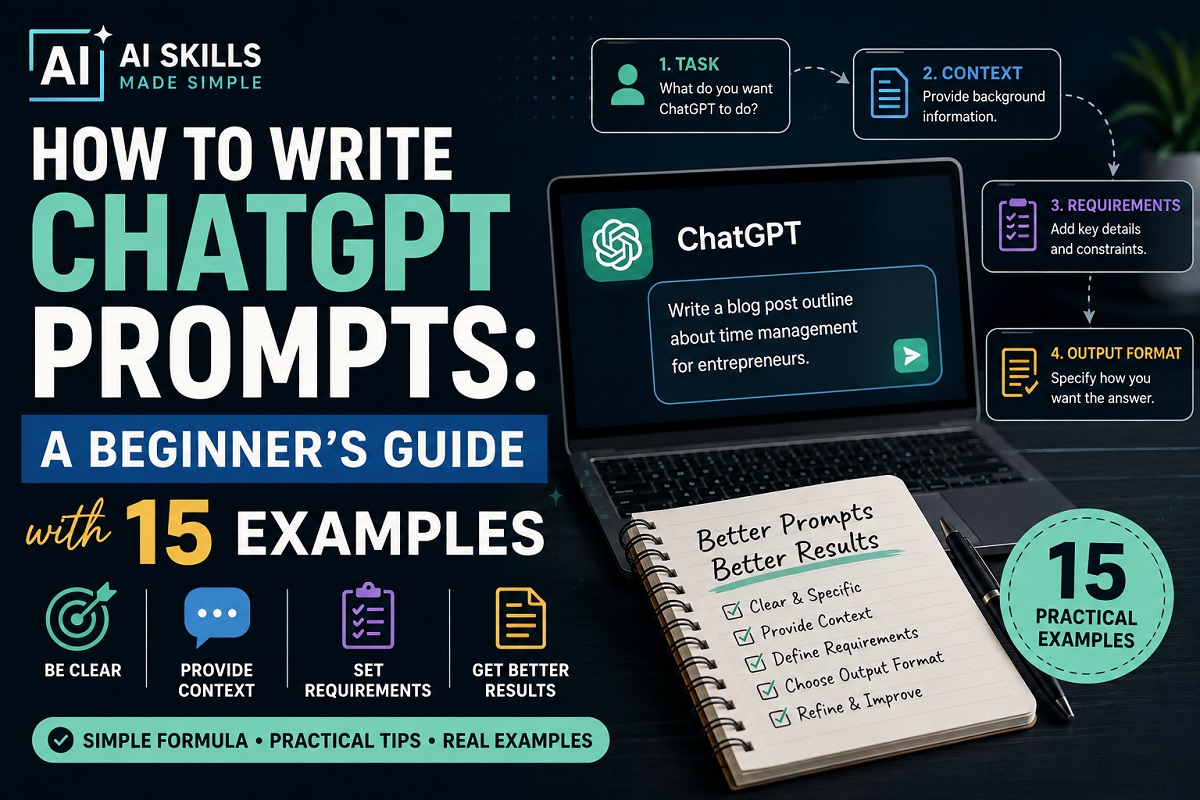
How to Write ChatGPT Prompts: A Beginner’s Guide with 15 Examples
ChatGPT is much more useful when you know how to ask for what you need. A vague request may produce a generic answer, while a clear, well-structured prompt can give you a response that is more relevant, detailed, and useful.
Learning how to write ChatGPT prompts doesn’t require technical knowledge or complicated instructions. In most cases, you simply need to explain the task clearly, provide enough context, and tell ChatGPT what kind of result you want.
In this beginner-friendly guide, you’ll learn a simple formula for writing better prompts, see common prompting mistakes to avoid, and get 15 practical ChatGPT prompt examples that you can adapt for writing, research, planning, learning, productivity, and everyday work.
By the end, you should be able to turn a basic request into a much stronger prompt and understand how to refine ChatGPT’s response when the first answer isn’t quite what you need.
What Is a ChatGPT Prompt?
A ChatGPT prompt is the instruction, question, or information you give ChatGPT to tell it what you want it to do. A prompt can be as simple as asking a question or as detailed as providing background information, requirements, examples, and a specific format for the answer.
For example, you could type:
Basic prompt
Write an email asking a customer to pay an overdue invoice.
That may work, but ChatGPT has very little information about the situation. A more useful prompt would be:
Better prompt
Write a polite but firm email to a long-term customer whose invoice is 14 days overdue. Keep the email under 150 words, maintain a professional and friendly tone, and end by asking them to confirm when payment will be made.
The second prompt gives ChatGPT more context and clearer instructions. It explains the audience, situation, tone, length, and desired outcome.
You don’t need to make every prompt long. The goal is to provide enough information for the task at hand without adding unnecessary details.
A Simple Formula for Writing Better ChatGPT Prompts
You don’t need complicated prompt-engineering techniques to get useful results from ChatGPT. For most everyday tasks, a good prompt can be built using four simple elements:
OpenAI also recommends being clear and specific when writing prompts and refining your instructions when necessary.
Task + Context + Requirements + Output Format
Here is what each part means:
- Task — Tell ChatGPT exactly what you want it to do.
- Context — Provide the background information it needs to understand your situation.
- Requirements — Explain any important rules, limitations, tone, audience, length, or details that should be included.
- Output Format — Tell ChatGPT how you want the answer presented, such as a list, table, email, step-by-step guide, or short paragraph.
For example:
Task: Create a one-week social media content plan.
Context: I run a small online business that teaches beginners how to use AI productivity tools.
Requirements: Include practical, beginner-friendly ideas that don’t require appearing on camera. Each post should have a strong opening hook and a simple call to action.
Output Format: Present the plan in a table with columns for day, topic, hook, content idea, and call to action.
Put everything together and the finished prompt becomes:
Create a one-week social media content plan for a small online business that teaches beginners how to use AI productivity tools. Include practical, beginner-friendly ideas that don’t require appearing on camera. Give each post a strong opening hook and a simple call to action. Present the plan in a table with columns for day, topic, hook, content idea, and call to action.
This structure works because ChatGPT doesn’t have to guess what you want. You have defined the job, supplied relevant background, established the requirements, and explained how the answer should be organized.
You won’t need all four elements for every request. Simple questions can use simple prompts. But when a task is important or complex, adding these details can significantly improve the usefulness of the response.
How to Write ChatGPT Prompts Step by Step
Writing a good prompt becomes much easier when you break the process into a few simple steps. You don’t have to get everything perfect on your first attempt. Start with a clear request, add the information ChatGPT needs, and refine the prompt when necessary.
1. Start With a Clear Task
Begin by telling ChatGPT exactly what you want it to do. Use direct action words such as write, summarize, explain, compare, brainstorm, organize, analyze, or create.
Instead of:
Help me with marketing.
Try:
Create five marketing ideas for promoting a new online course for beginners.
The second version gives ChatGPT a specific job instead of leaving it to guess what kind of help you need.
2. Provide Relevant Context
Next, give ChatGPT enough background to understand the situation. Context might include your audience, business, goal, experience level, or the problem you’re trying to solve.
For example:
I’m creating a beginner-friendly blog about AI productivity tools for people who have little experience using artificial intelligence.
That information can help ChatGPT tailor its response to the right audience.
3. Add Specific Requirements
Tell ChatGPT about any important conditions the response should follow. These could include tone, length, reading level, topics to cover, things to avoid, or other limitations.
For example:
Use simple language, keep the explanation under 500 words, avoid technical jargon, and include three practical examples.
Specific requirements help reduce unwanted or overly general responses.
4. Specify the Output Format
If you know how you want the answer presented, say so.
For example:
Present the answer as a table with columns for tool, purpose, best use case, advantages, and limitations.
You can request bullet points, numbered steps, tables, checklists, emails, outlines, scripts, or other formats depending on the task.
5. Review and Refine the Response
Your first prompt doesn’t have to produce the perfect answer. Read ChatGPT’s response and give follow-up instructions when something needs improvement.
You might say:
Make this easier for a beginner to understand.
Or:
Keep the same information but shorten the answer by about 30%.
Or:
Give me three alternatives with a more professional tone.
This back-and-forth process is an important part of learning how to write ChatGPT prompts effectively. Instead of starting over each time, you can refine the existing response until it better matches what you need.
15 ChatGPT Prompt Examples You Can Copy and Adapt
The following examples show how the same prompting principles can be applied to everyday tasks. Replace the information inside [brackets] with your own details and adjust the instructions to suit your situation.
1. Write a Professional Email
Use this when you know what you need to communicate but want help turning your ideas into a clear, professional message.
Example prompt
Write a professional but friendly email to [person or company]. I need to explain [situation]. My goal is to [desired outcome]. Include [important information], keep the email under 200 words, and end with a clear next step.
2. Summarize a Long Document
Instead of asking for a generic summary, tell ChatGPT which information matters most to you.
Example prompt
Summarize the following document for me: [paste text]. Give me the five most important points, any decisions or action items, important dates or numbers, and anything that requires follow-up. Do not add information that isn’t contained in the original document.
3. Plan Your Day
ChatGPT can help turn a long task list into a more structured schedule when you provide your priorities and available time.
Example prompt
Help me plan my day. I have [number] hours available and these tasks to complete: [paste tasks]. Prioritize them based on importance and urgency, estimate how much time I should spend on each, include short breaks, and present the result as a realistic schedule.
4. Brainstorm New Ideas
ChatGPT can help you get past the blank-page stage by generating several starting points that you can evaluate and develop further.
Example prompt
Brainstorm 10 ideas for [topic or project]. My goal is [goal], and my target audience is [audience]. Make the ideas practical and different from one another. For each idea, give me a short explanation of why it could work. Avoid generic suggestions.
5. Learn a New Topic
When you’re unfamiliar with a subject, ask ChatGPT to begin at your current level rather than immediately giving you an advanced explanation.
Example prompt
Teach me the basics of [topic] as if I’m a complete beginner. Explain the five most important concepts in simple language, give me a practical example of each, and then suggest what I should learn next. Avoid unnecessary technical jargon.
6. Improve Existing Writing
You don’t always need ChatGPT to write something from scratch. It can also help improve a draft while preserving your original meaning.
Example prompt
Improve the following text: [paste your writing]. Keep my original meaning and important facts, but make the writing clearer, more concise, and easier to read. Correct grammar and awkward sentences without making the tone sound unnatural. Afterward, briefly tell me what you changed.
When editing important material, compare the revised version with your original before using it. Make sure names, figures, dates, quotations, and other factual details haven’t been unintentionally changed.
7. Research a Topic
For research, tell ChatGPT what you’re investigating, how current the information needs to be, and what kinds of sources you want it to prioritize.
Example prompt
Research [topic] using current information. Summarize the most important findings for a beginner and cite reliable sources for key factual claims. Prioritize primary and authoritative sources where possible. Separate confirmed facts from opinions or uncertain information.
8. Create a Checklist
A checklist can turn a task you perform repeatedly into a simple process that’s easier to follow consistently.
Example prompt
Create a practical checklist for [task or process]. Put the steps in the correct order, include anything I should prepare beforehand, highlight common mistakes to avoid, and finish with a final review step. Keep it concise enough to reuse regularly.
9. Compare Two or More Options
ChatGPT can help organize a comparison, but you should provide the criteria that matter to you instead of asking which option is simply “best.”
Example prompt
Compare [option A], [option B], and [option C] for someone who needs [describe your goal]. Compare them based on [criteria]. Present the results in a table showing advantages, disadvantages, important differences, and who each option is best suited for. Do not invent missing specifications or prices.
For purchasing, financial, or other important decisions, verify current specifications, prices, policies, and other factual information with the original provider before making your final choice.
10. Create Social Media Content Ideas
ChatGPT can help generate content ideas when you provide information about your audience, topic, platform, and objective.
Example prompt
Create 10 social media post ideas about [topic] for [platform]. My target audience is [audience], and my goal is [goal]. Give each idea a strong opening hook, a simple content concept, and a natural call to action. Keep the ideas practical and avoid exaggerated claims.
11. Prepare for a Meeting
A clear agenda and a few prepared questions can make meetings more focused and productive.
Example prompt
Help me prepare for a meeting about [topic]. The people attending are [participants or roles], and the main goal is [goal]. Create a short agenda, list the five most important questions I should ask, identify any information I should prepare beforehand, and suggest the decisions or next steps we should try to leave the meeting with.
12. Turn Notes Into an Action Plan
If your notes contain scattered ideas, decisions, and unfinished tasks, ChatGPT can help organize them into something more actionable.
Example prompt
Turn the following notes into a clear action plan: [paste notes]. Identify the main objective, separate completed decisions from unfinished tasks, organize the remaining work by priority, and give me the next three actions to take. If important information is missing, list what I need to clarify instead of guessing.
Review the resulting plan before acting on it. ChatGPT may misunderstand incomplete notes, so correct anything that doesn’t reflect the original discussion or your actual priorities.
13. Create an Outline
Starting with an outline can make a long article, report, presentation, or project easier to organize before you begin creating the final version.
Example prompt
Create a detailed outline for [article, report, presentation, or project] about [topic]. The intended audience is [audience], and the main goal is [goal]. Organize it into logical sections and subsections, explain briefly what each section should cover, and remove anything that doesn’t directly support the main goal.
14. Solve a Problem Step by Step
When you’re stuck on a problem, ChatGPT can help you examine it systematically rather than immediately jumping to one solution.
Example prompt
Help me think through this problem: [describe problem]. First, summarize the problem to make sure it is understood correctly. Then identify the likely causes, list the information that is still missing, suggest three possible solutions with advantages and disadvantages, and recommend the next practical step. Clearly state any assumptions you make.
15. Build a Weekly Productivity Plan
A weekly planning prompt can help you organize competing priorities and turn a long task list into a more realistic schedule.
Example prompt
Help me create a realistic plan for this week. My main goals are [goals], my deadlines are [deadlines], and these are my current tasks: [tasks]. I have approximately [hours] available each day. Prioritize the work that contributes most to my goals, distribute the tasks across the week, include flexible time for unexpected work, and present the result as a Monday-to-Friday plan.
You can save prompts that work particularly well and reuse them later. Instead of searching for a new “perfect prompt” every time, gradually build a small collection of templates for tasks you perform regularly.
Common ChatGPT Prompting Mistakes to Avoid
Even a powerful AI assistant can produce disappointing results when the instructions are unclear. If ChatGPT’s response isn’t useful, the problem isn’t always the tool itself—the prompt may simply need more information or direction.
1. Being Too Vague
Prompts such as “help me with my business” or “write something good” leave too much open to interpretation. Explain what you need, why you need it, and what a useful result should contain.
2. Providing Too Little Context
ChatGPT doesn’t automatically know your audience, goals, deadlines, experience level, or other details that may affect the answer. Include the relevant background instead of expecting the AI to guess.
3. Adding Too Many Unnecessary Instructions
More instructions don’t automatically produce a better prompt. Details should help ChatGPT understand the task. Unnecessary rules can make a prompt confusing and sometimes work against one another.
4. Expecting the First Answer to Be Perfect
Prompting is often a conversation. If the first response is too long, too technical, missing information, or written in the wrong tone, give ChatGPT a follow-up instruction and refine the result.
5. Asking ChatGPT to Guess Missing Facts
If accurate information isn’t available, don’t encourage ChatGPT to fill the gaps. Ask it to identify what information is missing, state its assumptions, or tell you what needs to be verified.
6. Trusting the Output Without Reviewing It
ChatGPT can produce incorrect or misleading information. Review important facts, calculations, quotations, names, dates, and sources before relying on the response or sharing it with someone else.
Better prompting can improve the quality of ChatGPT’s responses, but it doesn’t guarantee that every response will be accurate. Your judgment and verification remain important.
How to Improve a ChatGPT Response Without Starting Over
One of the biggest advantages of using ChatGPT conversationally is that you don’t need to create a completely new prompt every time the first response isn’t quite right. You can use follow-up instructions to tell ChatGPT exactly what you want changed.
For example, if an answer is too long, you could say:
“Shorten this by about 30% while keeping the most important information.”
If the language is too complicated:
“Rewrite this in simpler language for someone who is completely new to the topic.”
If the tone isn’t right:
“Keep the same information but make the tone warmer and more conversational.”
If you want more options:
“Give me three alternative versions, each using a different approach.”
If something important is missing:
“Keep the existing response, but add a section explaining [missing topic].”
These follow-up prompts work because the conversation already contains the original context. Instead of repeating everything, you can focus your next instruction on the specific part that needs improvement.
Ask ChatGPT to Clarify Before Answering
For tasks where important information may be missing, you can also tell ChatGPT to ask questions before producing the final answer.
Example prompt
I need help with [task]. Before giving me your final answer, ask me up to five questions that would help you understand my situation, goals, and requirements. After I answer them, use that information to complete the task.
This can be particularly useful for planning, writing, troubleshooting, or other tasks where the quality of the answer depends heavily on your circumstances.
How to Use ChatGPT Prompts for Productivity
Good prompts become especially useful when you turn them into reusable tools for tasks you perform regularly. Instead of starting from scratch each time, you can save prompts for planning, writing emails, brainstorming, research, creating checklists, summarizing information, and organizing your work.
For example, you might keep one prompt for planning your day, another for reviewing your weekly priorities, and another for improving important emails. You can then change the details while keeping the basic structure.
The goal isn’t to collect hundreds of prompts. A small collection of well-designed prompts for tasks you actually perform can be much more useful than a huge library you rarely use.
If you want practical ideas for putting these prompts into an everyday workflow, read our guide on How to Use ChatGPT for Productivity: 10 Simple Ways to Save Time in 2026.
Frequently Asked Questions About ChatGPT Prompts
What is a good ChatGPT prompt?
A good ChatGPT prompt clearly explains what you want the AI to do and provides enough information to complete the task. For more complex requests, including context, requirements, and the desired output format can help produce a more useful response.
How long should a ChatGPT prompt be?
There is no ideal length for every prompt. A simple question may need only one sentence, while a complicated task may require several paragraphs of context and instructions. Include the information that matters and remove details that don’t help ChatGPT understand the task.
Do I need to use special prompt commands?
No. You can write ChatGPT prompts using normal everyday language. Clear instructions are generally more important than complicated terminology or so-called secret prompt formulas.
Why does ChatGPT sometimes misunderstand my prompt?
A response may miss the mark when the request is ambiguous, important context is missing, or several instructions conflict with one another. Try clarifying your goal, adding the missing information, or telling ChatGPT specifically what should be changed.
Can I reuse ChatGPT prompts?
Yes. Prompts for recurring tasks such as weekly planning, emails, research, checklists, and content creation can be saved and reused. Replace the variable information each time while keeping the useful structure.
Are ChatGPT responses always accurate?
No. Better prompts can improve relevance and clarity, but they don’t guarantee factual accuracy. Important information should still be checked against reliable sources before you rely on it or share it.
Can I ask ChatGPT to improve my prompt?
Yes. One useful way to learn how to write ChatGPT prompts is to ask ChatGPT to review a prompt you’ve already written. Give it your original prompt, explain the result you’re trying to achieve, and ask it to identify missing context or unclear instructions. Review the suggested changes to make sure they still reflect what you actually want.
Final Thoughts on How to Write ChatGPT Prompts
Learning how to write ChatGPT prompts is less about memorizing complicated formulas and more about communicating clearly. Tell ChatGPT what you want it to do, provide the context it needs, explain any important requirements, and specify how you want the answer presented.
The simple Task + Context + Requirements + Output Format framework is a useful starting point, but you don’t need to force every prompt into the same structure. Simple tasks can use simple prompts, while more important or complicated requests may benefit from additional detail.
Remember that the first response doesn’t have to be the final one. Use follow-up instructions to shorten, expand, simplify, reorganize, or otherwise improve the result until it better matches what you need.
Most importantly, review the output. Better prompting can make ChatGPT more useful, but it doesn’t eliminate the possibility of mistakes. Verify important information and use your own judgment before relying on AI-generated content.
If you’re ready to put these techniques into practice, see our guide to How to Use ChatGPT for Productivity: 10 Simple Ways to Save Time in 2026 for practical ways to incorporate ChatGPT into your everyday workflow.