Canva AI vs Adobe Firefly: Which AI Design Tool Is Better in 2026?
Choosing between Canva AI vs Adobe Firefly can be confusing because both platforms now combine generative AI with broader creative tools.
But they approach the job from different directions.
Canva has traditionally made visual design accessible to people who don’t necessarily consider themselves professional designers. Its AI capabilities now extend across design generation, editing, writing, presentations, websites, data and other workflows.
Adobe Firefly has developed into a broader creative AI environment for generating and editing images, video, audio and other creative assets, with strong connections to Adobe’s professional creative applications. Adobe also supports a range of partner AI models alongside its own Firefly models.
That means neither tool is automatically better for everyone.
In this Canva AI vs Adobe Firefly comparison, we’ll examine where each platform performs best and which type of user should consider each one.
Canva AI vs Adobe Firefly: Quick Comparison
| Feature | Canva AI | Adobe Firefly |
|---|---|---|
| Beginner friendliness | Excellent | Excellent |
| General graphic design | Excellent | Very good |
| AI image generation | Very good | Excellent |
| Image editing | Very good | Excellent |
| Templates | Excellent | Good |
| Social media design | Excellent | Very good |
| Professional creative workflows | Very good | Excellent |
| Adobe app integration | Limited | Excellent |
| Team/brand workflows | Excellent | Excellent |
| Video and multimedia AI | Very good | Excellent |
| Best suited for | Everyday design and content | AI generation and professional creative work |
The table gives us the short answer.
Now let’s look at the differences more carefully.
1. Ease of Use for Beginners
Both tools have worked hard to make AI creation accessible without requiring advanced technical knowledge.
Canva remains particularly approachable because many users can start from familiar formats such as:
- Instagram posts
- Presentations
- Flyers
- YouTube thumbnails
- Posters
- Documents
- Marketing materials
Instead of building everything from scratch, you can begin with a template and then use AI to help modify the content.
Canva’s 2026 AI direction goes even further. Canva AI 2.0 is being developed around conversational creation and editable, layered design output rather than simply generating a flat result from a prompt.
Adobe Firefly is also increasingly conversational.
Firefly AI Assistant lets users describe the result they want while the assistant can coordinate multiple creative tools and workflows.
Winner for beginners: Canva AI
Canva’s template-driven environment still gives complete beginners an especially straightforward starting point.
2. AI Image Generation
This is where Adobe Firefly becomes particularly strong.
Firefly includes tools for generating images from prompts as well as image-to-image, Generative Match, sketch-to-image and other visual-generation workflows.
Adobe has also turned Firefly into a multi-model environment.
Depending on the available plan and feature, creators can work with Adobe’s models alongside partner models from companies including OpenAI, Google and Runway.
That gives creators more options when one model isn’t producing the visual style they need.
Canva can also generate AI imagery, but its greatest advantage is what happens around the image: you can place generated visuals directly into a larger design workflow.
Winner for dedicated AI image creation: Adobe Firefly
3. Graphic Design
Canva takes the lead when the objective isn’t merely generating an image but assembling an entire design.
For example, imagine you’re creating a promotional campaign.
You might need:
- An Instagram graphic
- A Facebook post
- A presentation
- A promotional flyer
- A website graphic
Canva’s strength is bringing those tasks into one accessible design ecosystem.
Canva AI 2.0 also represents an important shift toward AI that understands design structure rather than treating every creative result simply as a flattened image. Canva says its new Design Model can produce layered, editable output from prompts.
Winner for everyday graphic design: Canva AI
4. AI Image Editing
Generating the first image is only part of the creative process.
Often you need to:
- Remove something
- Add an object
- Change the background
- Extend the image
- Improve resolution
- Adjust part of the composition
Adobe has invested heavily in precisely this workflow.
Firefly includes capabilities such as Generative Fill, Generative Remove, Generative Expand, Generative Upscale and background removal. Adobe has also introduced more precise AI-assisted editing capabilities.
This makes Firefly particularly useful when your first AI generation is close to what you want but still needs refinement.
Winner for AI image editing: Adobe Firefly
5. Social Media Content Creation
This category favors Canva.
A small business owner may not care about creating the most sophisticated AI artwork possible.
They may simply need to create:
- Instagram posts
- TikTok graphics
- Facebook advertisements
- Promotional banners
- Quotes
- Product graphics
- Reels covers
Canva’s combination of templates, AI and conventional design tools makes these jobs relatively easy to complete without moving between several applications.
Adobe Firefly can generate many of the assets needed for these projects, and its AI Assistant has added workflows aimed at social creators and solopreneurs.
But Canva remains particularly convenient when the finished deliverable is a complete social-media design.
Winner for social media: Canva AI
6. Professional Creative Work
Adobe Firefly has an important advantage here: the broader Adobe ecosystem.
Firefly AI Assistant can work across tools associated with Photoshop, Illustrator, Lightroom, Premiere and other Creative Cloud applications.
This matters for professionals.
An AI-generated image may only be the beginning of a project.
A designer might generate a concept and then continue editing it in Photoshop.
A video creator might generate visual assets and continue working within Premiere.
A graphic designer may need Illustrator for further refinement.
Winner for professional creative workflows: Adobe Firefly
7. Marketing Content
This one is much closer.
Canva is excellent for producing practical marketing materials quickly.
For example:
Create a promotional graphic announcing a 30% summer sale for a small online clothing store. Use a clean modern layout and leave space for the website address.
Canva is particularly useful when that idea needs to become a finished social post, flyer or presentation.
Firefly becomes attractive when the marketing campaign requires more sophisticated custom imagery, product visuals, brand assets or AI-assisted creative production.
Adobe’s latest Firefly AI Assistant capabilities include brand-kit creation and short product-video workflows.
Winner: Tie
Choose based on whether design convenience or creative production depth matters more.
8. Creating Presentations
Canva is the stronger choice here.
Its presentation tools are already integrated with the broader design environment.
That allows beginners to create slides and then add:
- Images
- Icons
- Charts
- Brand elements
- Animations
- AI-generated content
Firefly can help create excellent visual assets for a presentation, but it isn’t primarily a presentation-building platform.
Winner for presentations: Canva AI
9. Working With Existing Images
Suppose you already have a product photograph.
You don’t necessarily want a completely new AI-generated image.
Instead, you want to remove an object, replace the background, extend the scene or make other controlled changes.
This is one of Firefly’s strongest use cases.
Adobe’s AI photo-editing environment supports natural-language edits alongside Generative Fill, background replacement and other editing controls.
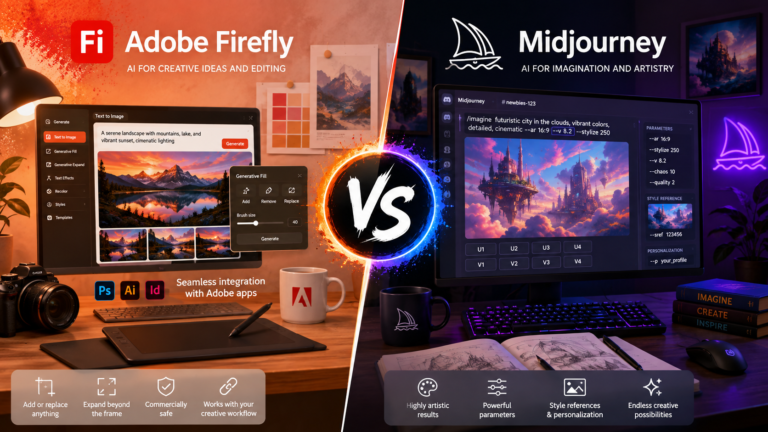
If image generation is your main priority, you may also want to read our Adobe Firefly vs Midjourney comparison
Winner for advanced image manipulation: Adobe Firefly
10. Brand Consistency
Both platforms deserve attention here.
Canva is particularly useful for businesses that repeatedly create branded visual materials.
A consistent collection of colors, fonts, logos and templates can make routine content creation much faster.
Adobe is also pushing Firefly deeper into brand-oriented workflows. Its 2026 updates include brand-kit creation and capabilities designed to preserve creative context and reusable assets across projects.
Winner: Tie
The better choice depends on the complexity of your creative workflow.
11. AI Video Creation
This is becoming an increasingly important part of the comparison.
Firefly isn’t limited to still images.
Adobe now provides AI video generation and editing capabilities, including prompt-based video creation and tools for editing video content.
Adobe has also been developing Firefly as a broader studio where image, video and audio creation can work together.
Canva is highly useful for assembling accessible video and social content, particularly for users who prioritize speed and templates.
Winner for advanced generative video workflows: Adobe Firefly
12. Team Collaboration
Both platforms can fit collaborative environments, but Canva is especially approachable for teams that include non-designers.
A marketing team, for example, may include:
- Designers
- Writers
- Social media managers
- Sales staff
- Business owners
Not everyone wants to learn professional creative software.
Canva reduces that barrier.
Adobe’s collaborative capabilities are also expanding. Firefly Boards provides a shared environment for developing ideas, references and generated assets.
Winner for general business teams: Canva AI
13. Creative Control
Firefly takes this category.
Adobe’s direction increasingly combines AI generation with detailed editing.
Rather than accepting the first generated result, users can continue manipulating and refining it.
Features such as AI Markup allow creators to indicate specific areas where changes should occur instead of relying entirely on text prompting.
This is particularly valuable when accuracy matters.
Winner for creative control: Adobe Firefly
14. Best Choice for Small Businesses
For many small businesses, Canva will be the easier starting point.
A business may regularly need:
- Social posts
- Promotions
- Presentations
- Flyers
- Advertisements
- Simple videos
- Website graphics
Having these functions inside an accessible design environment reduces complexity.
Firefly becomes more attractive when the business requires sophisticated custom imagery, advanced editing, AI video or integration with professional Adobe applications.
Winner for most beginners and small businesses: Canva AI
15. Best Choice for Creators and Designers
This depends heavily on what you create.
Choose Canva AI when your work centers around quickly producing complete designs and marketing materials.
Choose Adobe Firefly when you want deeper AI generation, editing and integration with professional creative tools.
And some creators may benefit from using both.
For example:
Step 1: Generate or refine custom imagery in Adobe Firefly.
Step 2: Import the finished image into Canva.
Step 3: Add typography, branding and layout.
Step 4: Resize the design for different social platforms.
Step 5: Publish the finished campaign.
The tools don’t always need to compete. Sometimes they work better as different stages of the same workflow.
Canva AI vs Adobe Firefly: Which Should You Choose?
Choose Canva AI if you primarily want:
- Easy graphic design
- Social media content
- Presentations
- Marketing materials
- Templates
- Fast everyday content production
Choose Adobe Firefly if you primarily want:
- AI image generation
- Detailed generative editing
- AI video
- Professional creative workflows
- Adobe Creative Cloud integration
- Greater control over generated assets
For a beginner who wants one accessible platform for everyday content, Canva AI is likely the better starting point.
For a creator who needs sophisticated AI generation and editing, Adobe Firefly has the stronger creative-production toolkit.
Simple Beginner Workflow
Here’s an easy way to decide which platform belongs in your workflow.
- Decide what you’re creating.
- Determine whether you need a complete design or primarily an AI-generated asset.
- Use Canva when templates and quick layouts are the priority.
- Use Firefly when generation and detailed editing are the priority.
- Experiment with the same project in both platforms.
- Compare the time required and quality of the final results.
- Keep the platform that makes your repeated tasks easier.
Don’t choose an AI tool simply because it has the longest feature list.
Choose the one that removes the most work from your workflow.
Common Mistakes When Comparing Canva AI and Adobe Firefly
Expecting Both Tools to Work the Same Way
They overlap, but their broader purposes differ.
Canva is strongly oriented toward accessible design and finished visual communication.
Firefly is increasingly positioned as an AI-powered creative production environment.
Judging Everything by One Generated Image
One prompt isn’t enough to determine which tool is better.
Try several prompts and editing tasks before deciding.
Ignoring the Rest of Your Workflow
The best generator isn’t necessarily the best platform.
Consider what happens after your image is created.
Paying for Features You Don’t Need
A professional feature has little value if you never use it.
Start with the workflow you actually have and upgrade when your requirements justify it.
Frequently Asked Questions
Is Canva AI better than Adobe Firefly?
Canva AI is generally better suited to quick graphic design, templates, presentations, social media and everyday marketing materials. Adobe Firefly is stronger when advanced AI generation, image editing and professional creative workflows are priorities.
Is Adobe Firefly good for beginners?
Yes. Adobe has increasingly simplified Firefly around natural-language creation and editing, and Firefly AI Assistant can coordinate multi-step creative workflows from conversational instructions.
Can Canva AI generate images?
Yes. AI generation is part of Canva’s broader creative environment, which increasingly combines generative capabilities with editable design workflows.
Can Adobe Firefly generate videos?
Yes. Firefly supports AI video generation and editing alongside its image-generation capabilities.
Which is better for social media?
Canva is generally the easier option when you need complete social-media designs because generation, layouts and templates exist within the same design workflow.
Which is better for professional designers?
Adobe Firefly may fit professional creative workflows better because of its connections with applications such as Photoshop, Illustrator and Premiere.
Can I use Canva AI and Adobe Firefly together?
Yes. One practical workflow is generating or refining an asset with Firefly and then bringing it into Canva for layout, branding and distribution.
Which is better for AI image editing?
Adobe Firefly currently offers particularly extensive generative image-editing capabilities, including Generative Fill, Remove, Expand and Upscale.
Which tool should a beginner learn first?
For someone primarily interested in social media, presentations and general design, Canva is an excellent first choice. Someone primarily interested in AI-generated imagery may prefer starting with Firefly.
Final Thoughts on Canva AI vs Adobe Firefly
The Canva AI vs Adobe Firefly decision ultimately comes down to what you want AI to help you accomplish.
Canva’s greatest strength is making the entire design process approachable. You can move from an idea to a social graphic, presentation, promotional asset or other finished design without needing professional design experience.
Adobe Firefly goes deeper into generative creation and editing. Adobe’s 2026 expansion of Firefly into AI-assisted, multi-app workflows makes it increasingly useful for creators who want AI integrated into a more advanced production process.
For most beginners focused on everyday design, Canva AI is the easier overall choice.
For creators who prioritize advanced generation, editing and professional creative workflows, Adobe Firefly is the stronger option.
And if your workflow involves both creating original AI assets and turning them into polished marketing designs, using Canva AI and Adobe Firefly together may be the best solution.