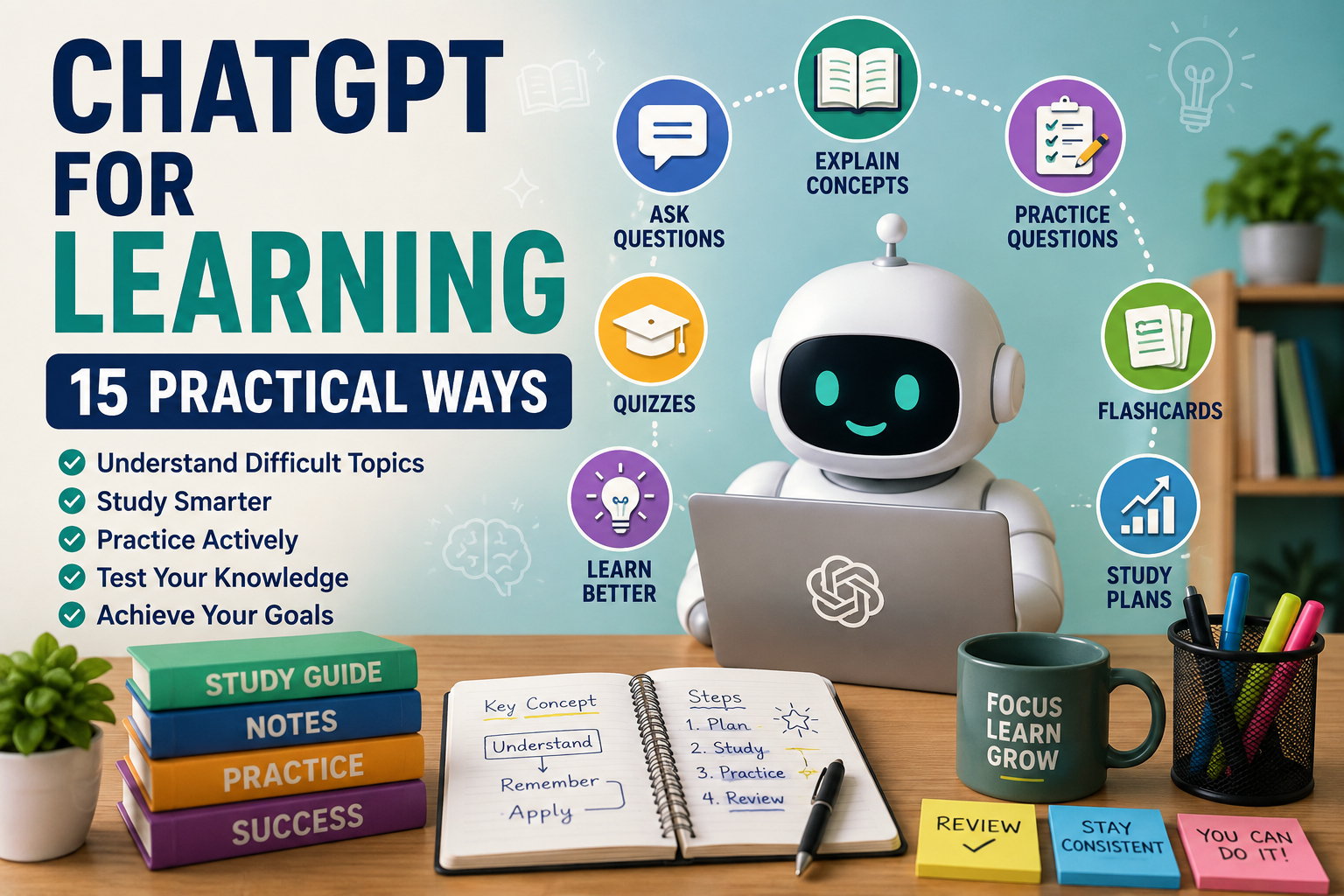
How to Use ChatGPT for Learning: 15 Practical Ways
ChatGPT for learning can help you understand difficult subjects, organize what you’re studying, practice new skills, and test your knowledge. Whether you’re learning for school, work, professional development, or personal interest, ChatGPT can act as an interactive learning assistant when used thoughtfully.
Instead of simply asking AI to give you answers, you can use it to explain concepts in different ways, create examples, generate practice questions, compare ideas, build study plans, and identify areas you may need to review.
However, ChatGPT can make mistakes, oversimplify complicated subjects, or provide outdated information. Important facts should be checked against reliable sources, especially when accuracy matters.
In this beginner-friendly guide, we’ll explore 15 practical ways to use ChatGPT for learning, with example prompts you can adapt to different subjects and learning goals. We’ll also cover common mistakes and a simple workflow for combining AI assistance with your own thinking and reliable learning resources.
What Is ChatGPT for Learning?
Using ChatGPT for learning means using AI as a tool to support different parts of the learning process rather than treating it as a replacement for studying, practicing, or thinking for yourself.
You can give ChatGPT information about what you’re learning, your current level, what you’re struggling with, and what you want to achieve. It can then help explain material, organize information, create exercises, ask questions, or suggest different ways to approach a topic.
For example, instead of asking, “What is compound interest?” you could ask ChatGPT to explain compound interest at a beginner level, provide a simple numerical example, and then give you three practice questions without revealing the answers until you’ve attempted them.
This interactive approach can make AI particularly useful for self-directed learning because you can continue asking questions and request another explanation when something isn’t clear.
15 Practical Ways to Use ChatGPT for Learning
The following methods show how you can use ChatGPT at different stages of learning. Each includes an example prompt that you can modify for your own subject, skill level, and goal.
1. Explain Difficult Concepts in Simple Language
One of the most useful ways to use ChatGPT for learning is to ask for a simpler explanation when a textbook, course, or article feels difficult to understand. You can specify your current knowledge level and ask ChatGPT to avoid unnecessary technical language.
If the first explanation still isn’t clear, ask for another version using an analogy, everyday example, or step-by-step breakdown.
Example prompt
Explain [concept] to me as a beginner. Use simple language and an everyday example. Then summarize the three most important points I should remember.
2. Create a Personalized Study Plan
A study plan can make a large subject feel more manageable. Tell ChatGPT what you want to learn, how much time you have, your current level, and how often you can study.
Treat the resulting plan as a starting point rather than a rigid schedule. Adjust it according to your progress, available time, and the requirements of your course or learning goal.
Example prompt
Create a 4-week beginner study plan for learning [subject]. I can study [number] minutes per day, [number] days per week. Divide the subject into manageable topics and include review and practice sessions.
3. Turn Complex Material Into a Summary
When you’re working through lengthy notes or material you have permission to use, ChatGPT can help identify the main ideas and organize them into a shorter study summary.
Don’t rely on the summary alone when important details matter. Compare it with the original material and use it as a review aid rather than a substitute for understanding the source.
Example prompt
Summarize the following material for study purposes. Identify the main idea, key concepts, important terms, and five points I should remember. Do not add information that isn’t supported by the material: [paste material]
4. Generate Practice Questions
Reading information repeatedly doesn’t always show whether you truly understand it. ChatGPT can create practice questions that encourage you to recall information and apply what you’ve learned.
You can request different difficulty levels and ask ChatGPT to keep the answers hidden until you’ve attempted each question.
Example prompt
Create 10 practice questions about [topic] for a [beginner/intermediate/advanced] learner. Include a mixture of short-answer and problem-solving questions. Don’t show the answers until I ask for them.
5. Create an Interactive Quiz
You can also turn a study session into an interactive quiz. Instead of receiving all the questions at once, ask ChatGPT to give you one question at a time, wait for your response, and then explain why your answer was correct or incorrect.
This approach can make revision more engaging and help reveal topics that need additional study.
Example prompt
Quiz me on [topic] with 10 questions. Ask one question at a time and wait for my answer before continuing. After each answer, tell me whether I’m correct and briefly explain the correct answer. Keep track of my score and give me a summary at the end.
6. Learn Through Examples
Some concepts become much easier to understand when you see them applied. Ask ChatGPT to provide examples that progress from simple to more challenging situations.
You can also ask it to explain what changes from one example to the next. This can be especially useful when learning mathematics, grammar, programming concepts, business principles, or other subjects where applying a rule matters.
Example prompt
Teach me [concept] using three examples. Start with a very simple example, then give me an intermediate example and a more challenging one. Explain each example step by step and point out the principle being applied.
7. Create Flashcards for Revision
Flashcards can help you practice recalling important definitions, facts, formulas, vocabulary, and concepts. ChatGPT can turn your notes or a list of topics into simple question-and-answer flashcards for revision.
Review the cards against your original learning material before relying on them, particularly when exact definitions or technical details are important.
Example prompt
Create 20 flashcards about [topic]. Put a question or key term on the front and a concise explanation on the back. Focus on the most important information a beginner should remember.
8. Compare Similar or Confusing Concepts
Learning can become difficult when two concepts appear similar. ChatGPT can compare them side by side and highlight their similarities, differences, purposes, and examples.
Asking for a comparison table can be particularly helpful when you’re revising several related concepts and want to see the distinctions quickly.
Example prompt
Compare [concept A] and [concept B]. Explain their main similarities and differences in simple language, provide an example of each, and finish with a short comparison table.
9. Test Your Understanding With the Feynman Technique
A useful way to check whether you understand something is to explain it in your own words. You can give ChatGPT your explanation and ask it to identify unclear reasoning, missing ideas, or areas that may need more study.
Don’t ask it simply to rewrite your explanation immediately. First use the feedback to identify what you need to understand better, then try explaining the concept again yourself.
Example prompt
I’m learning about [topic]. I’ll explain it in my own words below. Review my explanation and identify anything that appears incorrect, unclear, or incomplete. Ask me questions that will help me improve my understanding before giving me a better explanation.
My explanation: [write your explanation]
10. Build Your Vocabulary
Whether you’re learning a new subject, developing professional knowledge, or studying a language, unfamiliar vocabulary can slow down your understanding. ChatGPT can help explain terms in plain language and show how they’re used in context.
Rather than memorizing definitions alone, ask for examples and related terms so you can understand how each word fits into the broader subject.
Example prompt
Teach me 15 important terms related to [subject]. For each term, give me a simple definition, an example of how it’s used, and one related concept. Then quiz me on the vocabulary without showing the answers until I respond.
11. Practice a Skill Step by Step
Learning often requires doing rather than simply reading. ChatGPT can break a skill into smaller exercises and guide you through them progressively.
This can work well for subjects such as writing, coding, mathematics, languages, presentations, or other skills where repeated practice matters. For physical, technical, or safety-critical skills, appropriate real-world instruction and supervision may still be necessary.
Example prompt
Help me practice [skill]. My current level is [beginner/intermediate]. Break the skill into small exercises that gradually become more difficult. Give me one exercise at a time, wait for my attempt, provide constructive feedback, and then give me the next exercise.
12. Create a Revision Guide
When an exam, assessment, presentation, or other learning milestone approaches, ChatGPT can help organize the material you’ve already studied into a structured revision guide.
Provide your syllabus, notes, or list of topics whenever possible. This reduces the chance of the guide focusing on material that isn’t relevant to what you’re actually expected to know.
Example prompt
Create a revision guide from the following topics and notes: [paste material]. Organize it into key concepts, important terms, formulas or rules where relevant, common mistakes, and a final checklist of what I should be able to explain or do. Use only the information provided unless you clearly label additional suggestions.
13. Ask Better Follow-Up Questions
Learning rarely happens through a single explanation. When something isn’t clear, ChatGPT allows you to continue the conversation and approach the same idea from another direction.
Instead of accepting an explanation you don’t fully understand, ask follow-up questions that identify exactly where you’re confused. You can request a simpler explanation, another example, a comparison, or a step-by-step breakdown.
Example prompt
I’m still confused about [specific part of the topic]. Explain only that part again using simpler language and a different example. Then ask me two questions to check whether I understand it before moving on.
14. Create a Learning Project
A small project can help turn theoretical knowledge into something practical. ChatGPT can help you design a project that matches your current ability and requires you to apply several things you’ve learned.
The project should challenge you without allowing AI to complete all the important thinking or work on your behalf.
Example prompt
Design a practical beginner project that will help me apply what I’ve learned about [subject]. Explain the goal, requirements, steps, and skills I’ll practice. Don’t complete the project for me. Instead, give me checkpoints where I can show you my work and receive feedback.
15. Review Your Learning Progress
Regularly reviewing your progress can help you identify what you’ve learned well and where you still need practice. ChatGPT can help organize this reflection based on the topics you’ve studied, quiz results, exercises, or notes you provide.
This can be particularly useful when you’re following a longer study plan and need to decide what to review next.
Example prompt
Help me review my progress in learning [subject]. So far I have studied [topics], completed [exercises or projects], and struggled with [areas]. Ask me five questions to assess my understanding, then suggest which areas I should review next based on my answers.
These 15 examples show that ChatGPT for learning can support many stages of the learning process—from understanding a difficult concept and practicing new skills to testing your knowledge and reviewing your progress. The goal isn’t to have AI do the learning for you, but to make your own learning process more interactive, organized, and effective.
A Simple ChatGPT Learning Workflow
Using ChatGPT effectively for learning doesn’t mean asking it to provide every answer. A better approach is to use AI at specific stages while remaining actively involved in understanding, practicing, questioning, and checking what you learn.
A simple workflow could look like this:
- Define what you want to learn. Choose a specific subject, skill, concept, or learning goal rather than starting with something too broad.
- Assess your current level. Identify what you already understand and which areas are confusing or unfamiliar.
- Gather reliable learning materials. Use textbooks, courses, official documentation, trusted educational resources, or other appropriate sources alongside AI.
- Create a realistic study plan. Break the subject into manageable topics and decide how much time you can consistently spend learning.
- Learn one concept at a time. Ask ChatGPT for explanations, examples, comparisons, or analogies when something isn’t clear.
- Ask follow-up questions. Don’t move on simply because you’ve received an answer. Continue asking questions until you can explain the idea yourself.
- Practice actively. Use exercises, quizzes, flashcards, problems, or small projects instead of relying only on reading.
- Test your understanding. Try explaining concepts in your own words and identify gaps in your knowledge.
- Verify important information. Check facts, formulas, quotations, dates, technical information, and other important claims against reliable sources.
- Review your progress. Regularly revisit difficult areas and adjust your study plan based on what you still need to learn.
The quality of your instructions can make a major difference when using AI as a learning assistant. Our guide to How to Write ChatGPT Prompts: A Beginner’s Guide with 15 Examples explains how to give ChatGPT clearer and more useful instructions.
If you’re learning new skills for your career, How to Use ChatGPT for Job Search: 12 Practical Ways also covers using AI to understand job requirements, identify skills, prepare applications, and practice for interviews.
Common Mistakes When Using ChatGPT for Learning
ChatGPT can be a useful learning assistant, but it can also become a shortcut that reduces learning if you rely on it to do all the thinking for you. The goal should be to use AI to support understanding, practice, and curiosity rather than simply collecting answers.
1. Accepting Every Answer as Correct
ChatGPT can produce incorrect or misleading information, sometimes with confident wording. Verify important facts, quotations, formulas, dates, technical information, and references using reliable sources. OpenAI itself recommends checking important information rather than treating ChatGPT as a final authority.
2. Asking for Answers Instead of Learning
If you immediately ask ChatGPT to solve every problem, you may complete the task without developing the skill yourself. Try the problem first, ask for hints when you’re stuck, and request an explanation of the reasoning rather than only the final answer.
3. Using AI Instead of Your Course Materials
ChatGPT should complement textbooks, lessons, instructors, official documentation, and other reliable learning resources rather than automatically replacing them. Your course materials may also contain requirements or terminology that a general AI response doesn’t know.
4. Copying AI-Generated Assignments
Using ChatGPT to complete graded work may violate the rules of your school, course, instructor, or organization. Follow the AI-use requirements that apply to your work and make sure anything you submit genuinely represents your own learning.
5. . Skipping Practice
Understanding an explanation isn’t the same as being able to apply it yourself. Practice problems, retrieval exercises, projects, and explaining concepts in your own words can reveal gaps that passive reading may hide.
6. Using Vague Prompts
Asking “teach me mathematics” gives ChatGPT very little direction. Explain your current level, specific topic, learning goal, and where you’re struggling so the response can be more focused.
7. Sharing Sensitive Information
Avoid unnecessarily putting personal, confidential, or sensitive information into prompts. When using notes, assignments, or other materials, remove information that isn’t needed for the learning task.
ChatGPT also has a dedicated Study Mode designed around step-by-step guidance, questions, explanations, and checks for understanding rather than simply providing final answers. OpenAI says Study Mode can help with learning new concepts, working through practice problems, reviewing course materials, and preparing for tests.
ou can learn more in OpenAI’s guide to ChatGPT Study Mode.
Frequently Asked Questions About ChatGPT for Learning
Can I use ChatGPT to help me learn?
Yes. ChatGPT can help explain concepts, generate examples, create practice questions, quiz you, organize study plans, and provide feedback on your understanding. It works best as a learning assistant alongside reliable educational resources rather than as your only source of information.
Can ChatGPT explain difficult topics to beginners?
Yes. You can ask ChatGPT to explain a topic using simpler language, everyday examples, analogies, or step-by-step explanations. If the first explanation isn’t clear, ask it to approach the same concept in a different way.
Can ChatGPT create quizzes and practice questions?
Yes. You can ask ChatGPT to generate practice questions or conduct an interactive quiz one question at a time. Asking it to explain incorrect answers can make the exercise more useful than simply checking your score.
Can ChatGPT create a study plan?
Yes. Give ChatGPT your subject, current level, learning goal, available study time, and deadline if you have one. It can help organize those details into a realistic study schedule that you can adjust as you progress.
What is ChatGPT Study Mode?
Study Mode is a ChatGPT learning experience designed to help you work through material rather than simply receive final answers. It can guide your thinking with questions, explain concepts step by step, check your understanding, and work with study materials you provide.
Can ChatGPT use my notes to help me study?
Yes. When file uploads are available, Study Mode can work with materials such as notes, worksheets, slides, readings, a syllabus, images, and PDFs. You can tell ChatGPT which page, section, or question you want to concentrate on.
Is everything ChatGPT teaches me accurate?
No. ChatGPT can make mistakes or provide incomplete information. Important facts should be checked against reliable sources, particularly for exams, academic work, technical subjects, and other areas where accuracy matters.
Should I use ChatGPT to complete my assignments?
ChatGPT is more useful for learning when you use it to understand concepts, practice skills, receive feedback, and identify gaps in your knowledge. For graded work, follow the AI-use policies of your school, instructor, or organization.
Final Thoughts on Using ChatGPT for Learning
ChatGPT for learning can make studying more interactive by helping you understand difficult concepts, create practice questions, organize study plans, build flashcards, test your knowledge, and review your progress.
The greatest benefit comes when you use AI to support your own thinking rather than replace it. Asking for an answer may save a few minutes, but asking for an explanation, attempting a problem yourself, receiving feedback, and trying again can help turn ChatGPT into a much more useful learning tool.
Start with one subject or skill you’re currently trying to improve. Ask ChatGPT to assess your current understanding, break the topic into manageable sections, and guide you through explanations and practice exercises. As your understanding improves, gradually increase the difficulty.
Remember that ChatGPT can make mistakes. Verify important information using reliable sources, follow the AI-use rules that apply to your school or organization, and continue using textbooks, instructors, courses, official documentation, and other appropriate learning resources alongside AI.
Used thoughtfully, ChatGPT can become a flexible learning assistant that helps you ask better questions, practice more actively, and take greater control of how you learn.
Learning becomes even more useful when you can apply new knowledge to real projects. Our guide to How to Use ChatGPT for Content Creation: 12 Practical Ways shows how AI can help turn ideas and knowledge into articles, social content, scripts, and other useful material.