How to Use Poe AI: 15 Powerful Ways for Beginners in 2026
Learning how to use Poe AI can give you a convenient way to explore different artificial intelligence assistants without relying on just one AI tool.
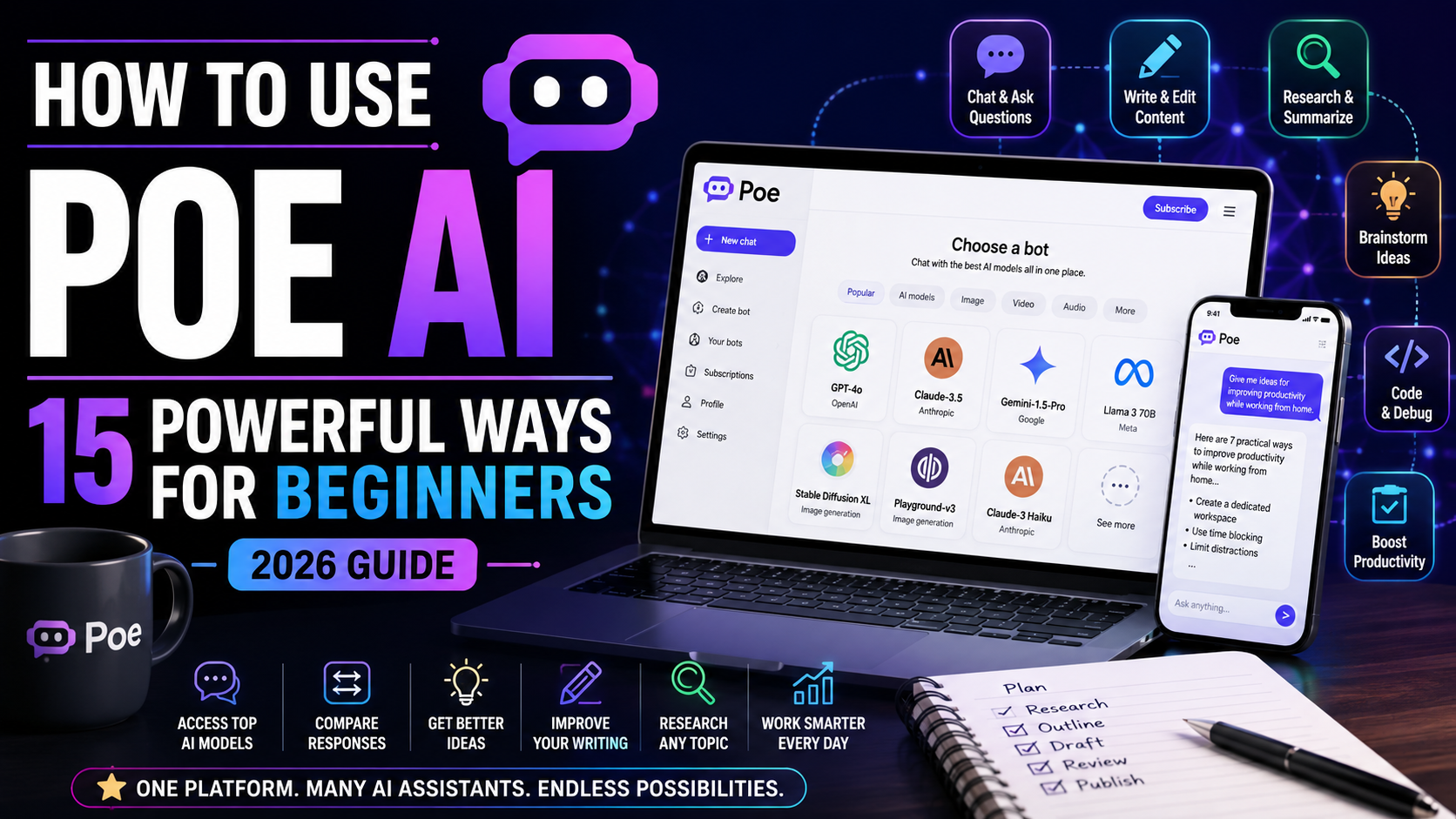
Poe is an AI platform developed by Quora that allows users to interact with a range of AI-powered bots and models through one interface. Depending on availability, users can explore assistants designed for writing, brainstorming, research, coding, learning, productivity, and other tasks.
For beginners, one of the biggest advantages of Poe is the ability to experiment. Instead of assuming that one AI assistant is best for every task, you can try different options and compare how they respond to similar instructions.
In this beginner-friendly guide, we’ll explore 15 practical ways to use Poe AI, how to get started, useful prompt examples, common mistakes to avoid, and how Poe compares with other popular AI assistants.
What Is Poe AI?
Poe is an artificial intelligence platform created by Quora that provides access to a variety of AI-powered bots and models through a single service.
Rather than functioning only as one chatbot, Poe acts as a platform where users can interact with different AI experiences. Available models and features can change over time, so the exact options you see may depend on your account, subscription, device, and location.
This makes Poe particularly interesting for people who want to experiment with AI.
For example, you might ask similar questions to different assistants and compare their responses. One may give you a clearer explanation, another may produce better brainstorming ideas, while another may be more useful for a particular technical task.
Poe can therefore be useful for:
- Writing and editing
- Brainstorming
- Learning
- Research assistance
- Content creation
- Coding assistance
- Productivity
- Comparing AI responses
- Exploring specialized AI bots
However, having access to several AI assistants doesn’t mean every response will be correct. Important information should still be checked against reliable sources, particularly when dealing with financial, medical, legal, technical, or other consequential decisions.
How to Get Started With Poe AI
Getting started with Poe is relatively straightforward.
Visit Poe and create or sign in to your account. Once inside the platform, you can explore the available AI assistants and choose one based on what you want to accomplish.
Rather than trying every feature immediately, start with a simple task.
For example:
“Explain artificial intelligence to me as if I am a complete beginner. Give me five practical examples of how I might encounter AI in everyday life.”
Read the response carefully.
You can then continue the conversation by asking:
“Now explain the same topic using a simple real-world analogy.”
This demonstrates one of the most important AI skills: refining your instructions instead of expecting the perfect answer from your first prompt.
Once you’re comfortable with the basic interface, you can begin comparing assistants, experimenting with more detailed prompts, and using Poe for practical everyday tasks.
15 Practical Ways to Use Poe AI
Now that you understand the basics, let’s look at 15 practical ways to use Poe AI for writing, learning, research, brainstorming, productivity, coding, content creation, and experimenting with different AI models.
One thing that makes Poe different from many individual AI assistants is that it provides access to models and bots from multiple AI companies in one place. Poe currently includes general-purpose models as well as image, video, audio, programming, and user-created bots.
1. Compare Different AI Assistants
One of the most useful ways to use Poe AI is to compare how different AI assistants respond to the same question.
Different models may approach the same problem differently. One assistant might provide a concise explanation, while another may offer more detail, a different writing style, or another way of reasoning through the problem.
Poe even supports chatting with multiple bots, making comparison one of the platform’s particularly useful capabilities.
For example, if you’re researching a business idea, you could give the same instruction to several models and compare their suggestions.
Don’t automatically assume that the answer appearing most confident is the most accurate. Use comparisons to discover different perspectives, then verify important factual information.
Example prompt
Explain five practical ways a small business could use artificial intelligence to save time. Keep the examples beginner-friendly and explain the potential benefit of each one.
You can then give the same prompt to another assistant and compare the results.
If you’re particularly interested in comparing major assistants, our ChatGPT vs Claude vs Gemini: Which AI Assistant Is Best in 2026? article can provide you with a natural next step.
2. Ask Everyday Questions
You don’t need a complicated project to benefit from Poe.
You can use AI assistants for everyday questions such as understanding unfamiliar terminology, planning tasks, generating ideas, explaining concepts, or organizing information.
The quality of the answer often improves when you provide context.
Instead of asking:
“How can I be more productive?”
Try:
Example prompt
I work from home and frequently become distracted by emails and small tasks. Give me a simple daily productivity system with three priorities, two focused work periods, and time for handling messages. Keep it realistic for a beginner.
The additional information helps the AI understand what kind of response would actually be useful.
Avoid including unnecessary confidential or highly sensitive information in your prompts.
3. Research and Understand New Topics
Poe can be useful as a starting point when you’re trying to understand an unfamiliar subject.
You might ask an AI assistant to explain a topic, identify important terminology, create questions for further research, or show you how different concepts relate to one another.
For example, someone learning about artificial intelligence could begin with a broad explanation and gradually move toward more detailed questions.
AI-generated answers should not automatically be treated as authoritative sources. Models can make mistakes, misunderstand questions, or provide outdated information.
For important research, verify claims against reliable primary or authoritative sources.
Example prompt
Give me a beginner-friendly introduction to artificial intelligence. Explain machine learning, large language models, generative AI, and AI agents separately. Then give me five questions I should research next to improve my understanding.
This turns AI into a starting point for learning rather than treating it as the final source of truth.
4. Brainstorm New Ideas
Brainstorming is another practical way to use Poe AI.
You can generate ideas for:
- Blog articles
- Businesses
- Products
- Videos
- Social-media posts
- Marketing campaigns
- Projects
- Presentations
- Digital products
The first ideas an AI produces may be predictable, so don’t stop after one prompt.
Ask it to narrow the ideas based on your audience, goals, available resources, or other constraints.
Example prompt
Give me 20 beginner-friendly blog post ideas for a website that teaches ordinary people how to use artificial intelligence. Avoid highly technical subjects. For each idea, provide a possible title and explain in one sentence what problem the article would solve.
You can then follow up with:
Select the five ideas with the strongest practical value and explain why a beginner would want to read each article.
This type of refinement can turn a broad brainstorming session into a much more useful content plan.
5. Improve Your Writing
Poe’s available AI assistants can also help improve existing writing.
Instead of asking AI to replace everything you’ve written, you can use it as an editing assistant.
For example, it can help identify:
- Unclear sentences
- Repetition
- Grammar problems
- Unnecessary jargon
- Weak introductions
- Awkward transitions
- Excessively long paragraphs
You should still review the final version carefully. Automated rewriting can sometimes change your intended meaning or remove useful details.
Example prompt
Review the following paragraph for clarity and readability. Keep my original meaning and natural writing style. Correct grammar problems, remove unnecessary repetition, and explain the three most important changes you made: [paragraph]
This gives you both an improved version and an opportunity to learn from the editing process.
6. Create Better Content
Poe can help during several stages of content creation.
You could use AI to develop an outline, brainstorm headings, identify questions readers may have, create examples, or review a finished draft.
For example, if you’re creating a beginner’s guide, AI can help identify gaps before publication.
Example prompt
I am writing a beginner-friendly article about [topic]. Create a detailed outline that answers the main questions a beginner is likely to have. Include an introduction, getting-started section, practical examples, common mistakes, FAQs, and conclusion.
Once you have written the article, you could ask a different model to review the structure.
This is another area where having several models available through Poe can be useful because you aren’t limited to receiving feedback from only one assistant.
For more ideas specifically around AI-assisted content production, readers can continue to ChatGPT for Content Creation.
7. Summarize Long Information
AI can help turn lengthy information into a shorter overview.
This might include:
- Notes
- Reports
- Articles you have permission to process
- Meeting information
- Research material
- Your own documents
- Long explanations
However, summaries inevitably remove information.
If the original material involves contracts, finances, medical information, legal matters, or other high-stakes decisions, don’t rely exclusively on an AI-generated summary.
Example prompt
Summarize the following information in five bullet points. Separate the main conclusions from supporting details. Identify any dates, deadlines, or actions mentioned. Do not add information that isn’t present in the original text: [text]
For particularly long material, check whether the model you’re using supports the amount of content you want to provide.
Poe’s subscription options can provide larger context access for supported bots, while individual bots may have different point costs and capabilities.
8. Learn Difficult Subjects
Poe can also function as an interactive learning assistant.
Instead of reading an explanation once and moving on, you can ask follow-up questions until the concept becomes clearer.
For example, you could say:
Example prompt
Teach me the basics of machine learning as if I have no technical background. Start with a simple analogy, give me three everyday examples, and then ask me three questions to check whether I understand the concept.
After answering the questions, ask the AI to explain anything you got wrong.
You can also request explanations at different levels:
Explain it again using simpler language.
Or:
Now give me a slightly more advanced explanation.
This creates a more interactive learning process.
9. Generate Social Media Content Ideas
Coming up with new social-media ideas repeatedly can become difficult.
Poe can help brainstorm content themes, hooks, questions, captions, educational posts, and content series.
Instead of asking for random posts, provide details about your audience and objective.
Example prompt
Create 15 short-form social-media content ideas for beginners interested in learning AI. Divide them into five educational ideas, five problem-solving ideas, and five curiosity-based ideas. Give each one a short hook but don’t make exaggerated claims.
You could then ask:
Turn idea number 4 into three different versions: one for Instagram, one for TikTok, and one for Facebook.
AI-generated social content should still be reviewed before publishing. Check facts, claims, tone, hashtags, and any platform-specific requirements yourself.
10. Improve Daily Productivity
Poe can help organize tasks and think through how you use your time.
You might use an AI assistant to:
- Prioritize a task list
- Break large projects into smaller steps
- Create checklists
- Organize weekly goals
- Prepare meeting agendas
- Plan a project
- Identify repetitive work
AI doesn’t know your actual priorities unless you explain them, so provide sufficient context.
Example prompt
I have the following tasks to complete today: [tasks]. Organize them into high, medium, and low priority. Explain your reasoning, identify anything that depends on another task being completed first, and create a realistic order for completing them.
If the proposed plan doesn’t work for you, tell the AI why and ask it to adjust.
Readers looking for more productivity ideas can also explore How to Use ChatGPT for Productivity: 10 Practical Ways to Save Time.
11. Get Help With Coding and Technical Problems
Poe provides access to models and bots designed for programming and technical tasks, alongside general-purpose AI assistants. Its current Explore section includes a dedicated programming category.
Beginners can use these tools to explain code, understand error messages, learn programming concepts, or brainstorm solutions.
For example:
Example prompt
Explain what this Python code does line by line. Assume I am a beginner. Point out any possible errors, but don’t rewrite the code until you have explained the original version: [code]
For debugging:
I expected this code to [expected result], but instead it produces [actual result]. Identify the most likely cause and explain how I can test whether your diagnosis is correct.
Don’t run unfamiliar AI-generated code blindly, especially when it can access files, credentials, networks, databases, or important systems.
Understanding what the code does remains important.
12. Analyze a Problem From Different Perspectives
Sometimes the biggest benefit of using several AI assistants isn’t finding one “correct” answer. It is discovering approaches you hadn’t considered.
Suppose you’re deciding how to launch a project.
One model might focus on costs, another on marketing, and another on operational risks.
You can deliberately ask for competing perspectives.
Example prompt
Analyze this idea from four perspectives: customer value, cost, difficulty of implementation, and long-term growth potential. For each perspective, identify the strongest advantage, biggest weakness, and one question I should answer before proceeding: [idea]
You could then give the same prompt to another model available through Poe.
Compare the reasoning rather than simply counting how many models agree.
13. Practice Writing Better AI Prompts
Learning how to communicate clearly with AI is a transferable skill.
Poe gives you an interesting environment for practicing because you can test similar instructions with different models.
Start with a basic prompt.
Then improve it by adding:
- Context
- Objective
- Audience
- Constraints
- Desired format
- Examples
- Information the model should not assume
For example, instead of:
“Write a marketing email.”
Try:
Example prompt
Write a 150-word email introducing [product] to existing customers who already know our company. Focus on [benefit]. Use a friendly professional tone, include one clear call to action, and don’t use exaggerated claims or invent product features.
Compare how different models interpret those instructions.
14. Explore Specialized and User-Created Bots
Poe isn’t limited to major general-purpose models.
The platform also includes a large ecosystem of user-created bots and specialized AI experiences. Poe says millions of user-created bots are available alongside official models.
These may be designed around particular activities, interests, workflows, or styles of interaction.
You can browse Poe’s Explore area to discover different options.
However, pay attention to who created the bot.
A specialized bot isn’t automatically more accurate simply because its name or description sounds authoritative. Avoid providing unnecessary sensitive information, and independently verify important advice.
You can also create your own bots. Poe currently supports multiple approaches to bot creation, including prompt-based and more technical options.
15. Build a Repeatable AI Workflow
Once you become comfortable with Poe, move beyond isolated questions and develop repeatable processes.
For example, a content workflow might look like this:
Idea → Research questions → Outline → Draft → Review → Fact-check → Final edit
Different AI models could potentially help at different stages.
You might use one assistant for brainstorming, another to challenge your outline, and another to review the finished draft for clarity.
Poe has expanded beyond simple chat and now includes capabilities for building bots, applications, API-based uses, and AI workflows.
Example prompt
Help me create a repeatable AI workflow for [task]. Break the process into stages. For each stage, explain the objective, what information I should provide the AI, what output I should request, what needs human review, and how I can check the quality of the result.
The goal isn’t to use as many AI models as possible.
Use AI where it provides genuine value and keep human judgment at the stages where accuracy, originality, context, or important decisions matter.
These 15 examples show that learning how to use Poe AI involves much more than asking a chatbot occasional questions. The platform can help you explore different AI models, compare responses, write, learn, brainstorm, organize information, solve technical problems, create content, and develop more structured AI workflows.
A Simple Poe AI Workflow for Beginners
Poe can feel overwhelming at first because there are many different models and bots to explore.
You don’t need to understand all of them immediately.
A better approach is to begin with one real task.
- Choose a specific task. Decide what you actually want to accomplish, such as brainstorming an article, understanding a topic, improving an email, or organizing a project.
- Choose an appropriate assistant. Start with a general-purpose model rather than constantly switching between bots.
- Write a clear first prompt. Explain your goal, relevant context, audience, and desired result.
- Review the response. Look for useful information, unclear statements, missing details, and unsupported claims.
- Ask follow-up questions. Refine the answer instead of starting over whenever possible.
- Compare another model when useful. For important or difficult tasks, try the same problem with another suitable assistant.
- Verify important information. Check factual claims against reliable sources rather than assuming agreement between AI models proves something is true.
- Improve the final result yourself. Edit AI-generated material so it reflects your actual objective and voice.
- Save useful prompt patterns. When an instruction consistently produces good results, adapt it for similar future tasks.
- Watch your point usage. Poe uses compute points, and different bots can consume different amounts. Free users receive points that reset, while subscribers receive greater allowances and other benefits.
Once this simple process becomes familiar, you can begin experimenting with more specialized bots and more advanced workflows.
Common Mistakes When Using Poe AI
1. Assuming Every AI Model Gives the Same Quality
Different models have different strengths and limitations.
A model that performs well for one task may not be your preferred option for another. Experiment before deciding which assistant works best for a particular type of work.
2. Switching Models Constantly
Having many choices can become a distraction.
Don’t spend more time choosing an AI model than completing the actual task. Start with a suitable general-purpose assistant and switch when you have a reason.
3. Trusting AI Answers Without Verification
A detailed, confident response can still contain incorrect information.
Verify important names, dates, statistics, quotations, instructions, and factual claims.
4. Using Vague Prompts
Instructions such as “make this better” give the AI little information about what “better” means.
Explain the audience, purpose, tone, length, format, and other relevant requirements.
5. Sharing Sensitive Information Unnecessarily
Think carefully before entering confidential business information, credentials, personal information, or other sensitive data into any AI service.
Poe’s current privacy policy explains that the service works with bots and apps powered by third-party AI model providers, making it worthwhile to understand the applicable privacy practices.
6. Assuming Specialized Bots Are Automatically Experts
A bot’s name doesn’t guarantee the accuracy of its responses.
Check the creator and description and independently verify consequential information.
7. Ignoring Point Usage
Poe uses a compute-point system, and different bots can require different amounts for responses.
Use more expensive models when their capabilities are actually useful rather than automatically choosing them for every simple task.
8. Accepting the First Response
AI conversations often improve through iteration.
Ask the model to clarify, shorten, expand, reorganize, provide examples, or reconsider weak parts of its response.
9. Using AI Instead of Thinking
AI should support your judgment rather than eliminate it.
Ask questions such as:
“What assumptions are you making?”
“What could be wrong with this approach?”
“What information would change your answer?”
These prompts can make the interaction much more useful.
10. Failing to Review AI-Generated Work
Always review important content before using or publishing it.
Check accuracy, relevance, originality, tone, grammar, and whether the response actually satisfies your objective.
Learning how to use Poe AI effectively is therefore less about finding a magical model and more about choosing suitable tools, giving clear instructions, evaluating results, and knowing when human judgment is necessary.
Frequently Asked Questions About Poe AI
What is Poe AI?
Poe is a platform from Quora that lets users interact with AI models and bots from multiple providers through one interface. It includes general-purpose assistants and tools covering text, images, video, audio, programming, and other uses.
Is Poe AI free?
Poe provides free usage, but access is governed by compute points. According to Poe’s current documentation, non-paying users receive points that reset every 24 hours, while subscriptions provide more points and additional access.
Because pricing and allowances can change, check Poe directly for current plan details.
Is Poe the same as ChatGPT?
No.
Poe is a platform that provides access to various AI bots and models, while ChatGPT is OpenAI’s AI product.
One of Poe’s main attractions is being able to explore AI from multiple providers in one place.
Can I use Claude and Gemini on Poe?
Poe currently lists models from companies including Anthropic and Google alongside models from OpenAI, Meta, and other AI providers. The exact available models can change as Poe updates its catalog.
Can Poe create images?
Yes. Poe currently provides access to image-generation models in addition to text models, and its catalog also includes video and audio tools.
Can Poe help with coding?
Yes. Poe provides programming-oriented models and bots that can help explain, generate, review, and debug code. AI-generated code should still be reviewed and tested before being used in important applications.
Can I create my own bot on Poe?
Yes. Poe supports user-created bots and provides bot-creation options for different levels of technical experience.
Can Poe bots make mistakes?
Yes.
AI models can produce inaccurate, incomplete, outdated, or misleading responses. Using several models doesn’t remove this risk.
Verify important information independently.
Which Poe AI model should beginners use?
There isn’t one model that’s automatically best for every beginner or every task.
Start with a general-purpose assistant, learn how to write effective prompts, and experiment with other models when you have a specific reason to compare them.
Is Poe useful if I already use ChatGPT?
It can be.
Poe’s main advantage for someone who already uses an AI assistant is the ability to explore multiple models and specialized bots through one platform. Whether that’s valuable depends on how frequently you need different models or capabilities.
Final Thoughts on How to Use Poe AI
Learning how to use Poe AI gives beginners an opportunity to explore a much broader range of artificial intelligence tools without approaching every model as a completely separate experience.
You can use Poe to brainstorm ideas, improve writing, understand difficult subjects, organize information, create content, explore coding, compare AI responses, and experiment with specialized bots.
But access to more AI models doesn’t automatically produce better results.
The most valuable skills remain surprisingly simple: ask clear questions, provide useful context, review the response critically, verify important facts, and refine your instructions.
Start with one task and one assistant.
Once you understand how that process works, experiment with another model and compare the results. Over time, you’ll develop a better understanding of which AI assistants are useful for different types of work.
For readers who want to compare some of the biggest AI assistants directly, continue with ChatGPT vs Claude vs Gemini: Which AI Assistant Is Best in 2026?
For readers who want a broader selection of tools for everyday work, 7 Best AI Productivity Tools for Beginners is another useful next step.