7 Best AI Productivity Tools for Beginners in 2026
Finding the best AI productivity tools for beginners can feel overwhelming. There are now hundreds of AI tools promising to help you write faster, organize your work, research information, create content, and automate repetitive tasks.
The good news is that you don’t need dozens of complicated apps to become more productive. A few well-chosen AI tools can save time and make everyday tasks easier, even if you have little or no experience using artificial intelligence.
In this guide, we’ll look at 7 of the best AI productivity tools for beginners in 2026, including tools for writing, research, organization, design, and automation. We’ll explain what each tool does, who it’s best for, and its main advantages and limitations so you can decide which ones are worth using.
How We Chose the Best AI Productivity Tools for Beginners
For this guide, we focused on AI productivity tools that are practical for beginners rather than platforms that require advanced technical knowledge. Each tool serves a useful everyday purpose, such as writing, research, organization, design, or automation.
We also considered ease of use, availability of free or entry-level options, versatility, and how easily each tool can fit into an existing workflow. The goal isn’t to use every AI tool available, but to find a small number of tools that can genuinely save time and simplify your work.
Because features and pricing can change, it’s always worth checking each tool’s current website before choosing a paid plan.
7 Best AI Productivity Tools for Beginners at a Glance
Before looking at each tool in detail, here’s a quick overview of the seven AI productivity tools covered in this guide and what each one is best suited for.
- ChatGPT — Best overall AI assistant for everyday productivity
- Notion — Best for organizing notes, tasks, and projects
- Canva — Best for AI-assisted design and content creation
- Grammarly — Best for improving writing and communication
- Perplexity — Best for AI-assisted research
- Zapier — Best for automating repetitive workflows
- Google Gemini — Best for users working with Google apps
1. ChatGPT — Best Overall AI Assistant for Beginners
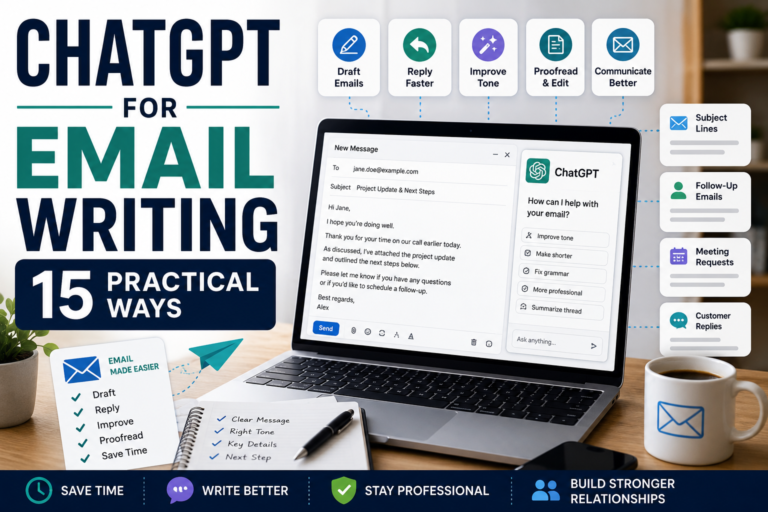
ChatGPT is one of the most versatile AI productivity tools for beginners because it can help with a wide range of everyday tasks. You can use it to brainstorm ideas, draft emails, summarize information, create outlines, explain difficult topics, plan projects, and improve existing content.
One of ChatGPT’s biggest advantages for beginners is that you can communicate with it using normal language. You don’t need programming skills or complicated commands. Simply describe what you want to accomplish and provide enough context for the AI to help you.
For example, a small business owner could use ChatGPT to generate content ideas, draft customer responses, create a weekly task plan, or turn rough notes into a structured document. The quality of the results generally improves when your instructions are clear and specific.
Why beginners may like ChatGPT
- Easy to start using
- Useful for many different tasks
- Helps with brainstorming and writing
- Helps with brainstorming and writing
- Useful for planning and organizing ideas
Things to keep in mind
AI-generated information can sometimes be inaccurate, incomplete, or outdated, so important facts should be verified rather than accepted automatically. You should also avoid entering confidential or sensitive information into prompts unless you understand how the service handles your data.
Best for: Beginners who want one flexible AI assistant for writing, learning, brainstorming, planning, and everyday productivity.
2. Notion — Best for Organizing Your Work
Notion is a flexible productivity workspace that brings notes, tasks, projects, documents, and other information together in one place. For beginners, it can provide a simple way to replace scattered notes and multiple productivity apps with one organized workspace.
Notion also includes AI features that can help with tasks such as summarizing information, drafting and improving text, finding information in your workspace, and turning ideas into more structured content.
You don’t need to build a complicated system to benefit from Notion. A beginner can start with a few simple pages for tasks, projects, notes, and useful resources, then expand the workspace as needed.
Why beginners may like Notion
- Keeps notes, tasks, and projects together
- Can be adapted to different types of work
- Offers templates that make getting started easier
- Includes AI-assisted productivity features
- Can grow with your workflow over time
Things to keep in mind
Notion’s flexibility can also make it feel overwhelming if you try to build a complex workspace immediately. Beginners are usually better off starting with a simple structure and adding new features only when they actually need them.
Want a simple setup? Read our beginner-friendly guide on How to Organize Your Work With Notion: A Simple Productivity System for Beginners.
Best for: Beginners who want one organized workspace for their tasks, projects, notes, and information.
3. Canva — Best for AI-Assisted Design and Content Creation
Canva is a beginner-friendly design platform that makes it easier to create social media graphics, presentations, documents, videos, posters, and other visual content without professional design experience.
Canva also offers AI-powered features that can assist with generating and editing images, creating written content, developing design ideas, and speeding up repetitive creative tasks. This can be particularly useful for small business owners, content creators, marketers, and anyone who regularly needs visual content.
One of Canva’s biggest advantages is its large collection of ready-made templates. Instead of starting with a blank page, beginners can choose a template and customize the text, images, fonts, and layout to suit their needs.
Why beginners may like Canva
- Easy drag-and-drop interface
- Large selection of ready-made templates
- Useful for social media, presentations, documents, and videos
- Includes AI-assisted creative features
- Doesn’t require professional graphic-design skills
Things to keep in mind
Some templates, stock assets, and advanced AI features require a paid Canva plan, and AI-generated designs may still need manual editing to match your brand or intended message.
Best for: Beginners who want to create professional-looking visual content quickly without learning complicated design software.
4. Grammarly — Best for Improving Writing and Communication
Grammarly is an AI-powered writing assistant designed to help improve spelling, grammar, clarity, tone, and overall communication. It can be useful for emails, documents, reports, social media posts, and other everyday writing tasks.
For beginners, one of Grammarly’s biggest advantages is that it works alongside your writing rather than requiring you to learn an entirely new workflow. It can identify potential mistakes and suggest clearer ways to express your ideas while you write.
Grammarly’s AI features can also help users rewrite sentences, adjust tone, generate text, and refine existing content. This can save time when you’re struggling to find the right wording or need to make a message sound more professional.
Why beginners may like Grammarly
- Identifies spelling and grammar mistakes
- Suggests ways to improve clarity
- Can help adjust the tone of your writing
- Useful for emails and professional communication
- Works across many common writing environments
Things to keep in mind
Grammarly’s suggestions aren’t always appropriate for every situation, so you should still review changes before accepting them. Some of its more advanced writing and AI features may also require a paid plan.
Best for: Beginners who write emails, documents, reports, or online content and want help making their communication clearer and more polished.
5. Perplexity — Best for AI-Assisted Research
Perplexity is an AI-powered research and answer tool that combines conversational AI with web search. Instead of simply presenting a traditional list of search results, it can provide a summarized response while showing sources that you can examine for more information.
This makes Perplexity useful for beginners who want to research a topic quickly, compare information from different sources, or get an overview before conducting deeper research.
One of its most useful features is the inclusion of source citations. These make it easier to see where information came from and investigate the original material rather than relying entirely on an AI-generated answer.
You can explore the platform and its current features directly on the official Perplexity website.
Why beginners may like Perplexity
- Provides concise answers to research questions
- Includes links or citations to supporting sources
- Useful for exploring unfamiliar topics
- Can save time during initial research
- Allows follow-up questions in conversational language
Things to keep in mind
Citations don’t automatically make every AI-generated statement correct. You should still open important sources and verify key information, particularly when researching financial, medical, legal, or other high-stakes topics.
Best for: Beginners who want AI assistance with web research while still being able to inspect the sources behind the information.
6. Zapier — Best for Automating Repetitive Workflows
Zapier is an automation platform that helps different apps work together. It allows you to create automated workflows that perform repetitive tasks in the background, often without requiring any programming knowledge.
For example, you could create an automation that saves information from an online form to a spreadsheet, sends a notification when something important happens, or moves information between apps you use regularly.
Zapier has also incorporated AI into its automation tools, making it possible to use AI within workflows for tasks such as processing information, generating text, and helping build automations. For beginners, this can make automation more approachable than building technical integrations from scratch.
Why beginners may like Zapier
- Connects many commonly used apps
- Automates repetitive tasks
- Doesn’t require traditional programming skills for many workflows
- Can incorporate AI into automated processes
- Helps reduce manual copying and moving of information
Things to keep in mind
Automation is most useful when you have a repetitive process worth automating. Beginners should start with one simple workflow rather than trying to automate everything at once. Usage limits and more advanced features can also depend on the plan you choose.
Best for: Beginners who repeatedly move information between apps or perform routine digital tasks that could be automated.
7. Google Gemini — Best for Google Workspace Users
Google Gemini is an AI assistant from Google that can help with writing, brainstorming, summarizing information, research, planning, and other everyday productivity tasks.
Gemini can be particularly useful for people who already rely heavily on Google’s ecosystem. Depending on the account and plan being used, Gemini features can work with Google services such as Gmail, Docs, Sheets, and other Workspace applications, helping users bring AI assistance into tools they already use.
Like other conversational AI assistants, Gemini can respond to normal-language instructions. Beginners can ask it to summarize information, generate ideas, draft content, explain a subject, or help structure a project without needing technical expertise.
Why beginners may like Google Gemini
- Easy conversational interface
- Useful for writing, brainstorming, and summarizing
- Integrates with parts of Google’s ecosystem
- Useful for people already working with Google apps
- Can assist with a wide range of everyday tasks
Things to keep in mind
Gemini’s available features can vary depending on your Google account, region, and subscription. As with other generative AI tools, its answers can sometimes contain errors, so important information should be checked against reliable sources.
Best for: Beginners who already use Google’s apps and want AI assistance integrated more closely with their existing workflow.
Which AI Productivity Tool Should You Choose?
Choosing the best AI productivity tools for beginners depends on what you actually want AI to help you accomplish. You don’t need to use all seven tools at once. For most beginners, choosing one or two tools that solve a specific problem is a better starting point.
- Choose ChatGPT if you want a flexible, all-purpose AI assistant for writing, brainstorming, learning, and planning.
- Choose Notion if your main goal is organizing tasks, projects, notes, and information.
- Choose Canva if you regularly create graphics, presentations, social media content, or videos.
- Choose Grammarly if you want to improve emails, documents, and professional writing.
- Choose Perplexity if research and finding source-backed information are priorities.
- Choose Zapier if you want to automate repetitive tasks between different apps.
- Choose Google Gemini if you already work extensively within Google’s ecosystem.
If you’re completely new to AI productivity tools, start with the tool that addresses your biggest everyday challenge. Once you’re comfortable using it, you can gradually add another tool rather than creating an unnecessarily complicated workflow.
Frequently Asked Questions About AI Productivity Tools
What is an AI productivity tool?
An AI productivity tool uses artificial intelligence to help with tasks such as writing, research, organization, design, communication, or automation. The goal is generally to reduce repetitive work and help users complete everyday tasks more efficiently.
What is the best AI productivity tool for beginners?
There isn’t one tool that’s best for everyone. ChatGPT is a versatile starting point for general AI assistance, while Notion is useful for organization, Canva for visual content, Grammarly for writing, Perplexity for research, Zapier for automation, and Google Gemini for users working within Google’s ecosystem.
Can I use AI productivity tools for free?
Many popular AI productivity tools offer free access or limited free plans, although features, usage limits, and pricing can change. Check the current plan details on each provider’s website before deciding whether you need a paid subscription.
Do I need technical skills to use AI productivity tools?
No. Many modern AI tools are designed for people without programming experience. Tools such as ChatGPT, Gemini, Canva, and Perplexity allow you to communicate using ordinary language, while platforms such as Notion and Zapier provide visual interfaces for organizing and automating work.
Can AI productivity tools make mistakes?
Yes. Generative AI can produce inaccurate, incomplete, or outdated information. Important facts should be verified, and AI-generated work should be reviewed before you use or publish it.
How many AI tools should a beginner use?
Start with one or two tools that solve problems you regularly encounter. Learning a small number of tools well is usually more productive than signing up for many platforms and rarely using them.
Final Thoughts: Choosing the Best AI Productivity Tools for Beginners
AI productivity tools can make everyday digital work faster and easier, but the goal should not be to use as many tools as possible. The best approach is to choose tools that solve real problems in your daily workflow and learn how to use them effectively.
For many beginners, ChatGPT is a practical place to start because it can assist with writing, brainstorming, research, planning, learning, and many other everyday tasks. Tools such as Notion can help organize information and projects, while other AI productivity platforms may be useful for more specialized tasks.
The best AI productivity tools for beginners are ultimately the ones that save you time without making your workflow more complicated. Start with one or two tools, use them consistently, and only add another platform when you have a clear reason for doing so.
AI tools are also developing quickly. Features, pricing, and capabilities can change, so continue experimenting with your own real-world tasks rather than assuming that one tool will always be the best choice.
As you become more comfortable using the best AI productivity tools for beginners, focus on building a simple system that combines the right tools with your own judgment and experience. AI should support your work—not replace the thinking, creativity, and decisions that make your work valuable.