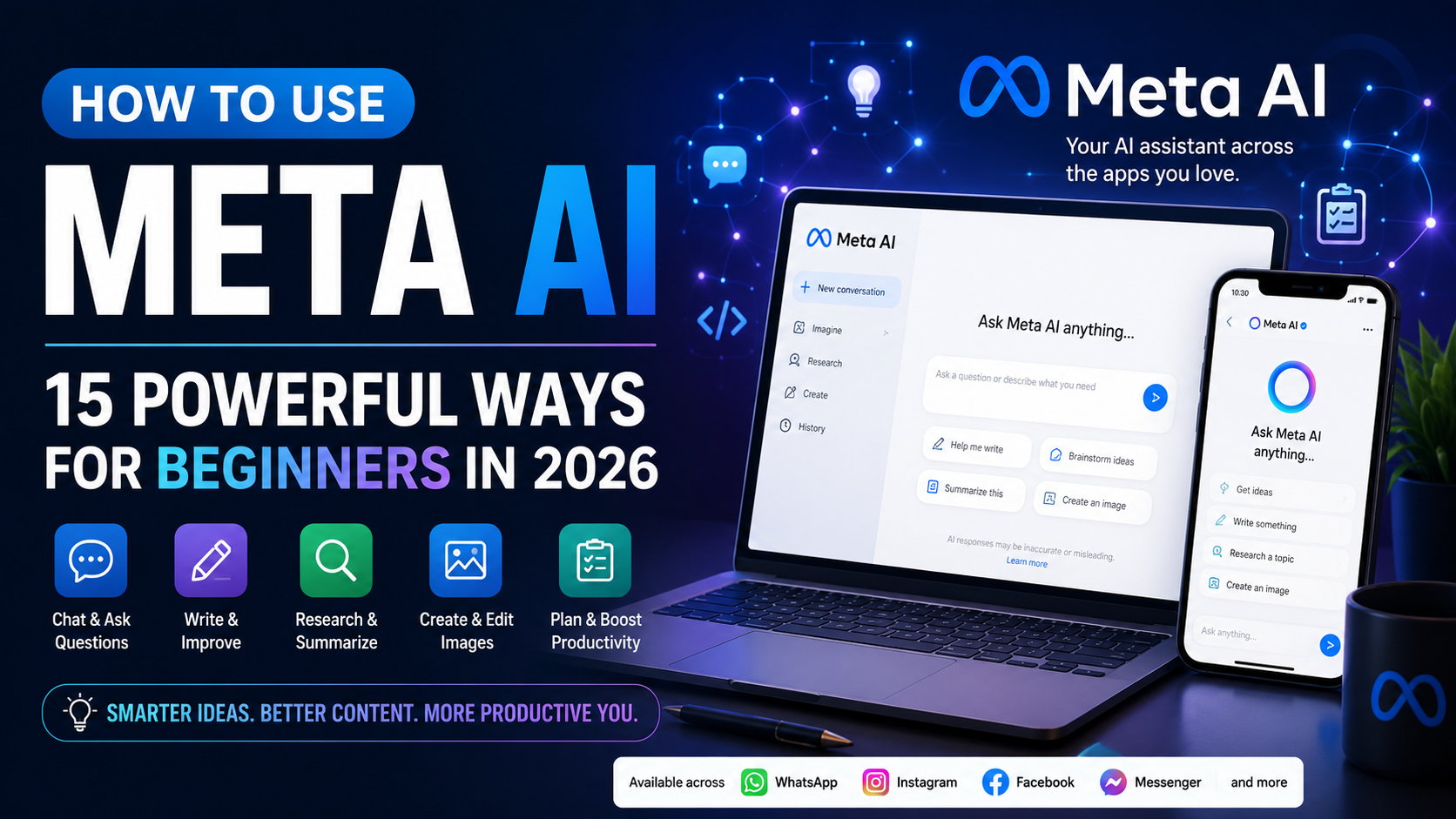
How to Use Meta AI: 15 Powerful Ways for Beginners in 2026
Learning how to use Meta AI can help you explore artificial intelligence for writing, research, brainstorming, planning, image creation, productivity, and everyday questions.
Meta AI is Meta’s artificial intelligence assistant and is available through the Meta AI experience as well as across several Meta products. Depending on your location and available features, you may encounter Meta AI through the Meta AI app and website or services such as WhatsApp, Instagram, Facebook, and Messenger.
What makes Meta AI particularly interesting for beginners is that you don’t need advanced technical knowledge to start experimenting with it. You can communicate with the assistant using ordinary conversational language.
You can ask a question, explain a problem, request ideas, provide information to analyze, or describe something you want to create.
In this beginner-friendly guide, we’ll explore 15 practical ways to use Meta AI, along with useful prompts, common mistakes to avoid, and simple techniques that can help you get better results.
What Is Meta AI?
Meta AI is an artificial intelligence assistant developed by Meta.
It is designed to help users find information, explore ideas, create content, work through problems, generate and edit images, and perform other AI-assisted tasks.
Meta has expanded the assistant considerably. Its current generation is powered by the company’s Muse Spark models, which Meta says are designed to handle complex reasoning and multimodal tasks involving more than ordinary text conversations.
Meta AI is also closely connected with Meta’s wider ecosystem.
Depending on availability, users may encounter Meta AI through:
- The Meta AI app
- Meta AI on the web
- Messenger
- Threads
- Supported Meta AI glasses
Not every feature is available in every country or on every Meta product at the same time because Meta frequently introduces new AI capabilities gradually.
This means the exact interface you see may be different from screenshots or instructions created by someone in another country.
For beginners, however, the basic principle remains simple: you give Meta AI an instruction or question, provide enough context for it to understand what you need, and then refine the response through follow-up prompts.
How to Use Meta AI
The easiest way to understand how to use Meta AI is to think of it as an assistant you communicate with through instructions called prompts.
A prompt could be something very simple:
“Give me five ideas for becoming more productive during my workday.”
But you can usually get a more useful response by providing additional context:
“Give me five practical ways a busy small-business owner can become more productive during the workday. Focus on ideas that are inexpensive and easy for a beginner to implement.”
The second prompt gives the AI more information about the audience, objective, and type of answer required.
You can then continue the conversation with follow-up instructions such as:
“Turn these ideas into a seven-day action plan.”
or:
“Explain idea number three in more detail and give me an example.”
This ability to refine an answer through conversation is one of the most useful skills to develop when learning how to work with AI assistants.
How to Get Started With Meta AI
Getting started is relatively straightforward.
You can access the standalone Meta AI experience through the Meta AI app or the web. Meta AI is also integrated into several Meta products, although exactly where it appears depends on your device, country, account, and Meta’s current rollout.
Once you have access, begin with a simple request rather than trying to create a complicated prompt immediately.
For example:
“Help me create a simple plan for organizing my work this week.”
Review the answer and then provide additional instructions:
“Prioritize the tasks by importance and turn the plan into a Monday-to-Friday schedule.”
You can continue refining the response until it becomes useful.
As you become more comfortable, experiment with different types of requests. Meta’s current AI experience extends beyond basic text questions and includes capabilities involving images, voice, research and other multimodal interactions, although availability varies.
The key is not to find one “perfect” prompt.
Instead, learn to give clear instructions, provide useful context, examine the result, and improve your request through follow-up prompts.
15 Practical Ways to Use Meta AI
Now that you understand the basics, let’s look at 15 practical ways to use Meta AI for writing, research, brainstorming, productivity, content creation, planning, learning, and everyday tasks.
Meta AI has expanded beyond basic question-and-answer conversations. Current versions can work with text, voice and images, while newer capabilities such as deeper research and recurring tasks are rolling out in select markets.
1. Brainstorm Ideas and Solve Creative Blocks
One of the easiest ways to learn how to use Meta AI is to use it as a brainstorming partner.
You can ask for ideas when you are struggling to find a topic, approach, headline, project idea, marketing concept, or solution to a problem.
Instead of simply asking for “ideas,” provide information about what you are trying to accomplish and who the ideas are intended for.
For example, someone running a small business could ask Meta AI to suggest inexpensive ways to attract new customers. A content creator could ask for potential article or social-media topics within a particular niche.
The first response doesn’t have to be the final answer. Choose the strongest ideas and ask Meta AI to develop them further.
Example prompt
Give me 15 beginner-friendly content ideas about artificial intelligence for people who have little experience using AI. Group them into productivity, content creation, business, and learning. For each idea, explain in one sentence why it would be useful.
2. Improve Your Writing
Meta AI can help you improve emails, articles, social-media posts, descriptions, reports, and other written content.
Rather than asking it to completely replace your writing, you can provide something you’ve already written and ask for specific improvements.
For example, you could ask it to make a paragraph clearer, shorten a long explanation, correct grammar, simplify complicated language, or adjust the tone for a particular audience.
Always review the final version yourself. AI can occasionally change the meaning of a sentence or introduce information that wasn’t in your original text.
Example prompt
Improve the following paragraph for clarity and readability. Keep my original meaning, use simple language, remove unnecessary repetition, and don’t add facts that aren’t already included: [paste paragraph]
If writing is one of your main reasons for exploring AI, our How to Use Grammarly AI: 15 Powerful Ways for Better Writing guide provides another approach to improving and editing written content.
3. Create Social Media Content
Meta AI can be useful for brainstorming and preparing content for social media.
You might use it to develop post ideas, captions, hooks, questions, calls to action, short scripts, or different versions of the same message.
Because Instagram, Facebook and other Meta services form part of Meta’s wider ecosystem, Meta is increasingly incorporating AI-assisted discovery and creative capabilities across its products.
However, don’t publish every AI-generated post automatically.
Review the content for accuracy, originality, tone, and whether it genuinely represents what you want to communicate.
Example prompt
Turn this idea into three social-media posts. Create one short educational post, one question-based post designed to encourage conversation, and one practical tip. Keep the language natural and don’t make claims that aren’t supported by the information I provide: [idea]
For more ideas specifically focused on social content, read ChatGPT for Social Media: 15 Powerful Ways to Create Better Content.
4. Summarize Long Information
Meta AI can help turn lengthy information into something easier to understand.
For example, you might provide notes, an article, instructions, or other text and ask for the main points.
You can also specify exactly how you want the summary presented.
You might request five bullet points, a beginner-friendly explanation, a list of action items, or a short overview followed by the most important details.
Don’t rely solely on an AI summary when the original material contains legal, medical, financial, contractual, or other high-stakes information. Meta itself warns that AI responses can be inaccurate and shouldn’t be relied upon for important decisions.
Example prompt
Summarize the following information in five bullet points. Identify the main idea, the three most important details, and any action the reader needs to take. Don’t add information that isn’t present in the original text: [text]
5. Research and Explore Topics
You can use Meta AI as a starting point when researching an unfamiliar subject.
Ask it to explain a topic, identify important concepts, compare different perspectives, or suggest questions you should investigate further.
Meta has also introduced more advanced research capabilities that can synthesize information from the web and content shared across its platforms. These newer capabilities are being rolled out progressively, so availability may depend on your location and account.
Even when AI performs the research, check important claims against reliable primary or authoritative sources before using them publicly.
Example prompt
Help me research [topic]. Start with a beginner-friendly explanation, identify the five most important concepts I should understand, give me five questions worth researching further, and tell me which claims would need verification from authoritative sources.
6. Learn Difficult Subjects More Easily
Another useful way to learn how to use Meta AI is to ask it to act as a learning assistant.
If an explanation is too complicated, ask Meta AI to simplify it.
You can then ask follow-up questions until the subject makes sense.
For example, you might say:
“Explain artificial intelligence as if I’m completely new to the subject.”
Then follow with:
“Now give me a real-world example of each concept.”
You can also ask for quizzes, flashcards, practice questions, examples, or step-by-step explanations.
Example prompt
Teach me the basics of [subject] as a beginner. Break the topic into five lessons, explain each lesson using simple language and a practical example, and give me three questions after each lesson to test my understanding.
If you’re interested in using AI specifically for education, ChatGPT for Learning: 15 Powerful Ways to Study Smarter explores additional learning techniques.
7. Plan Your Day and Improve Productivity
Meta AI can help organize tasks and turn an unstructured list of responsibilities into a more manageable plan.
For example, you could provide everything you need to accomplish during the day and ask Meta AI to organize the tasks according to priority, estimated effort, or available time.
The important thing is to provide realistic constraints.
Tell the AI when you start working, when you finish, which tasks have deadlines, and which commitments cannot be moved.
Example prompt
Organize the following tasks into a realistic workday from 9 a.m. to 5 p.m. Put urgent work first, include two short breaks and a lunch break, and don’t remove any tasks. If everything cannot realistically fit into the day, tell me which tasks should move to tomorrow: [task list]
For more productivity ideas, How to Use ChatGPT for Productivity: 10 Practical Ways to Save Time provides additional examples.
8. Create and Edit Images
Meta AI can also be used for visual creation.
Meta introduced Muse Image in July 2026, allowing users to generate images from conversational descriptions and perform edits on existing images. Meta says the system can also combine visual references and offers preset prompts for creative experimentation.
For the best results, describe more than just the subject.
Include details such as the setting, composition, lighting, mood, perspective, and intended purpose.
For example, instead of:
“Create an AI image.”
try something more specific.
Example prompt
Create a clean 16:9 featured image for a beginner article about artificial intelligence. Show a modern laptop surrounded by subtle AI interface elements, use a professional technology atmosphere, leave enough uncluttered space for a headline, and don’t include unnecessary text.
Availability of particular image features can differ between Meta products and countries.
9. Generate Content Outlines
Before writing an article, report, presentation, video, or guide, you can ask Meta AI to organize the subject into a logical structure.
This is particularly useful when you know what you want to discuss but aren’t sure how the sections should fit together.
Provide the topic, target audience, purpose, and approximate depth you want.
Then review the outline before writing.
AI-generated outlines can sometimes contain repetitive sections or topics that don’t genuinely belong in the finished content.
Example prompt
Create a detailed outline for a beginner-friendly article about [topic]. Include an introduction, essential background information, practical examples, common mistakes, frequently asked questions, and a conclusion. Avoid repeating the same idea under different headings.
10. Compare Options Before Making a Decision
Meta AI can help organize information when you need to compare several options.
For example, you could compare software tools, productivity methods, learning approaches, travel ideas, or different ways of completing a project.
Ask it to establish comparison criteria rather than simply declaring one option the winner.
That makes the result more useful because the “best” choice often depends on what the user actually needs.
For purchasing, financial, health, legal, or other important decisions, verify current facts independently rather than treating an AI recommendation as definitive.
Example prompt
Compare [option A], [option B], and [option C] for a beginner who needs [goal]. Compare ease of use, important features, limitations, learning curve, and who each option is best suited for. Don’t declare an overall winner unless the evidence clearly supports one.
Our ChatGPT vs Claude vs Gemini: Which AI Assistant Is Best in 2026? article is a good example of this comparison approach.
11. Prepare Emails and Messages
Meta AI can help you prepare everyday communications.
You might ask it to draft a professional email, shorten a long message, make something sound friendlier, organize an unclear explanation, or create several versions for different situations.
Give the AI enough context to understand the relationship between the sender and recipient without providing unnecessary private information.
Example prompt
Draft a concise professional email explaining that the project will be completed one day later than originally planned. Apologize briefly, explain that more time is needed for final quality checks, and confirm the new completion date as [date]. Keep the tone respectful and straightforward.
If email writing is a frequent task for you, ChatGPT for Email Writing: 15 Powerful Ways to Save Time goes deeper into this subject.
12. Practice Conversations and Interviews
Meta AI can act as a practice partner when you’re preparing for an interview, presentation, customer conversation, or other situation where you need to respond confidently.
Ask the AI to play a particular role and give you one question at a time.
After you answer, request constructive feedback.
This turns the conversation into an interactive exercise rather than simply reading a list of possible questions.
Example prompt
Act as an interviewer for an entry-level customer-support position. Ask me one realistic interview question at a time. After each answer, explain what I did well, what could be improved, and then ask the next question.
13. Use Voice and Visual Interaction
Depending on the device and feature availability, Meta AI can support more than typed conversations.
Meta says its current Meta AI app supports natural voice conversations, including switching topics during a conversation, and it has been expanding live visual AI capabilities that allow users to point a camera at something and ask questions about what they see.
These capabilities can make AI useful when typing isn’t convenient.
You could potentially ask questions while working on something, discuss an idea verbally, or use visual context to better explain what you’re asking about.
As with text responses, verify important information rather than assuming the assistant’s interpretation is always correct.
Example prompt
Look at what I’m showing you and describe the main objects you can identify. If you’re uncertain about anything, tell me what you’re unsure about instead of guessing.
14. Create Plans and Step-by-Step Instructions
Meta AI can turn a broad objective into smaller actions.
Instead of asking:
“How do I start a business?”
narrow the request by explaining your current situation, resources, objective, and timeframe.
The resulting plan can then become a starting framework that you adjust according to real-world circumstances.
Example prompt
Help me create a 30-day beginner plan for learning how to use AI for productivity. Divide it into four weekly stages. Give me one practical exercise each day, keep each exercise under 30 minutes, and make each week slightly more advanced than the previous one.
For plans involving significant financial, legal, health, or other consequential decisions, use AI for organization and questions—not as a substitute for qualified professional advice.
15. Build Repeatable AI Routines
Once you become comfortable with individual prompts, you can start turning successful methods into repeatable routines.
For example, you might develop a standard process for planning weekly content, researching topics, preparing reports, learning new skills, or reviewing your priorities.
Meta has also begun rolling out recurring tasks in Meta AI. According to Meta, users in supported markets can set up tasks once and have Meta AI provide recurring outputs such as scheduled plans or updates.
Because this capability is still rolling out, don’t assume it will appear in every account immediately.
Even without automated recurring tasks, you can save your most useful prompt structures and reuse them manually.
Example prompt
Create a repeatable weekly planning routine for me. Each week, help me review unfinished tasks, identify my three highest priorities, organize them into a five-day schedule, identify anything that can be postponed, and finish with a short checklist I can follow.
These 15 examples demonstrate that learning how to use Meta AI involves much more than asking random questions. You can use it to brainstorm, write, research, learn, create images, organize information, prepare content, plan projects, practice conversations, and develop repeatable workflows.
The important principle is to remain involved in the process. Give clear instructions, review the output, verify important information, and refine your prompts rather than automatically accepting the first response.
Meta itself cautions that AI-generated responses may sometimes be inaccurate, so human review remains particularly important when the information will influence an important decision.
A Simple Meta AI Workflow for Beginners
Learning how to use Meta AI becomes easier when you begin with one clear task rather than trying to use every available feature at once.
A simple workflow helps you understand how prompting, follow-up instructions, verification, and refinement work together.
Here’s a straightforward process beginners can follow:
- Choose one specific task. Start with something useful and manageable, such as brainstorming ideas, improving an email, summarizing information, creating a social-media post, or organizing your day.
- Decide what result you need. Before entering a prompt, think about what a successful answer should contain. This prevents vague requests that produce generic responses.
- Provide useful context. Tell Meta AI who the content is for, what you’re trying to accomplish, and any important limitations it should follow.
- Write a clear first prompt. Explain the task using normal language. You don’t need complicated prompt formulas to get started.
- Specify the output format. If you want bullet points, a table, numbered steps, a short paragraph, an email, or another particular format, say so in the prompt.
- Review the first response. Don’t automatically accept everything Meta AI produces. Check whether it understood your request and whether anything important is missing.
- Ask follow-up questions. If part of the response isn’t useful, explain what should change. You might ask for more detail, simpler language, additional examples, or a different approach.
- Verify important information. Check factual claims, statistics, dates, quotations, product information, and other important details against reliable sources.
- Remove unnecessary information. AI responses can sometimes be longer than necessary. Keep what genuinely helps you accomplish the task.
- Add your own judgment and experience. AI can assist with the process, but the finished result should reflect your objectives, knowledge, and decisions.
- Save successful prompt structures. When a prompt produces consistently useful results, keep a copy so you can adapt it for similar tasks later.
- Protect private information. Avoid entering passwords, financial credentials, confidential business information, or unnecessary personal information into an AI conversation.
- Experiment with different approaches. Try changing the amount of context, format, examples, or instructions to see how the response changes.
- Use the appropriate AI tool for the task. Meta AI may be useful for many activities, but another specialized tool may sometimes be better suited to a particular job.
- Build a repeatable workflow. Once you find a process that works, turn it into a simple sequence you can follow whenever the same type of task appears.
For example, a basic content workflow could look like:
Idea → Research → Outline → Draft → Review → Fact-check → Edit → Publish
The goal isn’t to let AI control the entire process. A better approach is to use Meta AI at the stages where it can genuinely save time while keeping human judgment involved in the final result.
If you’re comparing different AI tools for everyday productivity, 7 Best AI Productivity Tools for Beginners provides a broader introduction to several useful options.
Common Mistakes When Using Meta AI
Meta AI can be useful for many everyday tasks, but getting good results involves more than simply entering a question and accepting whatever appears.
Avoiding these common mistakes can help you use the assistant more effectively.
1. Using Prompts That Are Too Vague
A prompt such as:
“Help me with marketing.”
doesn’t provide enough information about your objective.
Explain what you’re marketing, who you’re trying to reach, what you want to accomplish, and what kind of help you need.
For example:
Create five beginner-friendly marketing ideas for a small online business selling digital productivity templates. Focus on methods that require a limited advertising budget.
Clearer instructions generally give the AI a better chance of producing a relevant response.
2. Expecting the First Response to Be Perfect
AI conversations work best when you refine the result.
If the first response is too general, ask for more detail. If it’s too complicated, ask for simpler language. If an example isn’t relevant, explain what kind of example would be better.
Learning how to use Meta AI effectively includes learning how to use follow-up prompts.
3. Trusting Every Answer Without Verification
Meta AI can produce incorrect, outdated, incomplete, or misleading information.
This is especially important when working with statistics, dates, quotations, current events, technical information, or other factual claims.
Use authoritative sources to verify important information before publishing it or using it to make decisions.
4. Sharing Sensitive Information
Don’t provide information simply because an AI prompt asks for more context.
Passwords, banking credentials, authentication codes, private customer information, confidential business documents, and other sensitive information should not be included unnecessarily.
Give the AI only the information required to perform the task.
5. Asking for Too Many Things in One Prompt
A huge prompt containing several unrelated tasks can produce an unfocused response.
For complicated projects, break the work into stages.
For example:
Research → Outline → Draft → Edit → Final Review
This gives you an opportunity to inspect each stage before moving forward.
6. Failing to Explain the Intended Audience
The same information may need to be presented differently for beginners, professionals, customers, students, or social-media followers.
Tell Meta AI who the intended audience is.
For example:
Explain this concept for someone who has never used an AI assistant before. Avoid technical jargon and provide two everyday examples.
7. Letting AI Replace Your Own Voice
AI-generated writing can sometimes sound generic.
Use Meta AI to help develop ideas, organize information, improve drafts, or suggest alternatives, but review the finished content yourself.
Add your own examples, experience, opinions where appropriate, and brand voice.
8. Ignoring the Output Format
If you need information in a particular structure, say so.
- Numbered steps
- Bullet points
- Tables
- Checklists
- Short paragraphs
- Email format
- Social-media captions
- Question-and-answer format
Giving formatting instructions can make the response much easier to use.
9. Assuming Every Meta AI Feature Is Available Everywhere
Meta frequently introduces AI features gradually.
A feature described online may not yet be available in your country, account, device, or particular Meta application.
If you don’t see a feature, check Meta’s current information rather than assuming something is wrong with your account.
10. Using AI When a Simpler Tool Would Work Better
Artificial intelligence isn’t automatically the best solution for every task.
A calculator is better for straightforward arithmetic. A calendar is better for confirmed appointments. A password manager is better for storing passwords.
Use Meta AI where reasoning, writing, brainstorming, organization, interpretation, or creative assistance genuinely adds value.
11. Publishing AI-Generated Content Without Reviewing It
Don’t copy an AI response directly into a website, social-media account, business document, or customer communication without checking it.
Look for:
- Incorrect facts
- Repetition
- Awkward wording
- Unsupported claims
- Unnecessary information
- Incorrect names or dates
- Statements that don’t represent your intended message
Human review remains an important part of responsible AI use.
Is Meta AI better than ChatGPT?
There isn’t one answer that applies to everyone.
The better assistant depends on the task, features you need, products you already use, and your preferred workflow.
Meta AI has the advantage of integration with Meta’s ecosystem, while ChatGPT offers its own collection of tools and capabilities.
If you want a broader comparison of major assistants, read ChatGPT vs Claude vs Gemini: Which AI Assistant Is Best in 2026?
Is Meta AI always accurate?
No.
Like other generative AI systems, Meta AI can produce incorrect or misleading responses. Important information should be independently verified.
What is the best way for a beginner to learn Meta AI?
Start with simple tasks you already understand.
Ask Meta AI to help organize your day, improve a paragraph, brainstorm ideas, explain a subject, or create an outline.
Then experiment with follow-up prompts.
As you become comfortable, move toward more advanced tasks such as research, image creation, structured planning, and repeatable workflows.
Final Thoughts on How to Use Meta AI
Learning how to use Meta AI can give beginners another practical way to take advantage of artificial intelligence in everyday life and work.
You can use Meta AI to brainstorm ideas, improve writing, create social-media content, summarize information, research topics, learn new subjects, organize tasks, create images, plan projects, practice conversations, and develop repeatable workflows.
You don’t need to master every feature immediately.
Start with one useful task.
Give Meta AI a clear instruction, review the response, ask follow-up questions, and gradually experiment with more advanced capabilities as you become comfortable.
Remember that AI-generated information isn’t automatically correct. Verify important claims, protect sensitive information, and keep human judgment involved whenever the result matters.
The most effective approach isn’t simply asking AI to do everything for you.
It’s learning where AI genuinely saves time and combining those capabilities with your own knowledge, experience, creativity, and decision-making.
Once you understand how to use Meta AI, you can also compare it with other assistants and decide which tools work best for different parts of your workflow.
If you want to continue building your AI skills, explore 7 Best AI Productivity Tools for Beginners and ChatGPT vs Claude vs Gemini: Which AI Assistant Is Best in 2026? to discover more ways artificial intelligence can support your work and productivity.