ChatGPT vs Claude vs Gemini: Which AI Assistant Is Best in 2026?
Choosing between ChatGPT vs Claude vs Gemini can be difficult because all three AI assistants can help with writing, research, brainstorming, coding, learning, productivity, and everyday questions. However, they don’t always approach these tasks in the same way.
ChatGPT, Claude, and Gemini have developed into powerful general-purpose AI assistants, but each has different strengths, features, integrations, and workflows. The best choice therefore depends less on which AI is simply “best” and more on what you actually want an AI assistant to help you accomplish.
In this comparison, we’ll examine ChatGPT vs Claude vs Gemini across important areas including writing, research, coding, document analysis, productivity, ease of use, integrations, and everyday tasks. We’ll also look at the strengths and limitations of each platform so you can decide which one better fits your needs.
ChatGPT vs Claude vs Gemini: Quick Comparison
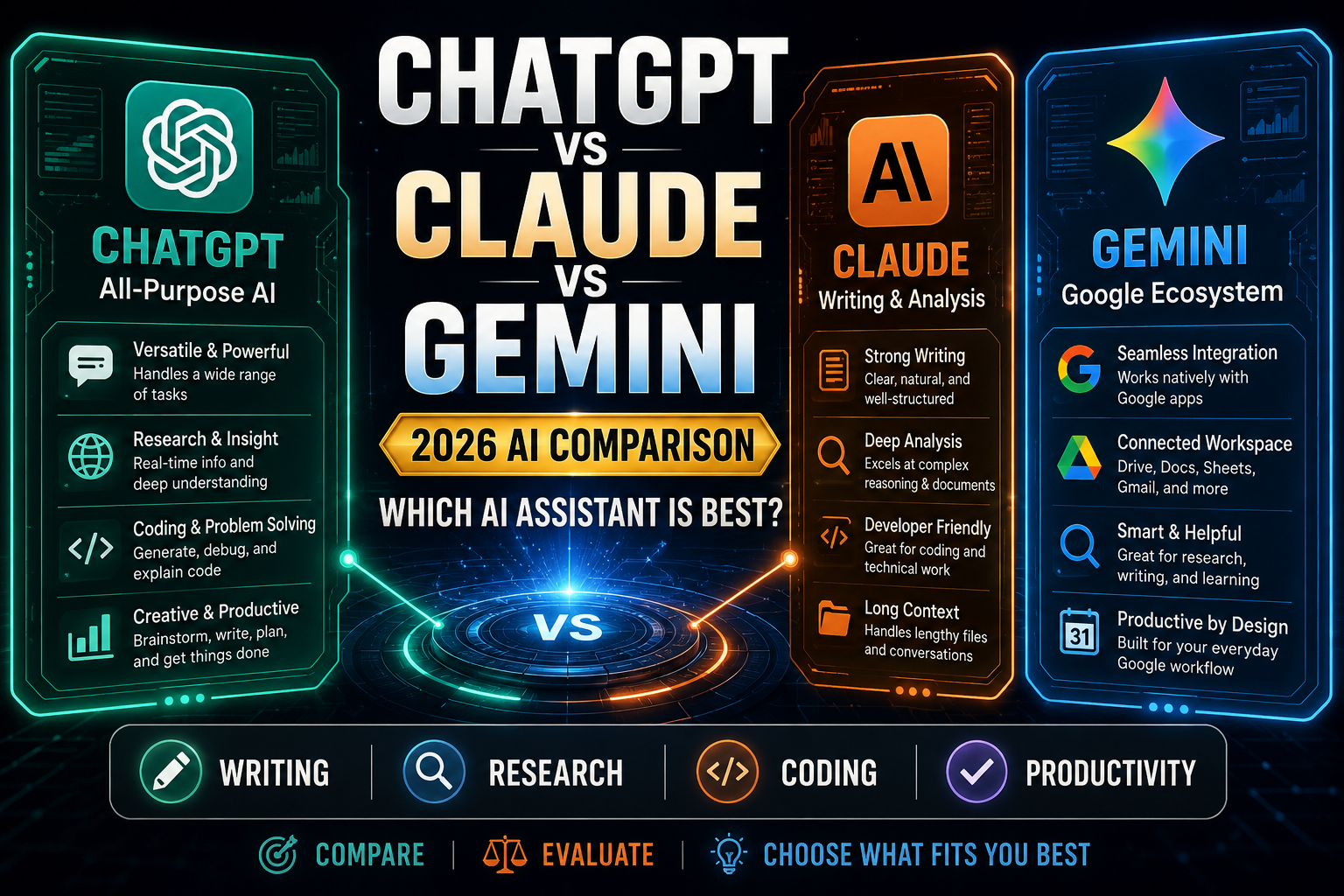
Before examining each AI assistant in detail, here’s a quick overview of how ChatGPT, Claude, and Gemini differ. Features and plan limits can change over time, so individual capabilities should always be checked against the providers’ current information.
| Category | ChatGPT | Claude | Gemini |
| Best suited to | Broad all-purpose AI work | Thoughtful writing and complex analysis | Google-centered workflows |
| Writing | Strong across many writing styles | Strong for detailed, natural long-form work | Strong for drafting and everyday writing |
| Research | Web search and in-depth research tools | Strong research and analysis capabilities | Strong research with Google ecosystem advantages |
| Coding | Strong coding and troubleshooting capabilities | Strong coding and software-development capabilities | Strong coding assistance |
| Document work | Strong file analysis and ongoing project workflows | Strong long-document analysis and structured work | Strong document analysis with Google integration |
| Productivity | Broad toolset for planning, research and everyday work | Strong for focused knowledge and professional work | Particularly useful alongside Google services |
| Web information | Search with source links and deeper research options | Web-enabled research capabilities | Strong connection to Google’s information ecosystem |
| Ecosystem advantage | Broad ChatGPT tools, projects and connected apps | Claude workflows, integrations and professional tools | Gmail, Drive, Docs and other Google services |
| Best choice when… | You want one versatile AI assistant for many different tasks | Writing, analysis or coding is central to your work | You already rely heavily on Google’s ecosystem |
This quick comparison doesn’t mean one assistant automatically wins every category. The better choice depends on the task, the features available on your plan, the apps you already use, and how you prefer to work. We’ll examine these differences more closely throughout the rest of the comparison.
What Is ChatGPT?
ChatGPT is an AI assistant developed by OpenAI. It can help with writing, brainstorming, research, learning, coding, data analysis, planning, problem-solving, and many other everyday and professional tasks.
One of ChatGPT’s strengths is its broad range of capabilities within a single assistant. Depending on the features available to you, it can search the web, work with uploaded files and images, analyze information, create images, conduct more extensive research, and maintain organized work through features such as projects.
This versatility makes ChatGPT particularly useful for people who want one AI assistant that can handle many different types of work rather than specializing in only one area.
If you’re new to ChatGPT, How to Write ChatGPT Prompts: A Beginner’s Guide explains how to give the assistant clearer instructions and get more useful responses.
What Is Claude?
Claude is an AI assistant developed by Anthropic. It is designed to help with tasks such as writing, analysis, research, coding, problem-solving, document work, and other knowledge-intensive activities.
Claude can be particularly useful when you’re working through detailed information or developing longer pieces of content. Its tools also support workflows involving files, research, coding, and organized project work, depending on the features and plan available.
For users comparing ChatGPT vs Claude vs Gemini, Claude is therefore worth considering when careful writing, structured reasoning, document analysis, or software-development work forms an important part of the workflow.
For a deeper look at Claude itself, How to Use Claude AI: 15 Powerful Ways for Beginners explores practical ways to use it for writing, research, analysis, coding, learning, and productivity.
What Is Google Gemini?
Gemini is Google’s AI assistant and is closely connected with Google’s wider ecosystem. It can help with writing, research, brainstorming, learning, coding, planning, document analysis, and other everyday tasks.
A major reason someone might choose Gemini is its relationship with Google services. Depending on the product, account, and available features, Gemini can work alongside services such as Gmail, Google Drive, Docs, and other parts of Google’s ecosystem.
That makes Gemini particularly interesting for people who already spend much of their working day inside Google products and want AI assistance that fits naturally into those existing tools.
If you want to explore Gemini in more detail, How to Use Google Gemini: 15 Powerful Ways for Beginners covers practical uses for research, writing, learning, planning, analysis, and productivity.
ChatGPT vs Claude vs Gemini: Detailed Comparison
The differences between these assistants become clearer when you compare them task by task. Instead of asking which AI is universally best, let’s look at how ChatGPT, Claude, and Gemini fit different types of work.
1. Writing and Content Creation
All three assistants can help with drafting, rewriting, brainstorming, summarizing, adjusting tone, and developing longer pieces of content. The main differences often appear in the workflow, the style of the output, and how much control you want during revision.
ChatGPT is a strong all-purpose writing assistant. It can help move from planning to drafting and revision, adapt material for different audiences, and work with uploaded or connected material. OpenAI specifically supports workflows for drafting, rewriting, tightening language, adjusting tone, and turning rough notes into finished communication.
Claude is also particularly well suited to writing-heavy and document-heavy work. It can be useful when you want to develop detailed material, examine existing text carefully, or work iteratively through longer content.
Gemini provides strong writing and editing capabilities as well, particularly for users who already work within Google’s ecosystem. Google’s creative tools support drafting, editing, and refining documents alongside other AI-assisted work.
Best choice: There isn’t a universal winner. ChatGPT is particularly versatile across different writing workflows, Claude is a strong option for detailed writing and analysis, while Gemini becomes especially attractive when your writing already lives inside Google’s ecosystem.
2. Research and Current Information
Research is an area where all three assistants have become considerably more capable. They can help find information, organize sources, summarize findings, compare viewpoints, and investigate questions that would otherwise require searching across many pages manually.
ChatGPT offers both web search for faster current-information questions and deep research for more complicated investigations. Deep research can work across the public web, uploaded files, specific websites, and connected sources to produce structured reports with citations.
Claude also provides web search and a Research capability designed for multi-step investigation. Its Research mode can conduct multiple searches, explore different angles of a question, and produce answers with citations.
Gemini benefits from Google’s long history in information retrieval and provides research-oriented capabilities within the Gemini ecosystem. Google has continued expanding Gemini’s research tools alongside features for working with information and creating content.
Best choice: For serious research, don’t choose purely by brand. Consider the quality of the sources each assistant finds, whether citations are easy to verify, how well it follows your research instructions, and whether it can work with the sources and files you actually need.
3. Coding and Technical Work
ChatGPT, Claude, and Gemini can all help explain code, generate examples, troubleshoot errors, reason about technical problems, and assist with software-development tasks. For casual coding questions, any of the three may be sufficient.
ChatGPT combines conversational coding assistance with dedicated software-development capabilities through Codex. This makes the OpenAI ecosystem useful for both quick code questions and more involved technical workflows.
Claude has developed a strong reputation around software-development workflows and can be particularly useful for understanding codebases, reasoning through implementation choices, debugging, and working through complicated technical problems.
Gemini can generate, explain, and edit code, while Google’s Gemini tools also support interactive development and prototyping workflows. Google’s Canvas experience, for example, supports creating and refining both documents and code.
Best choice: Coding is one category where you should test the assistants against your own language, framework, and project rather than relying on a blanket ranking. The quality of the result can vary substantially depending on the specific technical task.
If your priority is learning how to work with ChatGPT beyond this comparison, How to Write ChatGPT Prompts: A Beginner’s Guide provides a practical starting point for giving AI clearer instructions.
4. Document and File Analysis
Working with documents is one of the most useful applications of modern AI assistants. ChatGPT, Claude, and Gemini can all help summarize material, answer questions about files, identify important information, compare documents, and turn lengthy material into something easier to understand.
ChatGPT can work with uploaded files for tasks such as summarization, extraction, comparison, analysis, and answering questions about the information they contain. Its broader workspace features can also be useful when files belong to an ongoing project rather than a single conversation.
Claude is particularly useful for document-heavy workflows. You can provide files and ask Claude to examine arguments, extract details, summarize sections, compare information, or work through complex material over an extended conversation.
Gemini can also analyze uploaded material, with an additional advantage for people whose documents already live within Google’s ecosystem. This can make it convenient when your workflow revolves around services such as Google Drive and Docs.
Best choice: All three are capable document assistants. Claude can be especially attractive for detailed document-focused work, ChatGPT provides a broad analysis environment, and Gemini may be the natural choice when your files and workflow are already centered on Google services.
5. Everyday Productivity and Planning
AI assistants can help with much more than generating content. They can organize ideas, create action plans, develop checklists, summarize information, prepare for meetings, break large goals into smaller tasks, and support everyday decision-making.
ChatGPT works well as a general productivity assistant because many different tasks can be handled within the same environment. You can move between planning, research, writing, analysis, brainstorming, and other activities without treating each one as a separate workflow.
Claude is useful when productivity involves substantial thinking, writing, analysis, or working through complicated information. Its project-oriented capabilities can also help keep related material together for ongoing work.
Gemini has an important productivity advantage for users who already depend heavily on Google’s services. AI assistance that works alongside familiar productivity tools can reduce the amount of switching between separate applications.
Best choice: ChatGPT is a strong general-purpose option, Claude suits focused knowledge work particularly well, and Gemini becomes increasingly compelling when your daily productivity already revolves around Google.
For practical examples of using AI to organize everyday work, How to Use ChatGPT for Productivity: 10 Practical Ways to Save Time explores planning, organization, writing, research, and other productivity workflows.
6. Integrations and Ecosystem
The best AI assistant isn’t determined only by the quality of its responses. The other tools you already use can make a major difference because integrations determine how easily AI fits into your existing workflow.
ChatGPT provides a broad environment that can work with files, web information, projects, and supported connected apps and data sources. This makes it attractive if you want an AI workspace that isn’t tied primarily to one traditional productivity ecosystem.
Claude also supports integrations and connected workflows, with particular value for professional, research, development, and knowledge-work use cases. Which integrations matter most will depend heavily on the tools your work already depends on.
Gemini’s clearest ecosystem advantage comes from Google. If Gmail, Drive, Docs, Sheets, Calendar, and other Google services already form the center of your workflow, Gemini can offer a particularly natural fit.
Best choice: Gemini has the clearest advantage for deeply Google-centered workflows. ChatGPT offers a broad standalone AI environment with expanding connections, while Claude can fit especially well into focused professional and technical workflows.
7. Ease of Use for Beginners
For beginners, the best AI assistant is often the one that makes it easy to start asking questions, understand the responses, and gradually discover more advanced capabilities without feeling overwhelmed.
ChatGPT has a straightforward conversational interface and can be used for simple questions immediately, while offering more advanced capabilities as your needs grow. Beginners can start with ordinary language and gradually learn techniques such as adding context, requesting specific formats, uploading files, and using follow-up prompts.
Claude also provides a clean conversational experience. Its straightforward interface can make it comfortable for people who primarily want to write, analyze information, ask questions, or work with documents without navigating a complicated workflow.
Gemini is similarly accessible through a conversational interface, and familiarity with Google’s products may make it particularly comfortable for people already using Google’s ecosystem.
Best choice: All three are beginner-friendly enough to start using without technical knowledge. ChatGPT provides a particularly broad path from basic to advanced use, while Claude offers a focused conversational experience and Gemini can feel especially natural to existing Google users.
8. Brainstorming and Creative Ideas
AI assistants can be valuable brainstorming partners when you need ideas but don’t want the AI to make the final creative decision for you. You can use them to explore alternatives, develop concepts, challenge an initial idea, or look at a problem from different angles.
ChatGPT is well suited to iterative brainstorming because you can begin with a rough concept and continue refining it through follow-up questions. It can help develop ideas for content, business projects, marketing, storytelling, problem-solving, and many other creative tasks.
Claude can be particularly useful when brainstorming involves deeper discussion or developing an idea through longer written reasoning. You can ask it to critique concepts, explore trade-offs, suggest alternatives, and help turn an early idea into a more structured direction.
Gemini also supports brainstorming and creative development, with additional convenience when the ideas eventually need to move into other Google-centered workflows.
Best choice: There is no clear universal winner for brainstorming. The strongest choice is often the assistant whose responses best match the way you think and whose follow-up conversation helps you develop rather than simply generate ideas.
9. Learning and Explaining Difficult Topics
ChatGPT, Claude, and Gemini can all act as learning assistants by explaining unfamiliar subjects, simplifying technical information, providing examples, generating practice questions, and adapting explanations to different levels of understanding.
ChatGPT can support interactive learning through explanations, follow-up questions, practice exercises, study planning, and step-by-step guidance. Its broad range of capabilities makes it useful across many subjects.
Claude can be especially helpful when learning requires careful reading, detailed explanations, or working through lengthy source material. You can ask it to explain difficult passages, compare concepts, or gradually increase the complexity of an explanation.
Gemini offers similar learning capabilities and can be particularly useful for users who combine AI assistance with Google’s broader educational and information tools.
Best choice: The most useful learning assistant depends on the subject and how you prefer to study. Rather than accepting the first explanation, ask follow-up questions, request examples, and verify important factual information regardless of which assistant you choose.
If studying and skill development are your main priorities, ChatGPT for Learning: 15 Smart Ways to Study Better explores practical techniques for explanations, study plans, practice questions, revision, and learning support.
10. Which AI Assistant Offers the Best Overall Experience?
After comparing ChatGPT vs Claude vs Gemini across writing, research, coding, document analysis, productivity, integrations, ease of use, brainstorming, and learning, there isn’t one assistant that automatically wins every category.
ChatGPT makes a strong case as the most versatile all-purpose choice. Its broad combination of conversational assistance, web research, file work, coding, image capabilities, projects, and other tools can make it suitable for people who want one AI assistant for many different types of tasks.
Claude is particularly compelling for users whose work involves substantial writing, detailed analysis, documents, coding, or extended knowledge work. Its focused experience can be especially valuable when you want to spend time developing and refining complex material.
Gemini has an important advantage for people already invested in Google’s ecosystem. If Gmail, Drive, Docs, Sheets, Calendar, and other Google services are central to your daily work, Gemini’s relationship with those tools can make it a natural addition to your existing workflow.
The right choice therefore depends on what matters most to you. Someone creating content every day may prioritize different capabilities from a software developer, researcher, student, small-business owner, or person who spends most of the day inside Google Workspace.
ChatGPT vs Claude vs Gemini: Strengths and Limitations
Looking at the strengths and limitations side by side can make the decision easier. These aren’t permanent rankings—AI products evolve quickly—but they highlight the practical differences discussed throughout this comparison.
ChatGPT — Strengths
- Versatile across a wide range of everyday and professional tasks
- Strong writing, research, coding, brainstorming, and analysis capabilities
- Can work with files, images, web information, and other supported sources
- Useful for both quick questions and longer ongoing projects
- Broad set of tools within one AI environment
ChatGPT — Limitations
- Some advanced capabilities depend on the plan and feature availability
- Responses can still contain inaccurate or unsupported information
- The large number of available capabilities can take time for beginners to fully explore
- Important research and factual claims still require source verification
Claude — Strengths
- Strong for detailed writing and editing
- Well suited to document-heavy and analytical work
- Useful for coding and technical problem-solving
- Clean conversational experience
- Strong option for extended knowledge-work tasks
Claude — Limitations
- Available features and usage limits depend on the plan
- Less integrated with Google’s productivity ecosystem than Gemini
- Like other generative AI systems, it can produce incorrect information
- Some users may prefer a broader all-in-one toolset
Gemini — Strengths
- Strong relationship with Google’s ecosystem
- Useful for writing, research, learning, coding, and productivity
- Particularly attractive for users of Gmail, Drive, Docs, and other Google services
- Accessible conversational interface
- Strong option for Google-centered workflows
Gemini — Limitations
- Its ecosystem advantage matters less if you don’t rely heavily on Google services
- Features can differ depending on account, plan, product, and region
- AI-generated information still requires verification
- Some workflows may be better suited to a more specialized alternative
Which Should You Choose: ChatGPT, Claude, or Gemini?
The best AI assistant depends on what you expect it to do most often. Rather than choosing based only on popularity, consider the type of work you perform, the apps you already use, and which capabilities will save you the most time.
Choose ChatGPT If You Want an All-Purpose AI Assistant
ChatGPT is a strong choice if you want one AI assistant that can handle many different types of work. It can move between writing, research, brainstorming, learning, coding, planning, file analysis, image-related tasks, and everyday questions without requiring you to use a separate tool for each activity.
This versatility makes ChatGPT particularly attractive to beginners, content creators, professionals, students, entrepreneurs, and other users whose AI needs change throughout the day.
Best for: People who want a versatile general-purpose AI assistant with a broad collection of capabilities.
Choose Claude If Writing and Deep Analysis Matter Most
Claude is worth considering if much of your work involves writing, editing, analyzing documents, reasoning through complicated material, or developing detailed ideas over longer conversations.
It can also be a strong choice for programmers and technical users who value coding assistance alongside detailed analysis. If your workflow is centered more on working deeply with information than connecting to a particular productivity ecosystem, Claude may fit particularly well.
Best for: Writers, analysts, researchers, developers, and people who regularly work with detailed information.
Choose Gemini If You Rely Heavily on Google
Gemini becomes especially attractive when Google’s services already form the center of your digital life. If you regularly work with Gmail, Drive, Docs, Sheets, Calendar, and other Google products, Gemini can fit naturally into an ecosystem you’re already familiar with.
You still get a capable general AI assistant for writing, research, brainstorming, learning, coding, and analysis, but the relationship with Google’s wider products can become the deciding factor.
Best for: People and organizations whose everyday workflow is already heavily centered on Google services.
Which Is Best for Writers?
All three can help writers brainstorm, outline, draft, rewrite, summarize, and edit content. Claude is particularly attractive for detailed writing and long-form analysis, while ChatGPT provides a very broad content-creation environment. Gemini is a strong option when the writing process already happens primarily through Google’s tools.
Recommendation: Test ChatGPT and Claude with the same piece of your own writing before deciding. Style preference is subjective, and the assistant that best preserves your intended voice may matter more than a general ranking.
Which Is Best for Students?
Students can use all three assistants for explanations, study plans, practice questions, brainstorming, summarizing material, and exploring difficult concepts. ChatGPT offers a broad learning environment, Claude can be useful for detailed explanations and document work, and Gemini can fit particularly well for students already using Google’s education and productivity tools.
Recommendation: Choose based on your study workflow, but use AI as a learning assistant rather than a substitute for doing the work yourself. Verify important information and follow your school’s rules regarding AI-assisted assignments.
Which Is Best for Coding?
All three assistants can generate code, explain programming concepts, troubleshoot errors, and help reason through technical problems. ChatGPT and Claude both offer particularly strong developer-oriented workflows, while Gemini also benefits from Google’s broader developer ecosystem.
Recommendation: Don’t select a coding assistant solely from a general comparison. Test each one using the programming languages, frameworks, codebase, and types of problems you actually work with.
Which Is Best for Research?
ChatGPT, Claude, and Gemini all provide research capabilities, but the quality of research depends on much more than how quickly an answer appears. Source selection, citations, depth of investigation, ability to work with your own material, and ease of verifying claims all matter.
Recommendation: For important research, test the assistants using the same research question and compare the quality of their sources and reasoning rather than simply comparing the length of their answers.
Which Is Best for Small Businesses?
A small business may need AI for several different jobs—customer communication, research, marketing, planning, content, document analysis, brainstorming, and productivity. That makes versatility and compatibility with existing business tools especially important.
Recommendation: ChatGPT is a strong general-purpose starting point, Gemini deserves particular consideration for businesses built around Google Workspace, and Claude can be especially useful when writing, analysis, documents, or technical work dominate the workflow.
If you’re specifically exploring AI for business tasks, ChatGPT for Small Business: 15 Powerful Ways to Save Time and Grow provides practical examples for marketing, planning, customer communication, content, and everyday operations.
Can You Use ChatGPT, Claude, and Gemini Together?
Yes. For some users, the best answer to ChatGPT vs Claude vs Gemini isn’t choosing one assistant exclusively. Each tool can play a different role depending on the task you’re working on.
For example, you might use ChatGPT as your main everyday AI assistant, Claude when you want another approach to detailed writing or document analysis, and Gemini when your work involves Google’s ecosystem.
Using more than one assistant can also be useful when a task is particularly important. You can compare how different AI systems explain a difficult subject, approach a coding problem, structure an argument, or analyze the same information.
However, receiving the same answer from several AI assistants doesn’t automatically prove that the answer is correct. Different models can repeat similar mistakes or rely on similar information, so important factual claims should still be checked against reliable original sources.
You also don’t need to pay for three premium subscriptions simply because all three tools are useful. Start with the assistant that best matches your everyday needs and consider another only when it provides capabilities that genuinely improve your workflow.
Example Multi-AI Workflow
A simple workflow could look like this:
- Research the topic using the assistant and research tools that best fit your sources.
- Verify important facts against reliable original sources rather than relying only on AI summaries.
- Develop the first draft using the assistant whose writing style works best for the task.
- Ask another assistant to critique the draft for missing arguments, unclear sections, or alternative viewpoints.
- Revise the material yourself instead of automatically accepting every AI suggestion.
- Use the most suitable ecosystem for the final workflow, whether that’s ChatGPT’s workspace, Claude’s tools, Google’s services, or another platform.
- Perform a final human review for accuracy, tone, originality, and suitability before using or publishing the result.
Using multiple AI assistants works best when each one has a clear purpose. Constantly copying the same prompt between different tools can create more work rather than saving time, so use a second assistant when it adds a meaningful perspective or capability.
Common Mistakes When Comparing ChatGPT, Claude, and Gemini
Comparing AI assistants isn’t as simple as counting features or asking which model scored highest on a particular test. Your workflow, priorities, existing tools, and the types of tasks you perform can matter just as much as technical capabilities.
1. Assuming One AI Assistant Is Best at Everything
ChatGPT, Claude, and Gemini are general-purpose AI assistants, but that doesn’t mean one will perform best for every user and every task. An assistant that works particularly well for writing may not necessarily be your preferred choice for research, coding, integrations, or another workflow.
2. Choosing Based Only on Benchmark Scores
Benchmarks can provide useful technical information, but they don’t perfectly represent everyday use. A model that performs strongly on a particular benchmark may not produce the writing style, workflow, interface, or integrations that work best for you.
3. Comparing Only One Prompt
Testing each assistant with a single question can give a misleading impression. AI responses vary depending on the instructions, context, task, available tools, and follow-up conversation. Test several realistic tasks before deciding which assistant better suits your needs.
4. Ignoring the Apps You Already Use
Your existing workflow can significantly influence which assistant is most convenient. Someone who spends the day using Google services may evaluate Gemini differently from someone whose work is centered around other tools.
5. Assuming Longer Answers Are Better
A longer AI response isn’t automatically more accurate or useful. Look at whether the assistant followed your instructions, answered the actual question, organized the information clearly, and supported important factual claims.
6. Treating AI-Generated Information as Automatically Correct
All three assistants can produce incorrect, outdated, incomplete, or misleading information. Important dates, statistics, quotations, technical details, and other factual claims should be checked against reliable sources.
7. Ignoring Free and Paid Feature Differences
The experience you receive can depend on the plan, model, usage limits, region, and features available to your account. Make sure you’re comparing the versions you would realistically use rather than assuming every advertised capability is available to everyone.
8. Paying for Several AI Assistants Without a Clear Reason
Using multiple assistants can be valuable, but that doesn’t mean you need several paid subscriptions. Start with the tool that handles most of your regular work and add another only when the additional capability provides enough value to justify the cost.
9. Choosing Based Only on Popularity
The most widely discussed AI assistant isn’t automatically the best one for your workflow. Your preferred writing style, research needs, coding environment, integrations, files, and everyday tasks should influence the decision.
10. Forgetting That AI Tools Change Quickly
Any ChatGPT vs Claude vs Gemini comparison represents a point in time. Models, features, integrations, pricing, and usage limits continue to evolve, which means the balance between these assistants can change.
The most useful comparison is therefore the one you perform with your own work. Use the same realistic tasks across the assistants you’re considering, compare the quality and reliability of the results, and choose the tool that consistently fits your needs.
Frequently Asked Questions About ChatGPT vs Claude vs Gemini
Is ChatGPT better than Claude and Gemini?
There isn’t a universal winner for every user or task. ChatGPT is a strong all-purpose assistant with a broad range of capabilities, while Claude can be particularly attractive for detailed writing, analysis, documents, and coding. Gemini has an important advantage for people whose work is already closely connected to Google’s ecosystem.
Is Claude better than ChatGPT for writing?
Claude can be an excellent choice for detailed and long-form writing, but writing quality is partly subjective. ChatGPT also provides strong drafting, rewriting, brainstorming, editing, and content-development capabilities. The best approach is to test both with your own material and compare which one better preserves your intended tone, structure, and voice.
Is Gemini better than ChatGPT?
Gemini isn’t automatically better or worse than ChatGPT. Gemini may be particularly convenient for people who rely heavily on Google’s services, while ChatGPT offers a broad all-purpose AI environment for writing, research, coding, analysis, learning, creative work, and other tasks. Your existing workflow should influence the decision.
Which is better for research: ChatGPT, Claude, or Gemini?
All three can assist with research and current information. Instead of judging only by how detailed an answer appears, compare the quality of the sources, citations, depth of investigation, ability to follow your research instructions, and how easily you can verify important claims.
Which AI is best for coding?
ChatGPT, Claude, and Gemini can all generate code, explain programming concepts, troubleshoot errors, and assist with technical problems. Coding performance can vary depending on the programming language, framework, codebase, and specific task, so developers should test the assistants using realistic examples from their own work.
Which AI assistant is best for students?
All three can support learning through explanations, study planning, practice questions, brainstorming, and summaries. ChatGPT offers a broad learning environment, Claude can be useful for detailed explanations and document work, while Gemini may fit particularly well with students already using Google’s tools.
Students should still verify important information and follow their school’s policies regarding AI-assisted work.
Which AI assistant is best for small businesses?
ChatGPT is a strong general-purpose starting point for businesses that need AI across many different tasks. Gemini deserves particular consideration when the business relies heavily on Google Workspace, while Claude can be especially useful for writing, document analysis, research, coding, and other knowledge-intensive work.
Can I use ChatGPT, Claude, and Gemini for free?
All three providers offer some level of access without requiring the highest paid subscription, but free access, models, features, and usage limits can change. Check each provider’s current official information before deciding which option meets your needs.
Do I need to pay for all three AI assistants?
No. Most people don’t need three paid AI subscriptions. Start with the assistant that handles the majority of your regular tasks. Consider paying for another only when it provides a specific capability or workflow improvement that is valuable enough to justify the additional cost.
Can I use ChatGPT, Claude, and Gemini together?
Yes. You can use different assistants for different parts of a workflow or use a second assistant to provide another perspective on important work. However, agreement between several AI systems doesn’t prove that information is correct, so important factual claims should still be verified using reliable original sources.
Which AI assistant should a beginner choose?
A beginner can start successfully with any of the three. If you want a broad all-purpose assistant, ChatGPT is a strong starting point. Claude is worth considering if writing and detailed analysis are priorities, while Gemini can be particularly convenient if you already use Google’s services extensively.
Because models, features, plans, and usage limits change regularly, check the official information from ChatGPT, Claude, and Gemini before choosing a paid plan.
The ChatGPT vs Claude vs Gemini comparison doesn’t produce one winner for every person and every task. All three have developed into capable AI assistants, but the best choice depends on what you need most from the technology.
Choose ChatGPT if you want a versatile all-purpose AI assistant that can support a broad range of activities. It is particularly attractive for users who want to move between writing, research, brainstorming, learning, coding, analysis, planning, file work, and creative tasks within one AI environment.
Choose Claude if detailed writing, document analysis, coding, and working carefully through complex information are central to what you do. Its strengths make it a compelling alternative for writers, researchers, developers, analysts, and other knowledge workers.
Choose Gemini if Google’s ecosystem already plays a major role in your everyday workflow. For people who regularly use Gmail, Drive, Docs, Sheets, Calendar, and other Google services, Gemini’s relationship with those products can become an important advantage.
For beginners who simply want one AI assistant to start with, ChatGPT is the strongest general-purpose starting point in this comparison. That doesn’t mean it will outperform Claude or Gemini at every individual task. It means its combination of capabilities makes it a practical place to begin when you don’t yet have a highly specialized requirement.
If writing and deep document work become your priority, compare your own results with Claude. If your work becomes increasingly centered on Google services, test the same workflows with Gemini. Your real-world results are more useful than choosing solely from somebody else’s ranking.
You also don’t need to treat the decision as permanent. AI assistants are developing rapidly, and the balance between them will continue to change as new models, tools, integrations, and capabilities are introduced.
Ultimately, the best approach is to choose the assistant that solves your regular problems with the least unnecessary friction. Test it with your own writing, research, coding, documents, and everyday tasks, verify important information, and expand to another assistant only when doing so provides a meaningful advantage.
If you’re still exploring your options beyond these three assistants, 7 Best AI Productivity Tools for Beginners looks at additional AI tools that can help with writing, research, organization, productivity, and everyday digital work.