How to Use NotebookLM: 15 Powerful Ways for Research and Learning
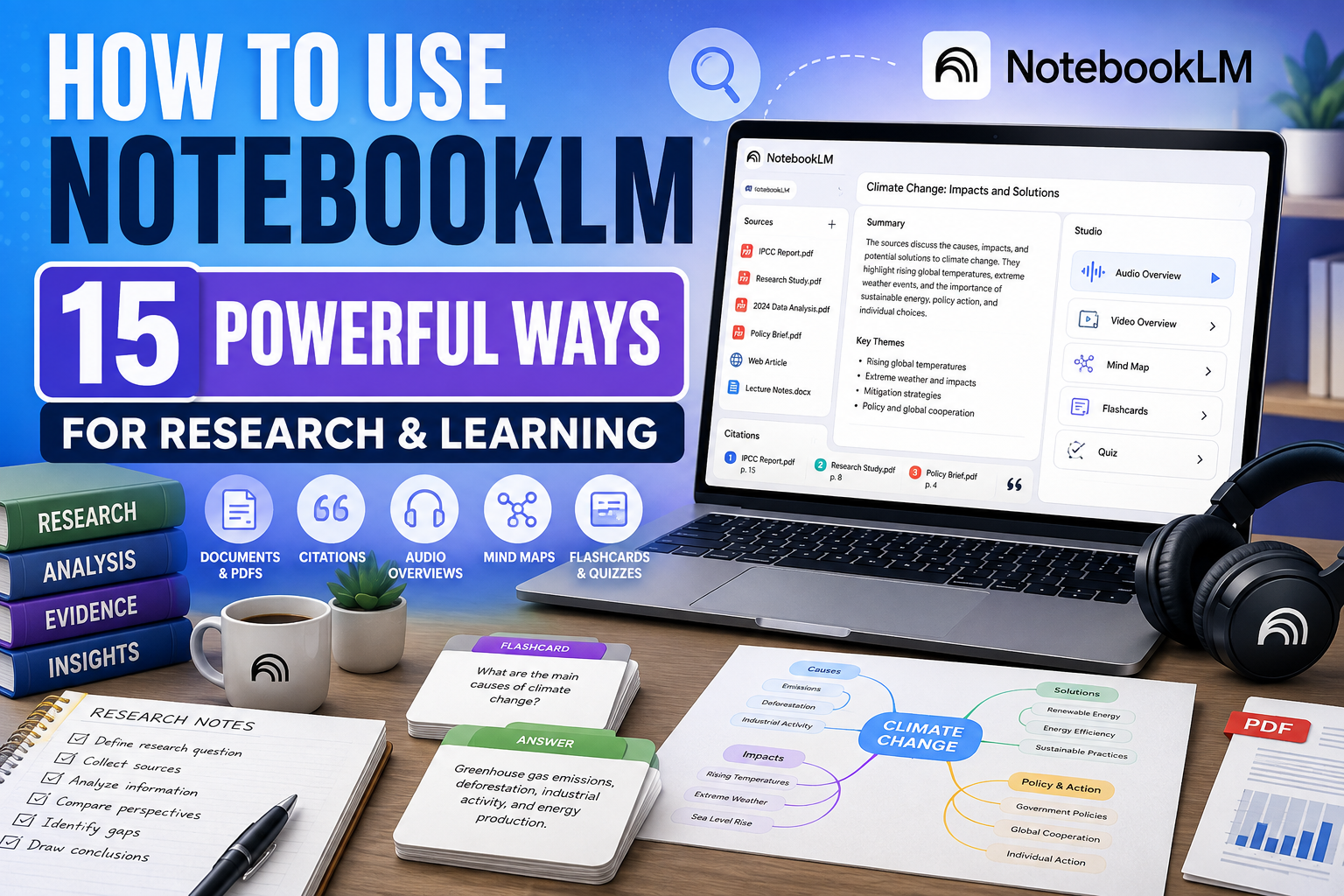
Learning how to use NotebookLM can help you turn a collection of documents, websites, notes, and other sources into a more organized research and learning workspace. Instead of repeatedly searching through individual materials, you can add relevant sources to a notebook and use AI to help you understand, question, compare, and explore them.
NotebookLM is especially useful when you already have information you want to work with. You might be studying a subject, researching a project, reviewing business documents, comparing reports, preparing for an exam, or trying to understand a large collection of material.
One of NotebookLM’s important characteristics is its source-grounded approach. Its responses can include citations that help you trace information back to the material in your notebook. That doesn’t eliminate the need to check important claims, but it makes it easier to examine where an answer came from.
In this beginner-friendly guide, we’ll explore 15 practical ways to use NotebookLM for research and learning. We’ll cover everything from summaries and source comparisons to study materials, Audio Overviews, mind maps, and repeatable research workflows.
What Is NotebookLM?
NotebookLM is an AI-powered research and learning tool from Google. It allows you to create notebooks around particular subjects or projects, add relevant source material, and then use AI to interact with that information.
Rather than treating every conversation as a completely open-ended question, NotebookLM is designed around the sources associated with your notebook. You can ask questions about the material, request explanations, identify important themes, compare information across sources, and generate useful learning or research outputs.
This makes NotebookLM particularly valuable when you’re dealing with information spread across multiple sources and want one workspace for exploring the material.
NotebookLM vs Perplexity: What’s the Difference?
NotebookLM and Perplexity can both support research, but they approach the task differently. Perplexity is particularly useful for discovering information and sources from across the web, while NotebookLM is especially useful for deeply exploring a collection of sources associated with a particular notebook.
The two tools can therefore complement each other. You might use a web research tool to discover useful information and then use NotebookLM to study, compare, question, and organize the material you’ve collected.
Which tool is better depends on what you’re trying to accomplish. If you need to discover information broadly, web-focused research can be useful. If you already have a collection of material that you need to understand deeply, NotebookLM can provide a more source-centered workspace.
For a detailed look at AI-assisted web research, read How to Use Perplexity AI: 15 Powerful Ways for Beginners.
15 Practical Ways to Use NotebookLM
The following examples demonstrate how to use NotebookLM for practical research and learning tasks. You don’t need to use every feature in every notebook. Start with a clear objective, add trustworthy sources, and choose the tools that help you understand your material more effectively.
1. Analyze Your Sources in One Place
One of the most useful ways to learn how to use NotebookLM is to create a notebook around a specific topic and bring relevant source material together. Instead of keeping research scattered across different documents, webpages, notes, and files, you can organize related material within one notebook.
Once your sources are available, NotebookLM can help you explore the information collectively. This makes it easier to identify important themes, locate relevant details, and understand how different pieces of information relate to your research question.
Source quality still matters. Adding unreliable or outdated information won’t automatically produce reliable conclusions, so choose your research material carefully.
Example prompt
Review the sources in this notebook and identify the main themes. For each theme, explain which sources discuss it, summarize the most important points, and highlight any questions that deserve further investigation.
2. Summarize Long Documents
Long reports, articles, papers, transcripts, and other documents can take considerable time to review. NotebookLM can help create summaries that give you an initial understanding of the material before you examine the most important sections more closely.
Rather than requesting only a general summary, tell NotebookLM what information matters to you. You might ask for key arguments, findings, recommendations, dates, people, definitions, or decisions depending on your research goal.
Use citations and the original source to verify important details. A summary is useful for orientation, but it shouldn’t automatically replace reading critical sections of the source itself.
Example prompt
Summarize this source for someone researching [topic]. Explain its main argument, five key findings, important evidence, significant dates or numbers, and the author’s main conclusion. Cite the relevant source passages so I can check the details.
3. Ask Questions Across Your Research Material
NotebookLM becomes particularly useful when you move beyond summarization and begin asking targeted questions about your sources. Instead of manually searching every document for the same subject, you can ask a question and examine the source-grounded response.
Start with broad questions to understand the material, then use follow-up questions to investigate particular claims, disagreements, examples, or gaps. This can turn research into a more interactive process.
Don’t stop at the AI-generated answer when the information is important. Follow the citations back to the underlying sources and check whether the evidence supports the conclusion.
Example prompt
Based only on the sources in this notebook, what do they say about [research question]? Separate well-supported conclusions from uncertain or conflicting information, cite the relevant sources, and identify anything the available material cannot answer.
4. Compare Information Across Multiple Sources
Research often involves sources that approach the same subject from different perspectives. NotebookLM can help you compare those sources without manually creating a separate summary of each one first.
You can ask it to identify areas of agreement, differences in conclusions, contrasting evidence, or different explanations for the same issue. This can be especially useful when working with reports, research papers, meeting documents, articles, or other material that covers overlapping topics.
A comparison is only as reliable as the sources behind it. Follow NotebookLM’s citations and examine the original material when a difference or conclusion is important to your work.
Example prompt
Compare the sources in this notebook on [topic]. Create a clear comparison showing where they agree, where they disagree, the evidence each source provides, and any important differences in assumptions or conclusions. Cite the relevant sources for each point.
5. Find Connections, Contradictions, and Research Gaps
Sometimes the most useful insight isn’t contained in one source but emerges when several sources are examined together. NotebookLM can help identify recurring themes, related ideas, contradictions, and questions that your current material doesn’t adequately answer.
This can help you decide what deserves deeper investigation. For example, several sources may reach similar conclusions using different evidence, while another source may challenge those conclusions entirely.
Treat these AI-identified connections as leads rather than final conclusions. Check the underlying evidence before deciding that two sources genuinely support or contradict each other.
Example prompt
Analyze these sources together. Identify important connections, contradictions, recurring themes, and gaps in the available information. For every significant finding, show which sources support it and suggest three follow-up questions that would strengthen the research.
6. Create a Study Guide From Your Sources
NotebookLM can turn source material into structured study resources, making it useful for students, professionals, independent learners, and anyone trying to understand a complicated subject.
A useful study guide should do more than shorten the material. Ask for important concepts, definitions, explanations, examples, relationships between ideas, and questions you should be able to answer after studying.
Use the generated guide alongside the original material rather than treating it as a replacement. Important context or nuance can disappear when complex information is condensed.
Example prompt
Create a study guide from the sources in this notebook. Include the most important concepts, key definitions, major arguments, important examples, relationships between ideas, and 10 questions I should be able to answer after studying. Base the guide only on the provided sources.
If you need help developing explanations or working through complex material beyond your notebook sources, How to Use Claude AI: 15 Practical Ways for Beginners explores another approach to AI-assisted learning, documents, writing, and problem-solving.
7. Generate Frequently Asked Questions From Your Sources
When you’re learning a new subject, it can be difficult to know which questions are most important. NotebookLM can help identify recurring concepts and turn your source material into useful questions and answers.
This can be helpful for studying, employee training, project documentation, customer education, or preparing yourself for discussions about a complicated topic. You can also ask for questions at different difficulty levels rather than creating only basic definitions.
Review the answers against the cited sources, particularly when the material contains technical details, numbers, policies, or other information where precision matters.
Example prompt
Create 15 frequently asked questions based on the sources in this notebook. Include beginner, intermediate, and more challenging questions. Answer each question concisely using only the provided sources and cite the relevant material.
8. Create a Briefing Document
NotebookLM can help turn a large collection of material into a more focused briefing. This is useful when you need to understand the important information before a meeting, presentation, project discussion, interview, or decision.
A good briefing should prioritize what matters rather than simply summarizing every source equally. Tell NotebookLM who the briefing is for, what decision or discussion it’s intended to support, and which types of information deserve particular attention.
Before relying on the briefing, verify important claims and follow citations back to the original material.
Example prompt
Create a briefing document from these sources for [audience]. Start with an executive summary, then cover the most important findings, supporting evidence, areas of disagreement, risks or uncertainties, important dates or numbers, and five questions that should be discussed next.
9. Turn Your Sources Into an Audio Overview
NotebookLM’s Audio Overviews can transform source material into an AI-generated audio discussion, giving you another way to engage with information in your notebook. This can be useful when you’d rather listen to an explanation than continue reading documents on a screen.
Audio Overviews can help with reviewing a topic, reinforcing material you’ve already studied, or getting an accessible introduction to a collection of sources. However, listening shouldn’t automatically replace checking the underlying material when accuracy or nuance matters.
Depending on the options available in NotebookLM, you may be able to customize aspects of the overview. Features and controls can evolve, so the exact experience may differ over time.
Example prompt
Create an Audio Overview that focuses on [topic or question]. Emphasize the most important findings, explain difficult concepts in beginner-friendly language, and highlight areas where the sources disagree or where further investigation is needed.
10. Create Video Overviews From Your Sources
NotebookLM’s Video Overviews provide another way to turn source material into an easier-to-follow format. Rather than presenting only a written summary, a Video Overview can combine AI narration with visual elements to explain information from your notebook.
This can be particularly useful when a subject contains diagrams, charts, images, processes, or concepts that benefit from visual explanation. It can also provide an alternative way to review material after you’ve already studied the original sources.
Treat a Video Overview as a learning aid rather than a substitute for the source material. When a detail is important, return to the original source and verify the information directly.
Example prompt
Create a Video Overview focused on [topic]. Explain the main ideas in beginner-friendly language, emphasize the most important evidence, use relevant visual information from the sources where appropriate, and highlight anything I should examine more closely in the original material.
11. Visualize Connections With Mind Maps
NotebookLM can create Mind Maps that help you see how topics, concepts, people, events, and ideas within your sources relate to one another. This can be especially helpful when a subject contains many interconnected pieces of information.
Instead of reading information only in a linear order, a mind map gives you a visual structure that can make major themes and relationships easier to recognize. You can use it when beginning your research to understand the overall subject or later as a review tool.
A mind map simplifies information by design, so return to the source material whenever you need the full context behind a particular connection.
Example prompt
Create a mind map of the main concepts in this notebook. Organize related ideas into logical branches, show important relationships between concepts, and help me identify which areas deserve deeper study.
12. Test Your Knowledge With Flashcards and Quizzes
NotebookLM can help turn your source material into flashcards and quizzes, allowing you to move from passively reading information to actively testing what you remember.
Flashcards can be useful for terminology, definitions, dates, concepts, and other information that benefits from repeated review. Quizzes can go further by testing whether you understand relationships, arguments, evidence, and how different ideas fit together.
Don’t use the results only to measure a score. Pay attention to the questions you answer incorrectly, return to the relevant source material, and use those gaps to guide your next study session.
Example prompt
Create a 15-question quiz based only on the sources in this notebook. Include a mixture of factual recall, concept understanding, comparisons, and application questions. Don’t show the answers until I’ve attempted each question, then explain why the correct answer is supported by the sources.
For another approach to using AI as a learning assistant, our guide to How to Use ChatGPT for Learning: 15 Practical Ways covers explanations, practice questions, study plans, flashcards, and other active-learning techniques.
13. Organize a Complex Research Project
Research becomes difficult when information is scattered across numerous files, webpages, notes, and other sources. NotebookLM can help you organize related material around a particular project so you have a central place to explore and question your sources.
You can create notebooks around individual subjects, projects, clients, courses, or research questions rather than mixing unrelated information together. Keeping a notebook focused can make AI-generated answers more relevant and make it easier for you to understand which sources support particular conclusions.
Good organization still begins with you. Use clear notebook and source names, remove material that is no longer relevant, and avoid adding sources simply because they mention your topic.
Example prompt
Help me organize the sources in this notebook around my research question: [question]. Identify the major themes, suggest logical categories for the material, explain which sources are most relevant to each category, and identify areas where my current research is weak.
14. Discover Additional Sources for Your Research
NotebookLM can also help you expand a research project by finding additional sources relevant to the subject you’re investigating. This can be useful when your existing notebook reveals a gap, introduces an unfamiliar concept, or raises a question that the current material cannot answer.
Source discovery should be followed by source evaluation. Before adding new material to an important research project, consider who created it, when it was published, what evidence it provides, and whether more authoritative or primary sources are available.
Adding more sources isn’t automatically better. Prioritize relevant, trustworthy material that genuinely improves your understanding of the subject.
Example prompt
My current sources don’t adequately answer [research question]. Help me identify additional sources or areas I should investigate. Prioritize authoritative and primary sources where possible, and explain what information each new source could add to my research.
15. Build a Repeatable NotebookLM Research Workflow
Once you understand how to use NotebookLM for individual tasks, you can combine its capabilities into a repeatable research process. For example, you might collect trustworthy sources, create an initial overview, ask questions, compare evidence, identify contradictions, generate a mind map, and then create study or briefing materials from what you’ve learned.
A structured workflow helps prevent AI-generated summaries from becoming the end of your research. Instead, each output can lead you back to the evidence, reveal questions that need further investigation, and help you decide what to examine next.
This approach can work for academic learning, professional research, business projects, personal study, or almost any situation where you need to understand a collection of information.
Example prompt
Help me build a repeatable NotebookLM workflow for researching [topic]. Break the process into stages for collecting sources, evaluating them, understanding the material, comparing evidence, identifying gaps, testing my knowledge, and producing a final research summary. At each stage, explain what I should verify myself.
These 15 examples show that learning how to use NotebookLM involves much more than asking questions about a PDF. It can help you organize sources, investigate evidence, compare perspectives, create learning materials, explore information through audio and visual formats, and develop a more structured research process.
A Simple NotebookLM Research Workflow for Beginners
NotebookLM becomes more useful when you approach research as a process rather than uploading sources and immediately asking for a final answer. A structured workflow helps you understand your material, evaluate the evidence, identify gaps, and keep important conclusions connected to their original sources.
Here’s a straightforward process beginners can follow:
- Define your research question. Decide what you’re trying to understand before collecting large amounts of information.
- Create a focused notebook. Keep each notebook centered on a particular subject, project, course, or research objective.
- Add relevant sources. Bring together trustworthy documents, webpages, notes, videos, or other supported source types that genuinely contribute to your research.
- Review your sources. Check who created them, when they were produced, their purpose, and whether stronger or more authoritative sources are available.
- Generate an initial overview. Ask NotebookLM to identify the major themes, concepts, arguments, and questions contained in the material.
- Ask targeted questions. Move from broad understanding to specific questions about claims, evidence, people, dates, definitions, or relationships between ideas.
- Compare the sources. Look for agreements, disagreements, different assumptions, contradictions, and evidence supporting each position.
- Follow the citations. Open the relevant source passages and verify important information rather than relying solely on NotebookLM’s summary.
- Identify research gaps. Determine which important questions your current sources cannot adequately answer and find additional reliable material when necessary.
- Create useful outputs. Depending on your goal, turn what you’ve learned into a study guide, briefing document, FAQ, mind map, Audio Overview, quiz, or other useful format.
- Review what you’ve learned. Test your understanding and return to the original material when you discover gaps in your knowledge.
- Create your final work yourself. Use NotebookLM to assist your research, but apply your own analysis and judgment when producing the final report, article, presentation, study notes, or decision.
NotebookLM works especially well when you already have sources to investigate. If you first need to discover information across the web, How to Use Perplexity AI: 15 Powerful Ways for Beginners explores a complementary approach to AI-assisted research.
For a broader Google AI assistant that can help with writing, planning, research, files, and other everyday tasks, see How to Use Google Gemini: 15 Powerful Practical Ways for Beginners.
Common Mistakes When Using NotebookLM
NotebookLM can make large collections of information easier to explore, but the quality of your results still depends heavily on the sources you provide and how carefully you evaluate the AI-generated responses. Avoiding the following mistakes can make your research more reliable.
1. Adding Low-Quality Sources
NotebookLM’s source-grounded approach doesn’t automatically make unreliable material trustworthy. Check the author, publisher, date, evidence, expertise, and purpose of important sources before relying on them.
2. Treating Citations as Proof That a Claim Is Correct
Citations help you locate supporting material, but you should still open the cited passage yourself. Check whether the original source actually supports the conclusion and whether important context has been omitted.
3. Relying Only on AI-Generated Summaries
Summaries are useful for understanding the overall material, but they can leave out nuance, qualifications, examples, or details. Read important sections of the original sources when accuracy matters.
4. Mixing Unrelated Research Into One Notebook
Adding too many unrelated sources can make a notebook harder to work with. Keep notebooks focused around a clear subject, project, course, or research question whenever possible.
5. Assuming Every Source Deserves Equal Weight
A primary research paper, government document, personal blog, news article, and anonymous webpage shouldn’t automatically be treated as equally authoritative. Consider the credibility and relevance of each source when evaluating conclusions.
6. Ignoring Contradictory Evidence
Don’t use NotebookLM only to confirm what you already believe. Ask specifically where sources disagree, what evidence challenges the strongest conclusion, and which questions remain unresolved.
7. Uploading Sensitive Information Without Considering Privacy
Think carefully before adding confidential business documents, personal information, private communications, proprietary research, or other sensitive material. Review Google’s current NotebookLM privacy and data-handling information for the account and service you’re using.
8. Letting NotebookLM Replace Your Own Analysis
NotebookLM can help organize, summarize, compare, and explain information, but you remain responsible for interpreting the evidence. Your final conclusions should reflect your own reasoning and an appropriate review of the underlying sources.
The strongest NotebookLM workflow combines AI assistance with good research habits: choose reliable sources, follow citations, examine conflicting evidence, identify gaps, and return to the original material before making important conclusions.
Frequently Asked Questions About NotebookLM
Is NotebookLM free to use?
Yes. Google offers NotebookLM for individual users, with additional access and higher limits available through eligible Google plans and organizational offerings. Exact limits and premium features can change, so check Google’s current NotebookLM information for your account.
What can I use NotebookLM for?
NotebookLM can help you understand and work with source material by answering questions, summarizing information, comparing sources, identifying themes, creating study resources, and presenting information in formats such as Audio Overviews, Video Overviews, Mind Maps, flashcards, and quizzes.
What types of sources can I add to NotebookLM?
NotebookLM supports multiple source types, including documents, PDFs, webpages, text, Google files, and other supported materials. Available source types and import options can evolve as Google expands the service.
Does NotebookLM search the entire internet when answering questions?
NotebookLM is designed primarily around the sources associated with your notebook. It also provides tools for discovering or adding additional sources when you need to expand your research. When source grounding matters, check the citations and original material behind the response.
What are NotebookLM Audio Overviews?
Audio Overviews turn information from your notebook into an AI-generated audio discussion. They provide another way to engage with your sources and can be useful for reviewing or exploring material when you prefer listening to reading.
Can NotebookLM create videos?
NotebookLM includes Video Overviews, which can present information from your sources through an AI-generated visual and narrated format. They can be particularly useful for material that benefits from diagrams, images, processes, or other visual explanation.
Can NotebookLM create flashcards and quizzes?
Yes. NotebookLM can create study materials such as flashcards and quizzes from your sources. These can help you actively test your knowledge rather than relying only on summaries and passive reading.
Is NotebookLM always accurate because it uses my sources?
No. Source grounding can make it easier to trace responses back to supporting material, but AI can still misunderstand context, omit important details, or interpret evidence incorrectly. Follow citations and check important conclusions against the original sources yourself.
Is NotebookLM better than Perplexity?
Neither tool is universally better. Perplexity is particularly useful for discovering and researching information across the web, while NotebookLM is especially useful for deeply exploring a collection of sources associated with a notebook. They can work well together as different stages of a research workflow.
Because NotebookLM continues to evolve, visit the official Google NotebookLM Help Center for current information about supported sources, features, limits, and account requirements.
Final Thoughts on How to Use NotebookLM
Learning how to use NotebookLM effectively is less about asking AI to do your research for you and more about using it to understand your sources more deeply.
NotebookLM can help you bring research material together, summarize long documents, ask questions across multiple sources, compare evidence, identify contradictions, create study guides, generate Audio and Video Overviews, visualize ideas with Mind Maps, and test your understanding with flashcards and quizzes.
The source-grounded approach is particularly valuable because it gives you a way to trace important information back to the material in your notebook. However, citations shouldn’t replace critical thinking. Open important sources, examine the evidence yourself, and consider the reliability and context of the information you’re using.
Start with a focused notebook and a clear research question rather than uploading everything you can find. Add trustworthy sources, explore the major themes, ask increasingly specific questions, investigate disagreements, and identify gaps that require additional research.
Used thoughtfully, NotebookLM can become a powerful research and learning companion that helps you spend less time navigating scattered information and more time understanding how the evidence fits together.
If you need to discover sources before bringing them into a research workspace, our guide to How to Use Perplexity AI: 15 Powerful Ways for Beginners explores AI-assisted web research, source discovery, citations, comparisons, and deeper investigation.