How to Use ChatGPT for Content Creation: 12 Practical Ways
ChatGPT for content creation can help you move from a blank page to a useful first draft much faster. Whether you’re writing blog posts, social media content, emails, video scripts, or marketing copy, ChatGPT can assist with brainstorming, outlining, drafting, editing, and repurposing your ideas.
But using AI for content creation doesn’t mean asking ChatGPT to produce everything and publishing the result unchanged. The best results usually come when you provide clear instructions, add your own knowledge and perspective, check important facts, and edit the final content for your audience.
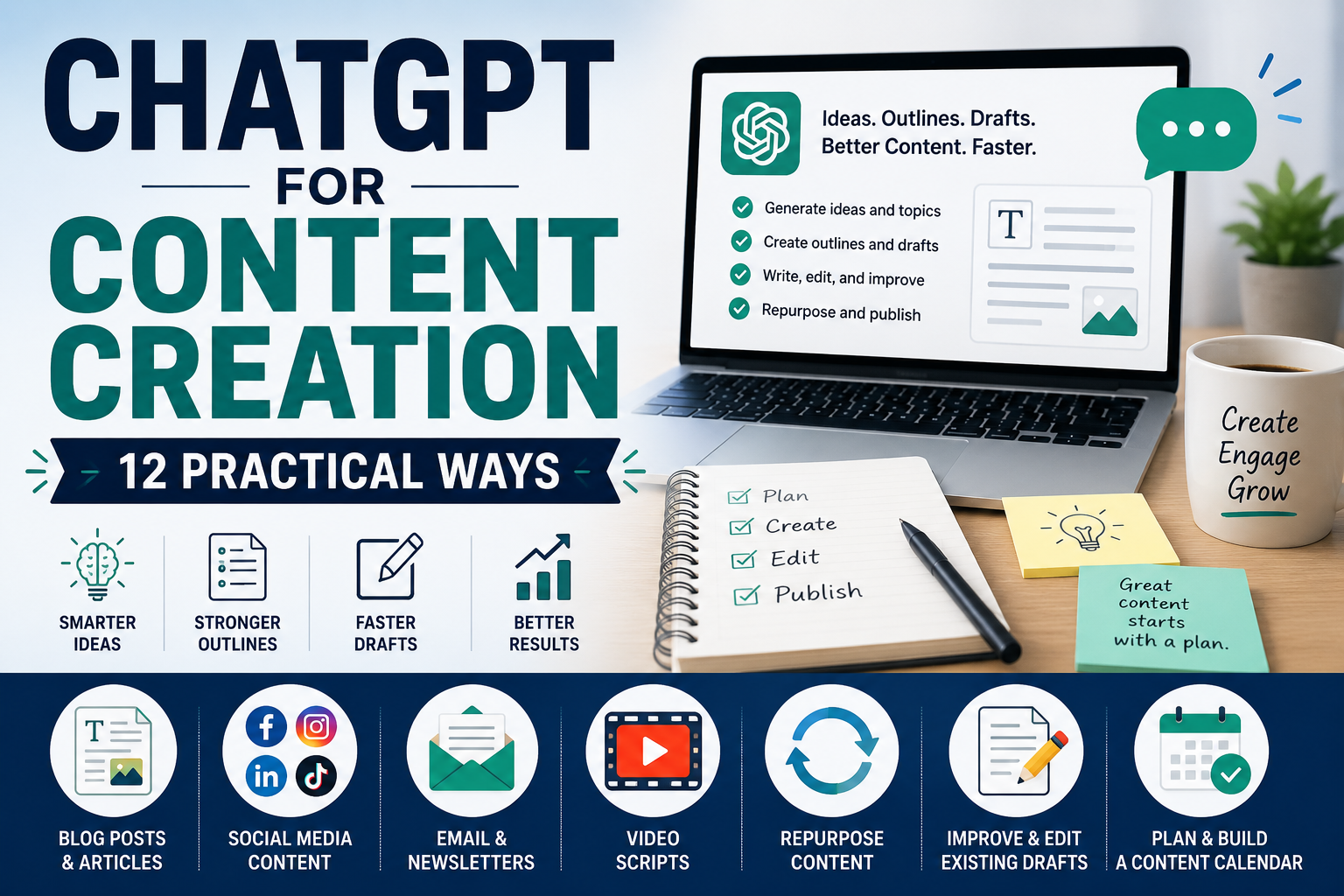
In this beginner-friendly guide, we’ll explore 12 practical ways to use ChatGPT for content creation, with example prompts you can adapt for your own work. We’ll also cover common mistakes, fact-checking, originality, and how to keep human judgment at the center of your content workflow.
What Is AI-Assisted Content Creation?
AI-assisted content creation means using tools such as ChatGPT to support parts of the creative process rather than automatically replacing the person creating the content. You might use AI to generate ideas, organize an outline, suggest alternative headlines, improve a rough draft, or turn one piece of content into several different formats.
The important distinction is that ChatGPT provides assistance. You remain responsible for deciding what to publish, checking accuracy, adding relevant experience or expertise, and making sure the finished content serves your audience.
12 Practical Ways to Use ChatGPT for Content Creation
1. Brainstorm Content Ideas
Coming up with fresh ideas consistently can be one of the hardest parts of content creation. ChatGPT can help you brainstorm topics based on your niche, target audience, platform, and the problems your audience wants to solve.
Instead of simply asking for “content ideas,” provide context about who you’re creating for and what you want the content to achieve.
Example prompt
Generate 15 content ideas about [topic] for [target audience]. The goal is to [educate/attract leads/build awareness]. Include a mix of beginner questions, practical tips, common mistakes, and problem-solving topics. Avoid repetitive ideas.
2. Create Content Outlines
Once you have a topic, ChatGPT can help turn it into a logical structure before you start writing. A clear outline can make longer articles, guides, newsletters, and video scripts easier to create because you already know which points need to be covered.
Review the suggested outline before drafting and remove sections that don’t serve the reader or repeat the same idea.
Example prompt
Create a detailed outline for a beginner-friendly article about [topic]. The target reader is [audience]. Include a clear introduction, useful H2 and H3 sections, practical examples, frequently asked questions, and a conclusion. Arrange the sections in a logical order and avoid unnecessary repetition.
3. Write Better Headlines and Titles
A strong headline should clearly communicate what the content offers while giving the reader a reason to pay attention. ChatGPT can generate several headline variations so you can compare different angles rather than relying on the first title that comes to mind.
Avoid choosing a headline simply because it sounds dramatic. The final title should accurately represent the content and shouldn’t promise results the content cannot support.
Example prompt
Write 10 headline options for content about [topic]. The audience is [target audience]. Make the headlines clear, specific, and useful rather than exaggerated or misleading. Include several different angles while accurately reflecting what the content covers.
4. Draft Blog Posts and Articles
ChatGPT can help turn an approved outline into a first draft. This can reduce the time spent staring at a blank page, but the draft should be treated as a starting point rather than finished content.
Give ChatGPT information about the audience, purpose, tone, and important points you want covered. Afterward, review the draft for accuracy, usefulness, originality, and your own voice.
Example prompt
Write a first draft of a blog post about [topic] using the following outline: [paste outline]. The audience is [target audience]. Use clear, beginner-friendly language, short paragraphs, practical examples, and descriptive headings. Do not invent statistics, quotes, personal experiences, or sources. Mark any factual claims that should be verified before publication.
5. Create Social Media Content
One idea can often become several social media posts. ChatGPT can help adapt a topic for platforms such as Facebook, Instagram, LinkedIn, or TikTok while changing the length and structure to suit the format.
Tell ChatGPT which platform you’re creating for instead of asking for a generic social media post. You should also review the result to make sure it sounds natural and fits your audience.
Example prompt
Create five social media posts about [topic] for [platform]. The target audience is [audience]. Give each post a different angle, use a natural conversational tone, include a clear opening hook, and finish with an appropriate call to action. Avoid exaggerated claims and unnecessary jargon.
6. Draft Email and Newsletter Content
ChatGPT can help create first drafts for newsletters, educational emails, announcements, follow-ups, and promotional messages. Providing the purpose of the email and the intended reader usually produces better results than simply asking ChatGPT to “write an email.”
For marketing emails, make sure the final message accurately represents your offer and follows any applicable email-marketing requirements.
Example prompt
Draft an email about [topic or offer] for [audience]. The purpose is to [goal]. Use a friendly, professional tone and keep the email concise. Include a clear subject line, opening, main message, and one call to action. Do not invent discounts, deadlines, testimonials, or product claims.
7. Create Video Scripts
ChatGPT can help turn an idea into a structured script for short-form videos, tutorials, explainers, presentations, or longer YouTube content. Providing the intended platform, video length, audience, and objective helps it create a more suitable draft.
A generated script doesn’t have to be followed word for word. Edit it so the language sounds natural when spoken and reflects your own style.
Example prompt
Write a 60-second video script about [topic] for [platform]. The audience is [target audience]. Start with a clear hook, explain the main idea in simple language, include three useful points, and finish with a natural call to action. Avoid unsupported claims and make the script sound conversational when spoken aloud.
8. Repurpose Existing Content
You don’t always need a completely new idea for every platform. ChatGPT can help transform an existing article, newsletter, video transcript, or other original material into several smaller pieces of content.
Repurposing can save time while allowing the same core idea to reach people in different formats. Make sure each version still makes sense on its own rather than simply copying identical text everywhere.
Example prompt
Repurpose the following content: [paste your original content]. Create three social media posts, one short email, five headline ideas, a 60-second video script, and a brief summary. Preserve the original meaning and facts, adapt each version to its format, and don’t introduce unsupported information.
9. Improve and Edit Existing Drafts
ChatGPT for content creation isn’t limited to generating new material. It can also help review something you’ve already written and suggest ways to make it clearer, more concise, or easier for your intended audience to understand.
When editing, tell ChatGPT what you want improved rather than simply asking it to “make this better.” This gives you more control over which parts of your original writing are preserved.
Example prompt
Review the following draft: [paste draft]. Improve clarity, structure, and readability while preserving the original meaning and important details. Identify repetitive sections, unclear sentences, and unnecessary jargon. Don’t add new factual claims. Show me the most important suggested changes before rewriting the draft.
10. Create Content for Different Audiences
The same information may need to be presented differently depending on who will read or watch it. A beginner may need simple explanations and examples, while a more experienced audience may prefer greater detail and less introductory material.
ChatGPT can help adapt existing content for different audiences without changing the underlying facts.
Example prompt
Adapt the following content for [target audience]: [paste content]. Keep the main facts and meaning unchanged, but adjust the language, examples, level of detail, and terminology for this audience. Do not add claims or information that aren’t supported by the original material.
11. Turn Research and Notes Into Content
Research notes often contain useful information but lack a clear structure. ChatGPT can help organize your own notes into themes, identify important points, and suggest how the material could become an article, newsletter, presentation, or other piece of content.
This doesn’t remove the need to check your sources. When accuracy matters, return to the original material before publishing factual claims.
Example prompt
Organize the following research notes into a content outline: [paste notes]. Group related information together, identify the main ideas, suggest a logical order, and flag any claims that appear to need further verification. Use only the information provided and don’t invent missing facts or sources.
12. Build a Content Calendar
A content calendar can help you publish more consistently and avoid deciding what to create at the last minute. ChatGPT can help organize topics across a week or month based on your audience, goals, platforms, and available time.
A useful calendar should be realistic. Publishing fewer high-quality pieces consistently can be more sustainable than creating an ambitious schedule you can’t maintain.
Example prompt
Create a four-week content calendar for [business, brand, or topic]. My target audience is [audience], my main goal is [goal], and I publish on [platforms]. I can realistically create [number] pieces of content per week. Include the topic, format, purpose, platform, and suggested call to action for each piece. Avoid repeating the same idea.
These 12 examples show that ChatGPT for content creation can support many stages of the workflow—from finding an idea to improving and repurposing finished material. The goal isn’t to remove human creativity, but to reduce repetitive work and give you a stronger starting point.
A Simple ChatGPT Content Creation Workflow
Using ChatGPT at every stage doesn’t mean asking it to create an entire piece of content in one prompt. A better approach is to break the work into stages and stay involved throughout the process.
A simple workflow could look like this:
- 1. Choose the goal. Decide what you want the content to achieve, such as educating your audience, answering a question, attracting visitors, or promoting an offer.
- 2. Research the topic. Gather reliable information and identify the questions your audience actually needs answered.
- 3. Brainstorm ideas and angles. Ask ChatGPT to suggest different approaches based on your audience and objective.
- 4. Create an outline. Organize the strongest ideas into a logical structure before drafting.
- 5. Write the first draft. Use ChatGPT to assist with individual sections or create a starting draft based on your approved outline.
- 6. Add your own value. Include your experience, examples, opinions, expertise, original research, or other information that makes the content genuinely useful.
- 7, Verify important claims. Check statistics, dates, quotations, product information, sources, and other factual details against reliable sources.
- 8. Edit for your audience. Improve clarity, remove repetition, and make sure the finished content sounds appropriate for the people you’re trying to reach.
- 9. Repurpose where useful. Turn the finished content into social posts, emails, scripts, or other formats when doing so makes sense.
- 10. Review before publishing. Read the final version yourself rather than automatically publishing AI-generated output.
If you want to improve the instructions you give ChatGPT throughout this workflow, see our guide to How to Write ChatGPT Prompts: A Beginner’s Guide with 15 Examples.
Common Mistakes When Using ChatGPT for Content Creation
ChatGPT can make content creation faster, but speed isn’t useful if the finished material is inaccurate, generic, or unhelpful. Avoiding a few common mistakes can make AI-assisted content much stronger.
1. Publishing the First Draft Without Editing
AI-generated text should usually be treated as a draft. Review the structure, remove repetition, improve awkward wording, and make sure the finished content reflects what you actually want to communicate.
2. Using Vague Prompts
A request such as “write a blog post about AI” leaves ChatGPT to make many decisions for you. Providing your audience, objective, important points, tone, and desired format gives you much more control over the result.
3. Trusting Facts Without Verification
ChatGPT can produce incorrect information or present uncertain information confidently. Check important statistics, dates, quotations, studies, product details, and other factual claims against reliable sources before publishing them.
4. Creating Generic Content With No Original Value
If you rely entirely on AI-generated material, your content may sound similar to information already available elsewhere. Add your own examples, experience, analysis, research, demonstrations, or perspective whenever possible.
5. Losing Your Own Voice
Using ChatGPT repeatedly without editing can make different pieces of content sound too similar. Give the tool examples of the tone you’re aiming for, but make the final editorial decisions yourself so the content remains appropriate for your brand and audience.
6. Creating Content Only for Search Engines
Keywords can help search engines understand a page, but repeating phrases unnaturally can make content worse for readers. Start with the question or problem your audience needs solved, then use relevant keywords naturally where they make sense.
The most effective approach to ChatGPT for content creation is usually a combination of AI assistance and human review. Let the tool speed up parts of the process while you remain responsible for accuracy, usefulness, originality, and the final message.
How to Fact-Check AI-Generated Content
ChatGPT can help you create content quickly, but it can also produce inaccurate information, outdated details, or sources that don’t support the claim being made. Important factual information should therefore be checked before you publish it.
A simple fact-checking process can help:
- 1. Identify factual claims. Look for statistics, dates, names, quotations, prices, product features, research findings, laws, and other statements that can be objectively verified
- 2. Check the original source. Whenever possible, verify information using official documentation, government websites, research papers, company documentation, or other primary sources.
- 3. Check how current the information is. Software features, prices, regulations, products, and industry statistics can change over time.
- 4. Verify quotations and statistics. Don’t publish a quotation or number simply because ChatGPT supplied it. Confirm that the original source actually contains it and that you haven’t removed important context.
- 5. Compare important claims with another reliable source. For significant claims, additional confirmation can help identify outdated or misleading information.
- 6. Remove anything you can’t verify. If a factual statement isn’t necessary and you can’t establish that it’s accurate, consider leaving it out rather than presenting uncertainty as fact.
You can also ask ChatGPT to identify statements in a draft that may require verification, but that isn’t a substitute for checking the underlying sources yourself.
Does Google Allow AI-Generated Content?
Google’s guidance focuses on the quality and usefulness of content rather than simply whether AI was involved in creating it. Google has stated that appropriate use of AI or automation isn’t against its guidelines, while using automation primarily to manipulate search rankings can violate its spam policies.
For content creators, the practical lesson is straightforward: use AI to assist the process, but create content for people first. Aim to provide accurate, useful, original material that genuinely answers the reader’s question instead of mass-producing pages simply to target search keywords.
You can read Google’s guidance on AI-generated content directly in Google Search Central.
Frequently Asked Questions About ChatGPT for Content Creation
Can I use ChatGPT to create blog posts?
Yes. ChatGPT can help brainstorm topics, create outlines, draft sections, suggest headlines, and edit existing blog content. Treat generated text as a starting point and review it for accuracy, usefulness, originality, and relevance before publishing.
Can ChatGPT create social media content?
Yes. You can use ChatGPT to brainstorm social media ideas, create captions, develop hooks, draft short scripts, and adapt existing content for different platforms. Providing details about your audience, platform, and goal usually produces more useful results.
Can I publish content written by ChatGPT?
AI can be part of your content creation process, but you remain responsible for what you publish. Review AI-generated material, verify important facts, remove unsupported claims, and add your own expertise, examples, or perspective where appropriate.
Will Google penalize AI-generated content?
Google does not prohibit content simply because AI was used to help create it. Its guidance emphasizes useful, reliable, people-first content and warns against using automation primarily to manipulate search rankings. Quality and purpose matter more than whether AI assisted with the writing.
How do I make ChatGPT content sound less generic?
Give ChatGPT more specific context about your audience, objective, tone, and subject. You can also provide your own notes, examples, opinions, research, or key points. Most importantly, edit the output yourself instead of publishing the first generated version unchanged.
Can ChatGPT replace a content writer?
ChatGPT can speed up tasks such as brainstorming, outlining, drafting, editing, and repurposing, but human judgment remains important. A person still needs to decide what is worth publishing, verify facts, understand the audience, add original value, and take responsibility for the final content.
What is the best way to use ChatGPT for content creation?
A practical approach is to use ChatGPT at specific stages of your workflow rather than asking it to handle everything automatically. Use it to generate ideas, organize an outline, create a starting draft, improve existing material, or repurpose finished content while keeping research, fact-checking, editing, and final decisions under human control.
Final Thoughts on Using ChatGPT for Content Creation
ChatGPT for content creation can make many parts of the creative process faster and easier, from brainstorming ideas and building outlines to drafting, editing, repurposing, and planning future content.
The goal, however, shouldn’t be to remove yourself from the process. ChatGPT works best as an assistant that helps you move faster while you remain responsible for the ideas, accuracy, quality, and final decisions.
Start with one part of your workflow that regularly takes too much time. You might use ChatGPT to brainstorm article ideas, create an outline, improve an existing draft, or turn a finished article into several social media posts. Once you’ve found a process that genuinely helps, you can gradually expand how you use AI.
Remember to verify important facts, review everything before publishing, and add your own experience, examples, expertise, or perspective whenever possible. Useful content should ultimately serve the reader—not simply demonstrate that AI can generate text.
If you want to incorporate these techniques into a broader workflow, read our guide to How to Use ChatGPT for Productivity: 10 Simple Ways to Save Time in 2026.
Small business owners can also explore ChatGPT for Small Business: 15 Practical Ways to Save Time for more examples covering marketing, customer service, planning, research, and everyday business tasks.