How to Use Gamma AI: 15 Powerful Ways to Create Presentations and Content
Learning how to use Gamma AI can help you turn ideas, notes, outlines, and existing material into polished visual content without building every page or slide manually.
Gamma is particularly useful when you need to communicate an idea visually but don’t want to spend hours choosing layouts, arranging elements, and formatting individual slides. You can start with a topic, paste existing text, or import material and let AI help create the initial structure and design.
The result doesn’t have to be the finished product. You can continue editing the content, changing layouts, adjusting the visual style, adding media, and refining individual sections until the presentation or document fits your purpose.
In this beginner-friendly guide, we’ll explore 15 practical ways to use Gamma AI for presentations, reports, proposals, educational material, websites, visual storytelling, content repurposing, and other professional or creative projects.
What Is Gamma AI?
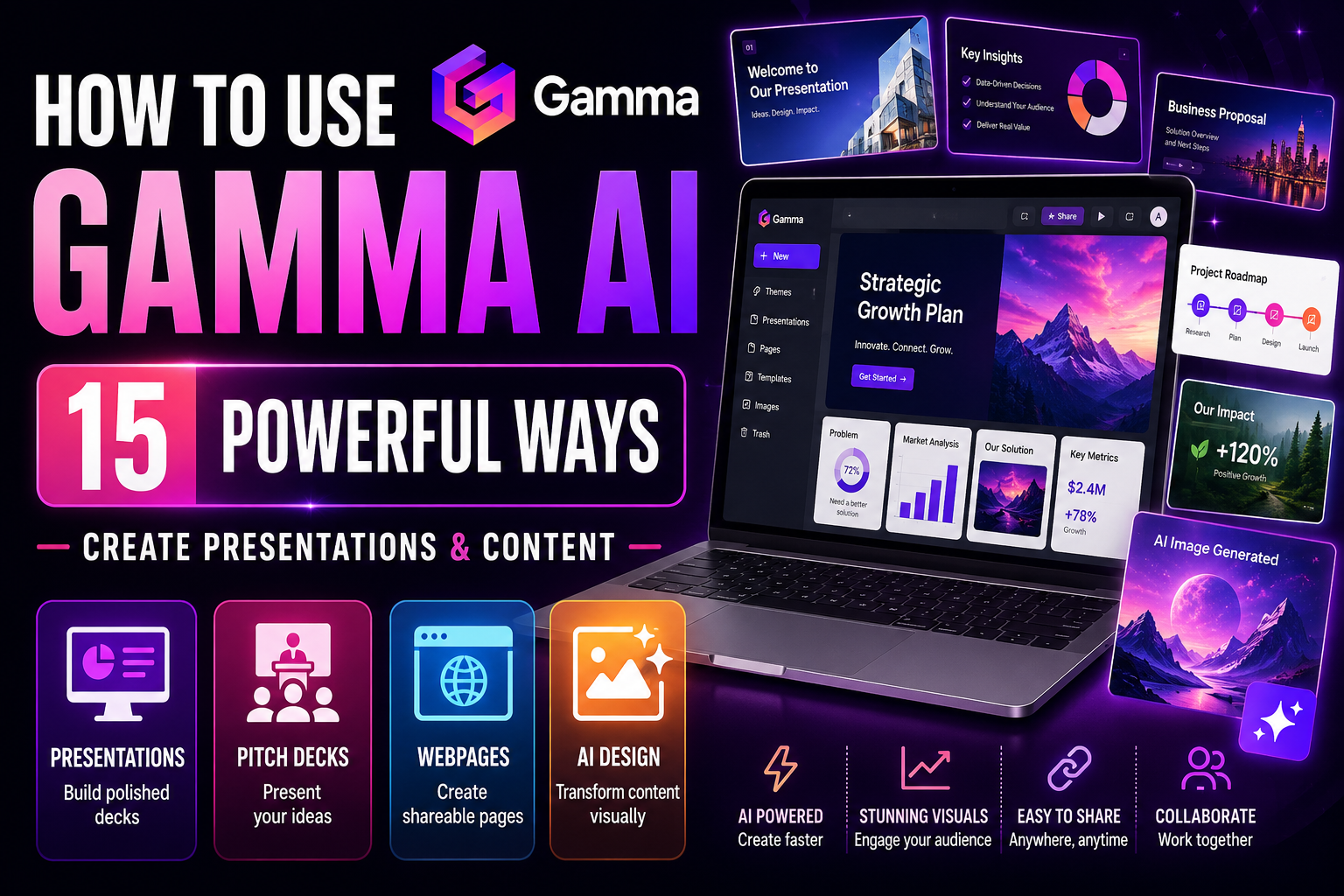
Gamma is an AI-powered content creation platform designed to help users create visually structured material such as presentations, documents, webpages, and other shareable content.
Instead of beginning with a completely blank slide, you can give Gamma a topic or existing material and use AI to generate an initial draft. Gamma organizes content into flexible sections called cards, which can combine text, images, media, charts, and other visual elements.
You remain in control after generation. The AI-created draft can be rewritten, reorganized, restyled, expanded, shortened, or manually edited, making Gamma useful both for quickly developing an initial concept and for refining it into a more polished finished project.
How Is Gamma Different From Traditional Presentation Software?
Traditional presentation software usually begins with individual slides and gives you detailed control over where each element appears. Gamma takes a more content-first approach. You can begin with your ideas or source material and let AI help create the structure and initial visual presentation.
This can reduce the time spent choosing layouts and formatting every section manually. Gamma’s card-based format can also adapt content for viewing and sharing in ways that feel closer to an interactive document or webpage than a conventional slide deck.
Traditional tools can still be preferable when you need extremely precise slide-by-slide formatting or a workflow built around a particular office suite. Gamma is particularly attractive when speed, visual structure, AI-assisted drafting, and easy sharing are priorities.
How to Get Started With Gamma AI
Begin by deciding what you want to create and who will view it. A sales presentation, lesson, project proposal, report, and public webpage require different structures even when they cover similar information.
Gamma provides different ways to begin a project. You can generate material from an idea or prompt, work from text you’ve already written, or import existing content. After Gamma creates the initial version, review both the information and the design rather than publishing the first draft immediately.
Check factual claims, remove unnecessary material, make sure the visual hierarchy is clear, and adapt the language to your intended audience. AI can accelerate creation, but your judgment is still important for producing useful and accurate content.
You can explore the platform and its current creation options on the official Gamma website.
15 Practical Ways to Use Gamma AI
The following examples demonstrate how to use Gamma AI for practical content-creation tasks. Start with a clear objective and good source material, then treat Gamma’s AI-generated design as a first draft that you can review and improve.
1. Generate a Presentation From an Idea
One of the easiest ways to learn how to use Gamma AI is to start with a simple idea and let Gamma help develop it into a structured presentation.
Instead of designing every section manually, describe the subject, audience, objective, and important points you want included. Gamma can use that information to create an initial structure and visual direction that you can then refine.
Don’t treat the generated presentation as finished simply because it looks polished. Review the facts, remove unnecessary sections, adjust the wording, and make sure the presentation supports the outcome you actually want.
Example prompt
Create a presentation about [topic] for [audience]. The goal is to [objective]. Include an engaging introduction, the five most important ideas, practical examples, a clear conclusion, and a final call to action. Keep the language beginner-friendly and the visual style professional.
2. Turn an Outline Into a Polished Presentation
If you’ve already planned what you want to say, you don’t need AI to invent the entire presentation. Gamma can help transform an existing outline into a more visually structured deck while preserving the direction you’ve already established.
This approach gives you greater control over the substance of the presentation. You decide the main ideas and sequence first, then use Gamma to help with organization, layout, visual hierarchy, and presentation.
Review the result carefully to make sure Gamma hasn’t changed the meaning of your outline or given minor points more emphasis than they deserve.
Example prompt
Turn the following outline into a professional presentation for [audience]. Preserve the main structure and meaning, create a clear visual hierarchy, keep each section focused, and suggest appropriate visuals where they would improve understanding: [paste outline]
3. Transform Notes or Existing Text Into Visual Content
Gamma can also be useful when you already have the information but it isn’t presentation-ready. Meeting notes, research notes, article drafts, project summaries, training material, or other written content can be reorganized into a more visual format.
The goal isn’t simply to place every sentence onto a card. Ask Gamma to identify the most important ideas, reduce unnecessary repetition, create a logical sequence, and use visual elements where they genuinely improve communication.
Keep the original material available while reviewing the generated version. Condensing information can sometimes remove important qualifications or context.
Example prompt
Transform the following material into clear visual content for [audience]. Identify the main message, organize related information together, shorten overly detailed sections without changing their meaning, and suggest visuals or layouts that would make the information easier to understand: [paste material]
If you need help creating or improving the written material before turning it into a visual presentation, How to Use Grammarly AI: 15 Powerful Ways for Better Writing explores AI-assisted rewriting, clarity, tone, and editing in greater depth.
4. Create a Professional Pitch Deck
Gamma AI can help turn a business idea, product concept, project, or startup story into a structured pitch deck. Instead of beginning with blank slides, you can provide the important information and let Gamma suggest an initial narrative and visual structure.
A useful pitch deck should tell a coherent story rather than simply list facts. Depending on your purpose, that might include the problem, proposed solution, target audience, opportunity, business model, evidence, competition, strategy, and next steps.
AI shouldn’t invent traction, customer numbers, revenue, market statistics, partnerships, or other evidence. Replace placeholders with verified information and check every factual claim before presenting the deck.
Example prompt
Create a concise pitch deck for [business/product/project]. The audience is [investors/partners/clients]. Use only the information I provide. Organize the story around the problem, solution, target audience, opportunity, evidence, competitive advantages, business model, and next step. Clearly mark any information that is still missing.
5. Build Business Proposals Faster
Gamma can help transform project details into a visually organized proposal for clients, partners, or internal stakeholders. This can be useful when you need to explain a problem, recommend an approach, outline deliverables, establish a timeline, or communicate expected outcomes.
Provide accurate information about the scope, requirements, pricing, responsibilities, and limitations rather than expecting AI to determine important business terms for you. Gamma can help present those details clearly, but you remain responsible for whether the proposal accurately reflects what you can deliver.
Review contractual, financial, legal, and other consequential language carefully before sending a proposal.
Example prompt
Turn the following project information into a professional proposal for [client/audience]. Include an executive summary, objectives, proposed approach, deliverables, timeline, responsibilities, pricing information I provide, and next steps. Don’t invent prices, guarantees, deadlines, or commitments: [paste project information]
6. Turn Reports Into Easier-to-Understand Visual Stories
Long reports often contain valuable information that becomes difficult to communicate when readers are faced with pages of dense text. Gamma AI can help reorganize report content into a more visual narrative built around the findings that matter most.
Important statistics can become visual highlights, comparisons can be placed side by side, processes can be presented as steps, and major findings can be separated from supporting detail. This can make information easier to present to executives, clients, colleagues, or other audiences.
Visual simplification shouldn’t distort the evidence. Keep necessary qualifications, label estimates clearly, and verify charts, numbers, dates, and conclusions against the original report.
Example prompt
Transform this report into a visual presentation for [audience]. Begin with an executive summary, highlight the most important findings and evidence, identify useful charts or comparisons, and finish with the main conclusions and next steps. Preserve important qualifications and don’t create statistics that aren’t in the source material: [paste report]
If the report is based on a collection of documents or research sources, How to Use NotebookLM: 15 Powerful Ways for Research and Learning can help you analyze, compare, and understand the material before turning the findings into a Gamma presentation.
7. Create Educational Presentations and Lessons
Gamma AI can help teachers, trainers, students, and subject-matter experts turn educational material into structured visual lessons. You can begin with a topic, learning objective, notes, or existing source material and use AI to develop an initial presentation.
A useful educational presentation should do more than summarize information. Organize the material in a logical learning sequence, explain difficult concepts clearly, include relevant examples, and give learners opportunities to check their understanding.
Review AI-generated educational content carefully. Verify definitions, facts, dates, calculations, quotations, and other important information against reliable sources before using the material for teaching or study.
Example prompt
Create a beginner-friendly lesson about [topic] for [audience]. The learning objective is [objective]. Organize the material from foundational concepts to more advanced ideas, include practical examples, suggest useful visuals, and finish with five questions learners can use to test their understanding.
8. Build a Simple Webpage or Shareable Site
Gamma can also be used to turn content into webpages that can be shared through a link. This makes it useful for projects that need a polished online presentation without requiring you to build a traditional website from scratch.
You might use a Gamma page for an event, portfolio, resource guide, project overview, product concept, educational resource, or other information that benefits from a visual web-based format.
Before publishing, check the page on different screen sizes, review navigation and links, verify contact information, and make sure any public material is appropriate to share online.
Example prompt
Create a simple webpage for [project/business/event]. The audience is [audience] and the primary goal is [goal]. Include a strong opening section, the most important information, supporting visuals, clear sections, and a specific call to action. Keep the page easy to scan on both desktop and mobile.
9. Generate and Add Visual Content With AI
Strong visual content can make a Gamma project easier to understand and more engaging. Gamma’s AI-assisted workflow can help you incorporate imagery and visual elements that support the message rather than relying entirely on text.
Give specific visual instructions when possible. Describe the subject, composition, style, mood, audience, and purpose of the image instead of using a vague request such as “add a nice picture.”
Review generated visuals closely before publishing. Check for distorted objects, incorrect text, unrealistic details, inappropriate imagery, and whether the visual actually represents the information accurately.
Example prompt
Create a visual for this section about [topic]. Show [subject] in a [style] style with a [mood] feeling. The image should support the message [message] and leave enough visual space for accompanying text. Avoid unnecessary text inside the image.
If visual creation and design are the main focus of your project, How to Use Canva AI: 15 Powerful Ways for Beginners explores AI-assisted images, presentations, social content, video, design, and other creative workflows in greater depth.
10. Import Existing Content and Give It a New Format
You don’t always need to start a Gamma project from scratch. Existing material can provide the foundation for a new presentation or visual document, allowing you to spend more time improving the message instead of recreating the content manually.
Depending on the content and current import options available, you can bring existing material into Gamma and then reorganize, shorten, expand, or redesign it. This can be useful when you already have presentations, documents, written material, or other content that needs a more visual format.
Imported content still needs review. Formatting, images, charts, fonts, and layouts may not transfer exactly as expected, and AI-assisted restructuring can change how information is emphasized.
Example prompt
Transform this existing content into a modern visual presentation for [audience]. Preserve the important information, organize related ideas logically, reduce unnecessary repetition, and suggest where visuals would improve understanding. Clearly identify anything that may have been lost or changed during the transformation.
11. Restyle an Existing Presentation
Sometimes the information in a presentation is already good but the visual style no longer fits the audience or purpose. Gamma can help you explore a different theme or presentation style without rebuilding every section manually.
You might want a corporate presentation to feel more modern, an educational deck to become more approachable, or a client proposal to better reflect your brand. Keep readability and consistency more important than decorative effects.
After restyling, inspect every card. Different fonts, layouts, colors, and image treatments can affect text wrapping, visual hierarchy, contrast, and the overall balance of the presentation.
Example prompt
Restyle this presentation for [audience]. Keep the content and overall structure, but use a [professional/modern/minimal/creative] visual direction. Prioritize readability, consistent typography, strong contrast, and a clear hierarchy between headings, supporting text, and visuals.
12. Repurpose One Project for Different Audiences
A presentation created for one audience may contain useful information for several others, but the same version won’t necessarily work for everyone. Gamma AI can help you adapt existing content by changing the level of detail, terminology, examples, tone, or emphasis.
For example, a technical presentation for specialists could become a simplified executive overview, while an internal project document could be adapted into a client-facing presentation.
Make sure the adapted version doesn’t accidentally reveal information that shouldn’t be shared with the new audience. Review confidential details, internal notes, pricing, personal information, and other sensitive content before publishing or sending it.
Example prompt
Adapt this presentation from [original audience] to [new audience]. Preserve the central message and verified facts, but adjust the terminology, examples, level of detail, and tone for the new readers. Identify any sections that should be removed or rewritten because they aren’t appropriate for this audience.
If you need help adapting the underlying writing before redesigning the presentation, How to Use Grammarly AI: 15 Powerful Ways for Better Writing covers audience adaptation, tone, clarity, rewriting, and professional communication.
13. Turn Ideas Into Social Media Content
Gamma AI can help transform longer ideas, reports, presentations, or educational material into shorter visual content that can inspire social media posts. Instead of starting from scratch for every platform, you can identify the strongest messages from an existing project and adapt them into more focused pieces of content.
For example, one presentation might contain several useful statistics, quotations, tips, explanations, or key takeaways that can become individual social posts. This allows you to get more value from content you’ve already created.
Don’t simply publish automatically generated material everywhere. Review dimensions, text length, visual hierarchy, tone, links, and calls to action for the platform you’re targeting.
Example prompt
Review this project and identify 10 ideas that could become individual social media posts for [platform]. For each idea, provide a strong opening, the main message, a suggested visual concept, and an appropriate call to action. Keep the content consistent with the original information.
14. Collaborate, Share, and Present Your Work
Creating the content is only part of the process. Gamma also provides ways to share and present projects, making it easier to distribute finished work to colleagues, clients, students, or other audiences.
Before sharing, decide whether the project should be private, collaborative, or publicly accessible and review the available sharing settings carefully. When several people are involved, establish who is responsible for checking content, design, factual accuracy, and final approval.
Always inspect the final shared version rather than assuming it looks exactly as it did while you were editing. Check links, media, navigation, readability, permissions, and any information that shouldn’t be publicly visible.
Example prompt
Before I share this Gamma project with [audience], create a final review checklist covering factual accuracy, spelling, visual consistency, links, media, accessibility, sharing permissions, sensitive information, and the call to action.
15. Build a Repeatable Gamma AI Content Workflow
Once you understand how to use Gamma AI for individual tasks, you can combine its capabilities into a repeatable content-production workflow. Instead of treating every presentation or visual project as a completely new job, develop a process you can reuse.
For example, you might begin by defining the audience and objective, collect the source material, develop an outline, generate the initial Gamma project, verify the content, improve the visual hierarchy, apply consistent branding, and then adapt the strongest material for other audiences or formats.
A repeatable workflow can save time while still leaving important decisions under your control. AI can accelerate drafting and design, but you remain responsible for accuracy, messaging, brand consistency, and final approval.
Example prompt
Help me create a repeatable Gamma AI workflow for producing [type of content]. Break the process into stages from initial idea to final publication. For each stage, explain what information I should provide, how AI can help, what I should review myself, and which parts of the project could be reused later.
These 15 examples show that learning how to use Gamma AI involves much more than generating a presentation from a short prompt. Gamma can help turn ideas and existing material into presentations, proposals, reports, educational resources, webpages, visual stories, and reusable content workflows.
A Simple Gamma AI Workflow for Beginners
Gamma AI becomes more useful when you treat content creation as a process rather than expecting one prompt to produce a perfect finished presentation. A structured workflow helps you combine AI speed with your own knowledge, branding, and judgment.
Here’s a straightforward process beginners can follow:
- Define your goal. Decide whether you’re creating a presentation, proposal, report, lesson, webpage, or another type of visual content.
- Identify your audience. Consider what they already know, what they need to understand, and what action you want them to take.
- Gather your source material. Collect accurate notes, research, statistics, images, documents, and other information before generating the project.
- Choose the right starting method. Depending on your material, you can generate from an idea, work from existing text, or import content into Gamma.
- Review the initial structure. Check whether the cards appear in a logical order and whether the project tells a coherent story.
- Verify the information. Check names, dates, statistics, quotations, claims, prices, links, and other factual details against reliable sources.
- Improve the writing. Remove unnecessary text, clarify confusing sections, and make sure the tone suits your audience.
- Improve the visual hierarchy. Make important ideas easy to identify through headings, layouts, images, charts, spacing, and other visual elements.
- Apply consistent branding. Where appropriate, use consistent colors, typography, logos, imagery, and other brand elements.
- Review every card. Don’t assume an AI-generated layout works perfectly throughout the project. Check readability, spacing, images, and content individually.
- Test the shared version. Review links, media, navigation, permissions, and how the project appears to your audience.
- Repurpose useful material. Adapt the strongest content for other audiences, presentations, webpages, or social content rather than rebuilding everything from scratch.
Gamma can handle much of the visual presentation process, while How to Use Canva AI: 15 Powerful Ways for Beginners explores a broader range of AI-assisted design, images, video, social media, and creative workflows.
If you need to research and organize source material before creating the presentation, How to Use NotebookLM: 15 Powerful Ways for Research and Learning provides a complementary workflow for understanding documents, comparing sources, and developing research-backed material.
Common Mistakes When Using Gamma AI
Gamma AI can dramatically speed up the process of creating presentations and visual content, but speed doesn’t guarantee quality. AI-generated structure, writing, images, and design choices still need human review before a project is shared or published.
1. Publishing the First AI-Generated Version
Treat Gamma’s first draft as a starting point. Review the structure, remove unnecessary material, improve weak sections, replace unsuitable visuals, and make sure the final project communicates your message clearly.
2. Putting Too Much Text on Each Card
AI can generate more information than an audience needs at once. Keep individual cards focused and move supporting detail elsewhere when necessary. Presentations should help people understand the message rather than force them to read dense paragraphs.
3. Trusting AI-Generated Facts Without Checking Them
Gamma can help generate and rewrite content, but factual claims still require verification. Check names, dates, statistics, quotations, prices, research findings, and other important information against reliable sources.
4. Ignoring Visual Consistency
A project can look polished card by card while still feeling inconsistent overall. Review typography, colors, image styles, spacing, headings, icons, and other visual elements across the complete presentation.
5. Using Decorative Visuals That Don’t Support the Message
More images don’t automatically create a better presentation. Choose visuals that explain, reinforce, or provide context for the information rather than adding graphics simply to fill space.
6. Forgetting About the Audience
A presentation designed for executives may need a different level of detail from one created for students, customers, investors, or technical specialists. Review terminology, examples, tone, visual complexity, and calls to action for the intended audience.
7. Uploading Sensitive Material Without Considering Privacy
Think carefully before importing confidential business documents, private communications, personal information, proprietary research, or other sensitive material. Review Gamma’s current privacy and data-handling policies before deciding whether the platform is appropriate for particular information.
8. Assuming Importing Content Will Preserve Everything Perfectly
Imported presentations and documents may not retain every element exactly as expected. Check formatting, charts, images, links, fonts, layouts, speaker information, and other important details after importing material.
9. Forgetting to Check the Shared Version
Always view the finished project as your audience will see it. Test navigation, links, embedded media, mobile readability, sharing permissions, and any calls to action before distributing the project.
The strongest Gamma projects combine AI-assisted speed with human editing and design judgment. Use Gamma to accelerate structure, drafting, and visual creation, then take responsibility for accuracy, clarity, branding, privacy, and the final audience experience.
Frequently Asked Questions About Gamma AI
Is Gamma AI free to use?
Gamma offers a free plan that lets users try its AI-powered creation tools, with paid plans providing additional features, higher limits, and other benefits. Plans and usage allowances can change, so check Gamma’s current pricing information before relying on a particular limit or feature.
What can Gamma AI create?
Gamma can help create presentations, documents, webpages, and other visual content. You can start from an idea, work with existing text, or import material and then use Gamma’s editing and design tools to refine the result.
Can Gamma AI create PowerPoint presentations?
Gamma can create presentation-style content and provides export options for formats such as PowerPoint. Because exported formatting can differ from the original Gamma project, review the PowerPoint version carefully before presenting or distributing it.
Can I import an existing PowerPoint into Gamma?
Gamma supports importing existing content, including presentations. Importing is useful when you want to transform or redesign material you already have, but some formatting and visual elements may need adjustment after the import.
Can Gamma AI create websites?
Gamma can create and publish webpage-style content that can be shared online. This can be useful for portfolios, project pages, resource guides, event information, product concepts, and other content that doesn’t require a traditional website-building workflow.
Can Gamma AI generate images?
Gamma includes AI-assisted image capabilities that can help add visuals to projects. As with other generative image tools, inspect generated images for inaccurate text, distorted objects, inappropriate details, or visuals that don’t accurately support your message.
Can I use Gamma for business presentations?
Yes. Gamma can be used for pitch decks, proposals, reports, project updates, training material, sales presentations, and other business content. Verify important financial, contractual, statistical, and company information before sharing AI-assisted business material.
Is Gamma better than Canva for presentations?
Neither is automatically better for every project. Gamma is particularly useful when you want AI to quickly turn ideas or existing material into structured presentations and visual documents. Canva provides broader design capabilities across presentations, graphics, social media, video, and many other creative formats. The better choice depends on what you’re creating and how much design control you need.
For a closer look at Canva’s AI capabilities, read How to Use Canva AI: 15 Powerful Ways for Beginners.
Final Thoughts on How to Use Gamma AI
Learning how to use Gamma AI effectively isn’t about generating a presentation and immediately publishing whatever the AI creates. Its greatest value comes from helping you move quickly from an idea or existing material to a structured visual first draft that you can improve.
Gamma AI can help create presentations, proposals, reports, educational material, webpages, visual stories, and other shareable content. It can also help transform existing information, explore different visual styles, adapt content for new audiences, and repurpose useful material across different projects.
Start with a clear objective and audience. Give Gamma accurate source material, review the structure it generates, verify important facts, and then refine the writing and design. The strongest presentation isn’t necessarily the one with the most visual effects—it’s the one that communicates its message clearly.
Pay particular attention to information that AI shouldn’t be trusted to invent. Statistics, prices, financial figures, research findings, quotations, deadlines, customer information, and business claims should all be checked before publication.
Used thoughtfully, Gamma AI can reduce the time required to turn ideas into polished visual content while leaving the most important decisions—accuracy, strategy, branding, and final approval—under your control.
If you need help researching the information behind a presentation before you start designing it, our guide to How to Use Perplexity AI: 15 Powerful Ways for Beginners explores AI-assisted research, source discovery, citations, comparisons, and fact-finding.