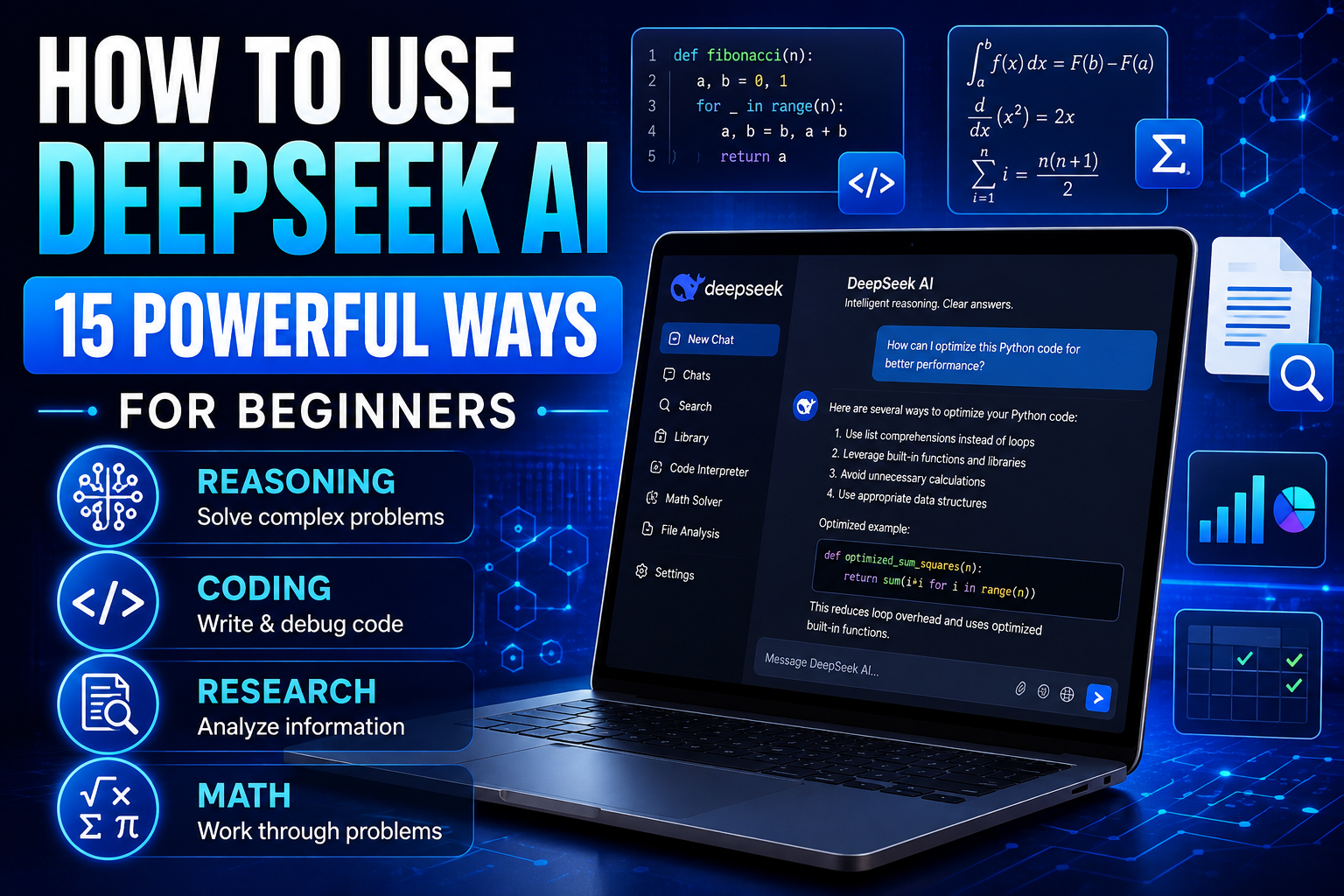
How to Use DeepSeek AI: 15 Powerful Ways for Beginners
Learning how to use DeepSeek AI can give you another powerful option for working through complex questions, analyzing information, writing, coding, learning new subjects, and solving problems step by step.
DeepSeek has attracted attention for AI models designed to handle reasoning, mathematics, coding, and general conversational tasks. For beginners, however, the most important question isn’t how the underlying model works—it’s how to use the tool effectively for practical everyday tasks.
Like other generative AI assistants, DeepSeek works best when you provide clear instructions, useful context, and enough detail about the result you want. You can then ask follow-up questions, refine the response, challenge assumptions, or request a different approach.
In this guide, we’ll explore 15 practical ways to use DeepSeek AI, including research, problem-solving, writing, coding, learning, document analysis, brainstorming, and productivity. We’ll also look at important limitations and privacy considerations so you can decide when DeepSeek is—and isn’t—the right tool for a particular task.
What Is DeepSeek AI?
DeepSeek is an artificial intelligence company that develops large language models and AI services capable of understanding and generating text, answering questions, assisting with code, working through reasoning tasks, and supporting other forms of AI-assisted problem-solving.
From a user’s perspective, DeepSeek can function as a conversational AI assistant. You provide a question, problem, document, piece of code, or set of instructions, and the AI generates a response based on the information available to it and the capabilities of the model you’re using.
DeepSeek is particularly associated with reasoning and coding capabilities, but that doesn’t mean every response should be accepted automatically. AI models can misunderstand instructions, produce inaccurate information, overlook context, or sound confident when a conclusion is uncertain.
How to Get Started With DeepSeek AI
The easiest way for many beginners to start is through DeepSeek’s official web or supported app experience. Once you have access, begin with a simple task rather than trying to learn every feature immediately.
Write your request clearly and explain the outcome you want. If the first response isn’t useful enough, continue the conversation by adding context, correcting misunderstandings, requesting examples, or asking DeepSeek to approach the problem differently.
Avoid entering passwords, financial credentials, confidential business information, private personal data, or other sensitive material simply to test an AI feature. Before using any cloud AI service for sensitive work, review the provider’s current privacy and data-handling information.
You can explore the service through the official DeepSeek website and check its current features and access options.
15 Practical Ways to Use DeepSeek AI
The following examples demonstrate how to use DeepSeek AI for practical tasks. Instead of copying the prompts word for word every time, adapt them to your situation and provide the context the AI needs to produce a useful response.
1. Break Down Complex Problems Step by Step
One of the most useful ways to learn how to use DeepSeek AI is to give it a complicated problem and ask it to break the task into smaller, manageable parts.
This approach can be useful for planning projects, understanding technical problems, evaluating different options, or deciding how to approach a task you’ve never handled before. Instead of asking only for a final answer, ask DeepSeek to explain the major factors you should consider and the steps you could take.
For important decisions, treat the response as a starting point rather than a substitute for your own judgment. Check assumptions, verify factual claims, and consider whether important information is missing.
Example prompt
Help me work through this problem: [describe problem]. Break it into smaller parts, identify the important factors and assumptions, suggest several possible approaches, and explain the advantages and disadvantages of each. Don’t make a final decision for me.
2. Learn a Difficult Subject
DeepSeek AI can act as an interactive learning assistant when you’re trying to understand an unfamiliar or complicated subject. You can ask for a beginner-friendly explanation, request examples, question individual concepts, and gradually increase the difficulty as your understanding improves.
Rather than asking for one enormous explanation, learn interactively. Start with the foundations and ask follow-up questions whenever something is unclear. You can also ask DeepSeek to test your understanding instead of simply giving you more information.
AI explanations can contain mistakes, so verify important academic, technical, scientific, or professional information using reliable sources.
Example prompt
Teach me [subject] as if I’m a beginner. Start with the five concepts I need to understand first. Explain the first concept using simple language and a practical example, then ask me two questions to check my understanding before continuing.
3. Research an Unfamiliar Topic
DeepSeek can help you get oriented when you begin researching a subject you know little about. You can use it to identify terminology, important questions, major perspectives, and areas that deserve further investigation.
A useful first research step isn’t necessarily asking AI to give you a complete answer. Instead, use it to develop a research map that shows what you need to investigate and what types of sources could provide reliable evidence.
When current or factual information matters, verify claims using authoritative and up-to-date sources rather than relying entirely on an AI-generated overview.
Example prompt
I’m beginning research on [topic]. Give me a beginner’s research map covering the key concepts, terminology, major questions, competing perspectives, and types of authoritative sources I should investigate. Separate established information from areas that may be uncertain or disputed.
If your priority is finding and evaluating information from the web with visible sources, our guide to How to Use Perplexity AI: 15 Powerful Ways for Beginners explores a more research-focused AI workflow.
4. Analyze Documents and Extract Important Information
DeepSeek AI can help you work through lengthy documents by identifying important information, explaining difficult sections, and organizing key points into a more manageable format when document or file analysis is available in the experience you’re using.
Instead of asking only for a summary, tell DeepSeek what you’re trying to learn from the material. You might ask it to identify requirements, arguments, decisions, risks, dates, action items, or unanswered questions.
Always compare important conclusions with the original document. AI can overlook details, misunderstand context, or place too much emphasis on information that isn’t central to your purpose.
Example prompt
Analyze this document for me. Explain its main purpose, summarize the key points, identify important dates, requirements, risks, decisions, and action items, and highlight any sections I should review closely. Base your analysis on the document and clearly identify anything you cannot determine from it.
5. Improve and Rewrite Your Writing
DeepSeek can help improve writing you’ve already created. You can ask it to clarify awkward sentences, reduce repetition, change the tone, reorganize paragraphs, simplify complicated language, or suggest alternative wording.
Give specific editing instructions instead of simply saying “make this better.” Explain what you want to preserve and what kind of improvement you’re looking for. This makes it less likely that an AI rewrite will unnecessarily change your meaning.
Review the finished version yourself. AI-generated edits can occasionally introduce new claims or remove important context.
Example prompt
Improve the following text for clarity and readability. Preserve my original meaning and important details, remove unnecessary repetition, and use a natural professional tone. Don’t introduce new factual claims. Briefly explain the most important changes you made: [paste text]
If improving written communication is your main goal, How to Use Grammarly AI: 15 Powerful Ways for Better Writing explores AI-assisted rewriting, clarity, tone, conciseness, emails, feedback, and editing in greater depth.
6. Brainstorm and Develop Ideas
DeepSeek AI can act as a brainstorming partner when you need possibilities rather than one definitive answer. You might use it to generate business ideas, content topics, project approaches, names, questions, solutions, or alternative ways of tackling a problem.
Good brainstorming prompts include constraints. Tell DeepSeek about your audience, objective, resources, budget, preferences, or anything you specifically want to avoid. You can then ask it to evaluate the generated ideas and develop the strongest ones further.
Don’t assume an idea is practical simply because AI presents it confidently. Consider real-world costs, requirements, risks, and feasibility yourself.
Example prompt
Brainstorm 15 ideas for [goal or project]. My audience is [audience], my objective is [goal], and my main constraints are [constraints]. Make the ideas meaningfully different from one another. Then identify the three strongest options and explain the advantages, disadvantages, and assumptions behind each.
7. Get Help Writing and Understanding Code
DeepSeek AI can assist with programming tasks such as explaining code, suggesting an implementation, creating examples, and helping you understand unfamiliar programming concepts. This can be useful both for beginners learning to code and more experienced developers exploring possible approaches.
Give DeepSeek information about the programming language, environment, desired behavior, inputs, outputs, and important constraints. Asking for an explanation alongside the code can help you understand what the solution is doing rather than simply copying it.
AI-generated code should be reviewed and tested before being used in a real application. It can contain bugs, security problems, outdated techniques, or dependencies that don’t fit your environment.
Example prompt
Help me write [programming language] code that does the following: [task]. Explain the approach first, then provide a clear example with comments. Identify any assumptions, dependencies, security considerations, and tests I should run before using the code.
8. Debug Code and Investigate Errors
When code doesn’t behave as expected, DeepSeek can help you investigate the problem rather than immediately rewriting everything. You can provide the relevant code, error message, expected behavior, and what actually happened.
Ask the AI to explain possible causes and suggest a debugging process. This is often more useful than requesting a replacement code block because it helps you understand where the problem originated.
Never paste passwords, API keys, access tokens, private credentials, or other secrets into an AI service while asking for debugging assistance.
Example prompt
Help me debug this [language] code. The expected behavior is [expected result], but instead I’m seeing [actual result/error]. Analyze the likely causes, explain how I can test each possibility, and suggest the smallest safe change that could fix the problem: [paste relevant code]
9. Work Through Mathematics and Logical Problems
DeepSeek’s reasoning capabilities can also be useful for mathematics, logic, and other structured problems. Instead of requesting only a final answer, ask for an explanation of the method, assumptions, and intermediate calculations so you can evaluate the reasoning.
This can be especially valuable for learning because you can ask follow-up questions about individual steps or request a simpler explanation when a method is difficult to understand.
Don’t assume that a detailed-looking solution must be correct. Verify important calculations independently, particularly when the result will be used for financial, engineering, scientific, academic, or other consequential work.
Example prompt
Help me solve this problem: [problem]. Explain which method you would use and why, show the calculations clearly, check the result using a second method where possible, and point out any assumptions or common mistakes I should watch for.
For a broader AI assistant that also supports coding, documents, writing, learning, and problem-solving, see How to Use Claude AI: 15 Practical Ways for Beginners.
10. Compare Options Before Making a Decision
DeepSeek AI can help organize the factors involved when you’re comparing several options. Instead of asking it simply to choose the “best” one, provide your priorities and ask for a structured comparison.
This can be useful when evaluating software, business approaches, project ideas, learning methods, products, or other alternatives. Ask DeepSeek to distinguish between facts you’ve provided, assumptions it is making, and information that still needs verification.
AI shouldn’t make important financial, legal, medical, employment, or other consequential decisions for you. Use the comparison to organize your thinking and verify significant information independently.
Example prompt
Compare these options: [options]. My priorities are [priorities], and my constraints are [constraints]. Create a comparison showing the advantages, disadvantages, important trade-offs, risks, and information I still need to verify. Don’t choose for me unless I specifically ask for a recommendation.
11. Create a Structured Plan for a Goal or Project
A large goal can feel more manageable when it’s broken into stages. DeepSeek can help turn an objective into a structured plan with tasks, priorities, dependencies, possible obstacles, and milestones.
Give the AI realistic information about your deadline, available resources, experience, budget, and limitations. A plan based on assumptions that don’t match your circumstances may look organized while still being impractical.
Treat the generated plan as a working draft. Update it when circumstances change and use your own judgment when deciding priorities.
Example prompt
Help me create a practical plan for [goal]. I want to achieve [objective] by [deadline]. My resources are [resources] and my main constraints are [constraints]. Break the work into stages, identify priorities and dependencies, suggest milestones, and highlight risks that could affect the plan.
12. Summarize Complex Information
DeepSeek can help turn complicated or lengthy information into a more manageable explanation. This can be useful for reports, technical material, research notes, instructions, meeting information, or other content that contains more detail than you need initially.
Tell the AI what kind of summary you want. A beginner-friendly explanation, executive summary, list of key findings, timeline, or set of action items can produce very different results from the same material.
When accuracy matters, compare the summary with the original information. Important qualifications, exceptions, or context can disappear when complex material is condensed.
Example prompt
Summarize the following information for [audience]. Begin with a short overview, then identify the five most important points, significant facts or numbers, unresolved questions, and any actions mentioned. Don’t introduce information that isn’t supported by the material: [paste information]
If your work involves studying a collection of sources in depth, How to Use NotebookLM: 15 Powerful Ways for Research and Learning explores source-grounded summaries, comparisons, citations, study guides, Audio Overviews, Mind Maps, and other research workflows.
13. Turn Information Into Tables and Structured Outputs
DeepSeek AI can help organize unstructured information into tables, checklists, categories, timelines, or other structured formats. This can make complicated information easier to scan, compare, and use.
For example, you might turn notes into an action list, compare several options in a table, organize research findings by category, or convert a long description into a step-by-step process.
Check the structured output against the original information. AI can accidentally place information in the wrong category, omit details, or create relationships that weren’t present in the source material.
Example prompt
Organize the following information into a clear table. Use columns for [categories]. Preserve the original facts, don’t fill missing information with assumptions, and mark anything that cannot be determined as “Not provided.” After the table, identify the three most important patterns or observations: [paste information]
14. Challenge Your Assumptions and Explore Counterarguments
AI can be more useful when you ask it to challenge your thinking rather than simply agree with you. DeepSeek can help identify assumptions, alternative explanations, counterarguments, missing evidence, and weaknesses in an idea or conclusion.
This can be useful when evaluating a business idea, preparing an argument, reviewing research, planning a project, or making a decision. Asking for opposing perspectives can reveal issues you might otherwise overlook.
A generated counterargument isn’t automatically correct either. Evaluate both your original position and the AI-generated challenge against reliable evidence.
Example prompt
Challenge my reasoning about [topic or decision]. Identify the assumptions I’m making, the strongest counterarguments, evidence that could weaken my conclusion, alternative explanations, and important questions I haven’t considered. Don’t agree with me simply because of how I’ve framed the question.
15. Build a Repeatable DeepSeek AI Workflow
Once you understand how to use DeepSeek AI for individual tasks, you can combine several capabilities into a repeatable workflow. Instead of asking one enormous question and expecting a perfect answer, divide the work into stages.
For example, you might begin by defining the problem, gather relevant information, ask DeepSeek to organize it, investigate possible solutions, challenge the assumptions behind those solutions, compare alternatives, and then verify the important facts yourself.
This approach keeps you involved throughout the process and makes it easier to identify where AI assistance is useful and where human judgment or outside verification is still required.
Example prompt
Help me create a repeatable DeepSeek AI workflow for [task]. Break the work into clear stages. For each stage, explain what information I should provide, how AI can assist, what output I should expect, and what I need to verify or decide myself.
These 15 examples show that learning how to use DeepSeek AI goes beyond asking a chatbot simple questions. It can assist with reasoning, research, writing, documents, coding, mathematics, planning, structured analysis, and exploring different perspectives.
A Simple DeepSeek AI Workflow for Beginners
DeepSeek AI becomes more useful when you treat it as part of a structured process rather than expecting one prompt to solve an entire task perfectly. Breaking the work into stages makes it easier to evaluate the AI’s reasoning, correct misunderstandings, and verify important information before acting on the result.
Here’s a straightforward process beginners can follow:
- Define the task clearly. Decide exactly what problem you’re trying to solve and what a useful result should look like.
- Provide relevant context. Give DeepSeek the background, requirements, constraints, examples, or information it needs to understand the task.
- Break complicated work into stages. Handle research, analysis, drafting, comparison, and final review separately rather than combining everything into one enormous prompt.
- Ask for assumptions to be identified. Encourage DeepSeek to tell you what it is assuming instead of presenting uncertain information as established fact.
- Review the first response critically. Look for missing information, questionable claims, weak reasoning, or places where your instructions may have been misunderstood.
- Use follow-up questions. Ask for clarification, alternatives, examples, counterarguments, or a different approach when necessary.
- Challenge important conclusions. Ask what evidence could contradict the answer and whether another reasonable interpretation exists.
- Verify factual information independently. Check important names, dates, statistics, calculations, sources, technical details, and current information using reliable references.
- Protect sensitive information. Remove passwords, credentials, private data, confidential business material, and other information that doesn’t need to be shared.
- Apply your own judgment. Decide whether the final output actually fits your situation rather than following an AI recommendation automatically.
- Save useful prompts and workflows. Keep instructions that consistently produce useful results so you can adapt them to similar tasks later.
DeepSeek is one option for general AI-assisted problem-solving. For another approach to writing, reasoning, documents, and complex tasks, see How to Use Claude AI: 15 Practical Ways for Beginners.
If you’re already working heavily within Google’s ecosystem, How to Use Google Gemini: 15 Powerful Practical Ways for Beginners explores another general-purpose AI assistant for research, writing, files, learning, and productivity.
Common Mistakes When Using DeepSeek AI
DeepSeek AI can be useful for reasoning, research, writing, coding, and problem-solving, but a detailed or confident response isn’t necessarily a correct one. Understanding where AI can go wrong is an important part of using it effectively.
1. Assuming a Detailed Answer Must Be Correct
DeepSeek can produce explanations that sound convincing even when parts of the answer are inaccurate. Verify important facts, calculations, dates, technical details, and conclusions independently.
2. Asking Vague Questions and Expecting Precise Results
A short prompt without enough context can produce a generic or inappropriate answer. Explain your objective, constraints, audience, available information, and desired output when those details matter.
3. Accepting the First Response Without Questioning It
Use follow-up questions to test the answer. Ask DeepSeek to explain assumptions, identify weaknesses, consider alternatives, or show what evidence could change its conclusion.
4. Trusting AI-Generated Sources Without Verification
If DeepSeek provides references, links, quotations, or citations, verify them yourself. Generative AI systems can misidentify sources or produce references that don’t support the claim being made.
5. Uploading Sensitive Information Unnecessarily
Avoid sharing passwords, API keys, financial credentials, confidential business information, private communications, personal identifiers, or other sensitive material unless you have carefully evaluated whether the service is appropriate for that information.
6. Using AI-Generated Code Without Testing It
Code that looks correct can still contain bugs, security weaknesses, outdated methods, or incorrect assumptions. Review and test generated code in an appropriate environment before using it in production or with important data.
7. Relying on DeepSeek for High-Stakes Decisions
AI can help organize information and questions, but it shouldn’t replace qualified professional advice or your own judgment for medical, legal, financial, safety-critical, or other consequential decisions.
8. Confusing Reasoning With Guaranteed Truth
A structured explanation can make an answer easier to understand, but the appearance of logical reasoning doesn’t guarantee that the starting assumptions, facts, or conclusion are correct. Check the evidence behind important answers.
The safest approach is to treat DeepSeek as an assistant rather than an authority. Use it to explore possibilities, organize information, explain difficult concepts, and challenge your thinking while keeping verification and final decisions under human control.
Frequently Asked Questions About DeepSeek AI
Is DeepSeek AI free to use?
DeepSeek provides access to its AI assistant for users, while it also offers API access for developers with separate usage-based pricing. Features, limits, model availability, and pricing can change, so check DeepSeek’s official information for the latest details.
What can I use DeepSeek AI for?
DeepSeek AI can assist with tasks such as answering questions, explaining difficult concepts, writing and rewriting content, analyzing information, programming, mathematics, brainstorming, planning, and structured problem-solving. The quality of the result depends on the task, instructions, context, and model being used.
Is DeepSeek AI good for coding?
Coding is one of the areas DeepSeek is well known for. It can help explain code, generate examples, investigate errors, suggest approaches, and answer programming questions. However, AI-generated code should always be reviewed and tested for correctness, security, compatibility, and performance before being used in a real application.
Can DeepSeek AI analyze documents?
DeepSeek experiences that support file or document input can help summarize and analyze material, extract important information, and answer questions about the content. Available file capabilities can vary, so check the current DeepSeek interface you’re using.
Is DeepSeek AI better than ChatGPT?
There isn’t one answer for every user or task. DeepSeek can be particularly useful for reasoning, coding, mathematics, and structured problem-solving, while ChatGPT offers a broad range of capabilities and tools. The better choice depends on the task, features you need, model available, and your preferred workflow.
Can DeepSeek AI search the internet?
DeepSeek’s user-facing services may provide web-search capabilities depending on the current product and interface. When current information matters, check whether web search is actually enabled and verify important claims against reliable sources rather than assuming every answer is current.
Is DeepSeek AI always accurate?
No. Like other generative AI systems, DeepSeek can produce incorrect, incomplete, or misleading information. A detailed response or step-by-step explanation doesn’t guarantee accuracy, so important facts and conclusions should be independently verified.
Is it safe to enter private information into DeepSeek?
You should be cautious about entering sensitive or confidential information into any cloud-based AI service. Review DeepSeek’s current privacy policy and data practices before deciding whether the service is appropriate for particular information, and avoid sharing passwords, financial credentials, API keys, or other secrets.
Because DeepSeek’s models, features, access options, and policies can change, visit the official DeepSeek website for current information.
Final Thoughts on How to Use DeepSeek AI
Learning how to use DeepSeek AI effectively isn’t about finding one perfect prompt or accepting every answer the AI produces. The greatest value comes from knowing which tasks AI can help with, providing enough context, asking useful follow-up questions, and checking important results yourself.
DeepSeek can assist with complex problem-solving, learning, research, document analysis, writing, brainstorming, coding, debugging, mathematics, planning, comparisons, and structured analysis. These capabilities make it useful for both everyday tasks and more technical workflows.
Start with a clearly defined problem. Give DeepSeek the information and constraints it needs, examine the first response critically, and use follow-up questions to explore assumptions or alternative approaches. For complex tasks, breaking the work into several stages will often produce more useful results than asking for everything at once.
Most importantly, don’t confuse a confident or detailed answer with a verified one. Check important facts, calculations, sources, code, and current information independently. Protect sensitive data and use qualified professional guidance when decisions involve significant legal, medical, financial, security, or safety consequences.
Used thoughtfully, DeepSeek AI can be a valuable addition to your AI toolkit—particularly when you want assistance with reasoning, coding, analysis, learning, and working through complicated problems.
DeepSeek is only one of several capable AI assistants available today. If you want to explore another general-purpose option, our guide to How to Use ChatGPT: A Beginner’s Guide with 15 Practical Examples covers prompting, writing, research, learning, planning, and everyday productivity.