How to Use Perplexity AI: 15 Powerful Ways for Beginners
Learning how to use Perplexity AI can change the way you approach online research. Instead of opening numerous search results and trying to piece the information together yourself, Perplexity can search the web, summarize what it finds, and provide citations that allow you to investigate the original sources.
This makes Perplexity particularly useful for researching unfamiliar topics, finding current information, comparing sources, exploring questions, and gathering material for further investigation. It can also help you work with files and organize more involved research tasks.
However, citations don’t automatically make every answer correct. Sources can vary in quality, information can be misunderstood, and important details may require additional verification. The best approach is to use Perplexity to accelerate research while continuing to evaluate the evidence yourself.
In this beginner-friendly guide, we’ll explore 15 practical ways to use Perplexity AI, with examples showing how to research more effectively, find sources, investigate claims, compare information, and turn research into useful results.
What Is Perplexity AI?
Perplexity is an AI-powered search and answer engine designed to help users find and understand information from the web. You can ask questions conversationally, and Perplexity can search for relevant information, generate an answer, and provide citations linking back to the sources it used.
This makes it different from using a traditional search engine alone. Instead of receiving only a page of links, you can receive a synthesized response and then inspect the cited sources, ask follow-up questions, or narrow the research further.
Perplexity also offers features for more involved research and organization. Depending on your account, plan, and available features, these can include deeper research capabilities, file uploads, Projects, and tools for creating outputs from the information you’re working with.
The important distinction is that Perplexity should not replace source evaluation. Its citations make verification easier, but you should still open important sources and consider their authority, date, context, and whether they actually support the claims being made.
15 Practical Ways to Use Perplexity AI
The following examples demonstrate how to use Perplexity AI for real research tasks rather than simply treating it as another chatbot. Each method includes an example prompt that you can adapt to your own topic or objective.
1. Research a Topic From Scratch
One of the simplest ways to learn how to use Perplexity AI is to give it a topic you know very little about and ask for a structured introduction. Perplexity can search for relevant information, summarize the main ideas, and provide citations that give you places to continue your research.
Instead of asking an extremely broad question, explain your current knowledge and what you’re trying to discover. Then use follow-up questions to investigate individual points more deeply.
Remember to open the most important cited sources yourself. A useful research process involves understanding where information came from, not simply accepting the generated summary.
Example prompt
I’m a beginner researching [topic]. Give me a clear overview of the subject, explain the five most important concepts I should understand, and identify the main questions I should investigate next. Cite reliable sources for the important factual claims.
2. Find Reliable Sources
Perplexity’s citations can make it useful for discovering sources that might otherwise take considerable time to find. You can ask it to prioritize particular types of evidence, such as government publications, official documentation, academic research, company filings, or other primary sources.
Source quality still matters. A citation to a webpage doesn’t automatically mean that the source is authoritative or that it supports every part of the generated answer. Open important citations and evaluate them yourself before using the information.
Example prompt
Find reliable sources about [topic]. Prioritize primary sources, official organizations, academic research, or established institutions where possible. For each important source, explain briefly what information it supports and why it may be useful for my research.
3. Research Current Information
Perplexity can be particularly useful when your question depends on information that changes over time. This might include technology developments, company announcements, product features, regulations, industry trends, or other recent events.
Pay close attention to publication dates. A source may be credible but outdated for the question you’re researching. When recency matters, tell Perplexity the time period you care about and verify important details using the newest authoritative sources available.
Example prompt
Research the latest information about [topic]. Prioritize authoritative sources published or updated within [time period]. Separate recent developments from older background information, include the publication dates of important sources, and clearly identify anything that remains uncertain.
4. Fact-Check a Claim
Perplexity can help you investigate whether a statement is supported by reliable evidence. Instead of asking only whether something is “true” or “false,” ask it to find the strongest available sources, explain what those sources actually say, and identify any uncertainty or disagreement.
This is especially useful when you encounter statistics, quotations, viral claims, product claims, or information without a clear source. However, Perplexity shouldn’t be your final fact-checker. Open the cited sources yourself and confirm that they support the conclusion.
Example prompt
Investigate this claim: “[paste claim].” Find reliable evidence that supports or contradicts it. Prioritize primary or authoritative sources, explain what the evidence shows, and identify anything that cannot be confirmed. Include citations so I can check the sources myself.
5. Compare Information From Multiple Sources
Research becomes more useful when you compare sources instead of relying on the first answer you find. Perplexity can help identify where several sources agree, where they differ, and which questions remain unresolved.
Pay attention to the type of source being compared. An official report, academic paper, company announcement, news article, and personal opinion may provide very different kinds of evidence and shouldn’t automatically be treated as equally authoritative.
Example prompt
Compare information about [topic] from at least five relevant sources. Show where the sources agree and disagree, identify the strongest evidence for the main claims, and explain any important differences in dates, methodology, definitions, or context. Cite each source clearly.
6. Conduct Deeper Research
For questions that require more than a quick search, Perplexity’s deeper research capabilities can help investigate a topic across multiple sources and organize the findings into a more substantial response.
This can be useful for market research, technology comparisons, background research, learning unfamiliar subjects, or exploring a question before beginning a larger project. The resulting report should still be treated as a starting point for analysis rather than unquestioned evidence.
The more important the research, the more carefully you should inspect the underlying citations and verify the conclusions.
Example prompt
Conduct deeper research into [topic]. Examine the major questions, current evidence, important developments, competing viewpoints, and unresolved issues. Prioritize authoritative and primary sources where possible. Organize the findings into sections and provide citations for important claims.
If you want to compare this research-focused approach with a more general AI assistant, read How to Use Claude AI: 15 Practical Ways for Beginners for examples involving document analysis, writing, planning, coding, and longer knowledge-work tasks.
7. Research Products and Services Before Buying
Perplexity can help gather information when you’re comparing products, software, subscriptions, or services. You can ask it to research features, specifications, pricing, limitations, and differences between several options.
Because prices, promotions, product specifications, and subscription plans can change, check the official provider’s website before making a purchase. Reviews can provide useful real-world perspectives, but distinguish independent reviews from sponsored or affiliate content.
Example prompt
Research [product/service A] and [product/service B] for someone who needs [requirements]. Compare their current features, limitations, pricing, and major differences. Prioritize official sources for specifications and pricing, include independent sources where useful, and tell me which details I should verify before buying.
8. Analyze Uploaded Files
Perplexity can also help analyze supported files you provide. This can be useful when you have a report, document, research paper, notes, or other material that you want to understand alongside information discovered through research.
Rather than requesting only a general summary, ask specific questions about the file. You might request key findings, important numbers, arguments, unanswered questions, or comparisons between the uploaded material and other reliable sources.
Always check important conclusions against the original file, particularly when working with technical, financial, academic, legal, or other consequential information.
Example prompt
Analyze the file I’ve provided. Summarize its main purpose and findings, identify the most important claims and supporting evidence, and list any limitations or unanswered questions. Clearly distinguish information from the file from any additional information you find elsewhere.
9. Organize Research With Spaces
Perplexity’s Spaces feature can help organize research around a particular topic or project. A Space can bring related research threads and supporting material together, making it easier to continue investigating a subject without treating every question as an isolated search.
This can be useful for ongoing research, content projects, learning a subject, competitor research, or other work that develops over time. Give each Space a clear purpose and keep the material focused so it remains useful as the project grows.
Example prompt
Help me structure a Perplexity Space for researching [topic]. My final goal is [goal]. Suggest the main research areas I should investigate, questions for each area, useful types of sources to prioritize, and a simple structure for organizing what I discover.
10. Research Competitors and Markets
Perplexity can help you gather publicly available information about companies, products, competitors, and markets. You can use it to investigate product positioning, features, pricing, customer segments, recent announcements, and broader industry developments.
This can be useful for entrepreneurs, marketers, content creators, and anyone evaluating a business idea. However, distinguish verified facts from assumptions about a company’s strategy or performance. For important business research, prioritize official company information, regulatory filings, reputable industry sources, and other credible evidence.
Example prompt
Research the main competitors in the [industry or product category] market. Compare their target customers, key products or services, pricing where publicly available, major strengths, and recent developments. Cite the sources and clearly identify anything that is an inference rather than a confirmed fact.
11. Create Research-Backed Content
Perplexity can help with the research stage of creating articles, reports, newsletters, presentations, and other informational content. Instead of asking AI to generate an entire piece without evidence, you can first use Perplexity to gather credible sources and identify the facts that should support your writing.
This approach can make it easier to separate research from drafting. Review the original sources before publishing, add your own analysis or experience, and make sure quotations, statistics, and factual claims accurately reflect the source material.
Example prompt
Help me research an article about [topic] for [audience]. Identify the key questions the article should answer, find authoritative sources for each major section, summarize the evidence, and suggest an outline. Don’t write the full article yet, and clearly cite the sources behind important factual claims.
Once your research is complete, How to Use ChatGPT for Content Creation: 12 Practical Ways provides additional ideas for turning research and rough ideas into structured content.
12. Ask Better Follow-Up Questions
One of the most useful parts of how to use Perplexity AI effectively is learning to continue the research instead of stopping after the first response. Follow-up questions can narrow a broad topic, challenge an assumption, request stronger evidence, investigate contradictions, or uncover information you hadn’t considered.
When an answer seems too simple, ask what evidence might contradict it. When sources disagree, ask why. When a claim depends on old information, request newer evidence. This turns Perplexity from a quick answer tool into a more useful research process.
Example prompt
Based on the research so far, identify five important questions I haven’t asked yet. Prioritize questions that could challenge the current conclusions, reveal missing context, or require stronger evidence. Then help me investigate them one at a time using reliable sources.
13. Trace Claims Back to Original Sources
One of Perplexity’s most useful research features is its ability to show citations alongside generated answers. Instead of stopping at the summary, you can use those citations to trace important claims back to their original sources.
Whenever possible, look for the primary source behind a claim. A news article may reference a government report, a blog may discuss an academic study, or a comparison website may obtain specifications from the manufacturer’s documentation. Reviewing the original material can give you better context and reduce the risk of repeating information that has been misunderstood or oversimplified.
Example prompt
Examine the important claims in your previous answer and help me trace each one to the strongest original or primary source available. Prefer official documents, research papers, company announcements, government publications, or other first-hand sources. Tell me when only secondary sources are available.
14. Build a Research Brief
After gathering information from multiple searches, Perplexity can help organize the findings into a concise research brief. This can be useful before writing an article, preparing a presentation, evaluating a business idea, learning about an industry, or discussing a subject with other people.
A good research brief should separate established facts from interpretation, highlight the strongest evidence, identify disagreements or uncertainty, and preserve links to important sources so they can be checked later.
Example prompt
Turn our research about [topic] into a concise research brief. Include an executive summary, key findings, important statistics, major viewpoints, areas of uncertainty, questions requiring further investigation, and a source list. Cite the evidence supporting each major factual claim.
15. Build a Repeatable Perplexity Research Workflow
Once you understand how to use Perplexity AI for individual research tasks, you can combine them into a repeatable process. For example, you might begin with a broad overview, identify the important questions, locate authoritative sources, compare evidence, investigate contradictions, and then organize the findings into a research brief.
The goal isn’t to let AI decide what is true for you. Perplexity can accelerate discovery and organization, while you remain responsible for evaluating sources, checking evidence, recognizing uncertainty, and deciding which conclusions are justified.
Example prompt
Help me create a repeatable research workflow for [topic or type of project]. Break it into stages. For each stage, explain what I should ask Perplexity, which types of sources I should prioritize, what I need to verify myself, and what evidence I should collect before moving to the next stage.
These 15 examples demonstrate that learning how to use Perplexity AI involves much more than asking questions and reading generated answers. Its real value comes from using AI-assisted search together with citations, source evaluation, follow-up research, and your own judgment.
A Simple Perplexity AI Research Workflow for Beginners
Perplexity becomes more useful when you approach research as a process rather than relying on a single answer. A structured workflow can help you move from an unfamiliar topic to a better-supported understanding while keeping source verification at the center of the process.
A simple workflow could look like this:
- Define your research question. Decide exactly what you’re trying to understand, compare, verify, or discover.
- Start with a broad overview. Ask Perplexity to explain the topic and identify the major concepts, questions, and areas that require further investigation.
- Identify authoritative sources. Look for primary sources, official documentation, academic research, government publications, company filings, or other appropriate evidence.
- Open important citations. Don’t rely only on Perplexity’s summary. Read the original sources behind significant claims.
- Check dates and context. Make sure the information is current enough for your question and hasn’t been presented without important context.
- Compare multiple sources. Look for agreement, disagreement, different methodologies, and competing interpretations rather than depending on a single source.
- Ask follow-up questions. Investigate unclear points, contradictions, missing evidence, and questions that emerge during your research.
- Separate facts from interpretation. Keep confirmed information distinct from opinions, assumptions, predictions, and AI-generated conclusions.
- Create a research brief. Organize your strongest findings, evidence, uncertainties, and important sources into a useful summary.
- Do a final verification. Before publishing, purchasing, presenting, or making an important decision, check the most consequential claims against the original sources again.
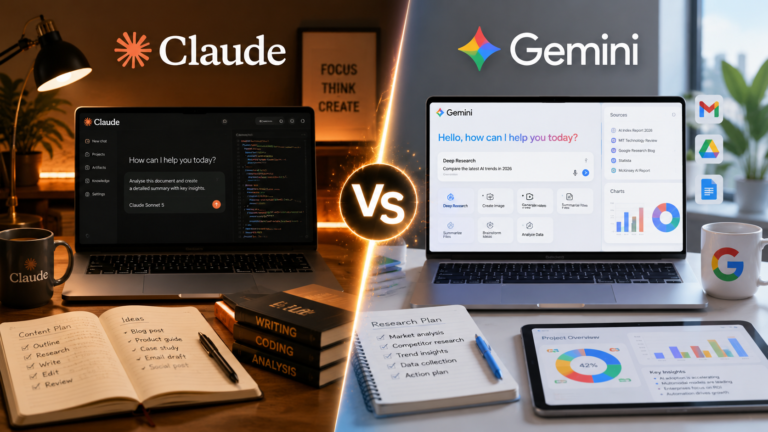
Perplexity is particularly useful when finding and checking web sources is central to the task. For a broader AI assistant that can also work with Google’s ecosystem, see How to Use Google Gemini: 15 Powerful Practical Ways for Beginners.
Strong prompts can also improve the quality of your research questions. Our guide to How to Write ChatGPT Prompts: A Beginner’s Guide with 15 Examples explains prompting principles you can adapt to Perplexity and other AI tools.
Common Mistakes When Using Perplexity AI
Perplexity makes online research faster, but speed shouldn’t replace careful evaluation. Citations are valuable because they make sources easier to inspect, yet an answer can still contain errors, rely on weak evidence, or interpret a source incorrectly. Avoiding the following mistakes can help you research more reliably.
1. Assuming Citations Automatically Make an Answer Correct
A cited answer can still be inaccurate. Open important citations and confirm that the source actually supports the statement Perplexity makes. Pay particular attention to statistics, quotations, dates, technical claims, and conclusions.
2. Treating Every Source as Equally Reliable
Source quality varies considerably. An official report, peer-reviewed study, company documentation, news article, personal blog, forum post, and social media comment provide different levels and types of evidence. Prioritize sources appropriate to the question you’re investigating.
3. Ignoring Publication Dates
Older information isn’t necessarily wrong, but it may no longer answer a question about current products, prices, policies, regulations, technology, or recent events. Check when important sources were published or updated.
4. Relying on Only One Source
Important claims are often worth checking against multiple independent sources. This can help reveal disagreements, missing context, outdated information, or different interpretations of the same evidence.
5. Confusing AI Summaries With Original Sources
Perplexity’s generated explanation is a synthesis of information, not the original evidence itself. When accuracy matters, follow the citation and read enough of the underlying source to understand what it actually says.
6. Asking Questions That Are Too Broad
A vague research question can produce a broad answer that doesn’t address what you really need. Define the subject, time period, geographic area, audience, comparison criteria, or other relevant boundaries whenever possible.
7. Sharing Sensitive Information Unnecessarily
Avoid uploading or entering confidential, personal, financial, proprietary, or other sensitive information unless it is genuinely necessary and you’re comfortable with how the service handles that data. Review Perplexity’s current privacy settings and policies when privacy matters.
Perplexity can accelerate the process of finding and organizing information, but source evaluation remains your responsibility. For high-impact medical, legal, financial, safety, or similar decisions, use appropriate authoritative sources and qualified professional advice rather than relying solely on an AI-generated research summary.
Frequently Asked Questions About Perplexity AI
Is Perplexity AI free to use?
Yes. Perplexity offers a free plan with basic searches, limited Pro Search access, and limited file uploads. Paid plans provide greater access to advanced search and research capabilities, models, file analysis, and other features. Limits can change, so check Perplexity’s current plan information when a particular feature matters.
What is Perplexity AI mainly used for?
Perplexity is particularly useful for finding and exploring information. You can ask questions, research topics in depth, investigate current information, work with files, and organize research into projects while using citations to inspect the sources behind important claims.
What is Perplexity Pro Search?
Pro Search is designed for more involved questions than a basic search. Perplexity describes it as a conversational search experience that can consider your requirements, investigate information across multiple sources, and produce a more detailed response.
What is the difference between Perplexity Search and Research?
A regular search is useful when you need a relatively quick answer, while Perplexity’s Research capability is intended for more complex questions requiring deeper, multi-step investigation. Access and usage limits depend on your plan.
Does Perplexity provide sources?
Yes. One of Perplexity’s core strengths is providing citations alongside answers so you can investigate the underlying sources. However, a citation doesn’t guarantee that a claim is correct. Open important sources yourself and confirm that they actually support the information presented.
Can I upload files to Perplexity?
Yes. Perplexity supports file and attachment uploads, although limits vary by plan. You can use uploaded material as part of your research and ask questions about the information it contains.
Can Perplexity replace Google Search?
Perplexity can replace some traditional searches when you want a synthesized answer with sources, but the two approaches aren’t identical. Traditional search can be better when you want to browse many results yourself, while Perplexity can be useful when you want AI to help organize and explain information before you inspect the sources.
Is information from Perplexity always accurate?
No. Perplexity can misunderstand sources, omit context, rely on weak evidence, or produce incorrect conclusions. Its citations make verification easier, but you should still evaluate the evidence yourself.
Can I control whether my Perplexity searches are used to improve its AI?
Perplexity provides an AI Data Usage setting. Its current account documentation says users can turn this setting off if they prefer to exclude their search data from use in improving Perplexity’s AI models. Perplexity also provides an Incognito mode for searches that aren’t stored in your account history.
Because Perplexity’s features, plans, and limits continue to change, check the official Perplexity Help Center for current product information and instructions.
Final Thoughts on How to Use Perplexity AI
Learning how to use Perplexity AI effectively is less about getting instant answers and more about improving the way you find, investigate, and verify information.
Perplexity can help you research unfamiliar topics, discover sources, investigate current information, compare evidence, analyze files, fact-check claims, organize research, and create useful research briefs. Its citations are particularly valuable because they give you a path back to the sources behind the generated response.
However, citations should be the beginning of verification rather than the end. Open important sources, check publication dates, look for primary evidence, compare multiple viewpoints, and make sure the source actually supports the claim being made.
Start with a topic you genuinely need to research. Ask Perplexity for an overview, identify the important questions, investigate the strongest sources, and continue with follow-up questions until you have enough evidence to form your own conclusion.
Used thoughtfully, Perplexity can make online research faster and more organized while keeping the most important part of the process—evaluating evidence and deciding what to trust—in your hands.
Different AI assistants are useful for different kinds of work. If your task involves longer documents, writing, planning, coding, or ongoing projects, our guide to How to Use Claude AI: 15 Practical Ways for Beginners explores another approach to AI-assisted knowledge work.