Adobe Firefly vs Midjourney: Which AI Image Generator Is Better in 2026?
Choosing between Adobe Firefly vs Midjourney can be difficult because both platforms can create impressive AI-generated images, but they approach the creative process differently.
Midjourney has developed powerful image-generation capabilities alongside tools such as Style References, Personalization, image prompts, parameters, and image editing. Its current V8.2 model focuses particularly on aesthetics, image quality, creativity, and improved personalization.
Adobe Firefly combines AI image generation with editing capabilities such as Generative Fill and Generative Expand while connecting naturally with the broader Adobe creative ecosystem. Adobe also positions its Firefly models around commercial safety and trains them using licensed and public-domain material.
So which one should you choose?
The answer depends on whether you prioritize artistic image generation, creative experimentation, editing existing assets, Adobe integration, commercial workflows, or ease of use.
In this beginner-friendly comparison, we’ll examine Adobe Firefly vs Midjourney across 15 important areas so you can understand their differences and decide which AI image generator better suits your needs.
Adobe Firefly vs Midjourney: Quick Overview
Before comparing individual features, it helps to understand what each platform is designed to do.
What Is Adobe Firefly?
Adobe Firefly is Adobe’s generative AI creative platform.
It can generate images from text descriptions and provides controls for aspects such as model selection, aspect ratio, content type, composition, style, and other image characteristics. Firefly also supports editing workflows such as adding or replacing image elements with Generative Fill and extending an image beyond its existing boundaries with Generative Expand.
Firefly is also increasingly broader than image generation alone, with Adobe supporting generative capabilities involving video, audio and other creative formats.
If you haven’t used it before, read our How to Use Adobe Firefly: 15 Powerful Ways to Create AI Images in 2026 guide for a complete beginner-friendly introduction.
What Is Midjourney?
Midjourney is a generative AI platform strongly focused on visual creation.
You can create images from text prompts and use tools such as Image Prompts, Style References, Personalization and numerous parameters to influence the resulting image. Its web-based Editor also provides Remix, inpainting, Pan, Zoom Out, layers and Retexture capabilities.
Midjourney’s V8.2 became its default image model in July 2026, with the company emphasizing improved aesthetics, image quality and personalization.
For a step-by-step introduction, read our How to Use Midjourney: 15 Powerful Ways to Create AI Images in 2026 guide.
Adobe Firefly vs Midjourney: Quick Comparison
| Feature | Adobe Firefly | Midjourney |
|---|---|---|
| AI image generation | Excellent | Excellent |
| Beginner friendliness | Strong | Strong once familiar |
| Artistic experimentation | Strong | Excellent |
| Existing-image editing | Excellent | Strong |
| Adobe ecosystem | Excellent | Not its focus |
| Style control | Strong | Excellent |
| Personalization | Available through creative controls/workflows | Excellent |
| Commercial workflow focus | Excellent | Depends on project/use |
| Generative Fill | Excellent | Editing/inpainting available |
| Creative exploration | Strong | Excellent |
| Best suited to | Designers, marketers, Adobe users, businesses | Artists, creators, visual experimentation |
Neither platform wins every category. The better choice depends on the work you want to produce.
15 Key Differences Between Adobe Firefly and Midjourney
Let’s compare the platforms in more detail.
1. AI Image Generation
Both platforms can turn written descriptions into generated images.
Adobe Firefly’s Generate Image workflow allows users to enter a description and then choose settings including model, aspect ratio and content type. Adobe’s current documentation lists Firefly Image 3, Image 4, Image 4 Ultra and Image 5 among its available Adobe image models.
Midjourney similarly turns prompts into visual results but provides extensive parameters and reference systems for controlling generations. Its current V8.2 model emphasizes aesthetics and image quality.
Best for straightforward image generation: Tie
Best for extensive artistic experimentation: Midjourney
2. Ease of Use for Beginners
Firefly provides a relatively familiar visual interface, particularly for people who already use Adobe products.
You can describe the image you want and adjust visible controls without needing to memorize a large collection of commands.
Midjourney’s web interface has also made the platform more approachable. However, getting the most from Midjourney can involve learning concepts such as parameters, Style References, image prompts and Personalization.
For example, parameters can control aspect ratio, stylization, quality, chaos, image weighting, version selection and other generation behavior.
Winner for beginners: Adobe Firefly
3. Artistic and Creative Image Generation
This is one of Midjourney’s strongest areas.
Its V8.2 model is specifically described by Midjourney as focusing on aesthetics, image quality and personalization, with the company saying outputs should be more creative, bold and sophisticated.
Style References can also capture the visual qualities of another image—such as its colors, medium, texture or lighting—and apply that overall aesthetic to a new creation.
Firefly can also create highly polished visuals and offers considerable control, but users primarily interested in exploring distinctive visual styles may find Midjourney especially attractive.
Winner for artistic experimentation: Midjourney
4. Editing Existing Images
Firefly has a significant advantage when AI generation needs to become part of a larger image-editing workflow.
Generative Fill allows you to select part of an image and use a prompt to add or replace content while attempting to preserve visual consistency.
Generative Expand can extend an image beyond its existing boundaries and create new material around the original composition.
Midjourney isn’t limited to generating new images, however. Its Editor supports capabilities including inpainting, Pan, Zoom Out, layers and Retexture.
Winner for integrated professional editing workflows: Adobe Firefly
5. Style Consistency
Consistency becomes important when you’re creating multiple images for the same website, campaign, brand or creative project.
Midjourney’s Style Reference system is designed specifically to transfer the overall visual feel of a reference image into new generations. Users can also control the strength of that influence using Style Weight.
Its Style Creator can generate reusable Style Reference Codes after users select examples that move progressively toward the aesthetic they want.
Firefly also offers style and composition references and, for business workflows, Adobe provides additional tools such as Style Kits and Custom Models.
Winner for individual creative style experimentation: Midjourney
Winner for structured brand workflows: Adobe Firefly
6. Personalization
Midjourney provides a particularly interesting Personalization system.
Users create Personalization profiles by selecting images that represent their visual preferences. Midjourney can then use those profiles when generating new images, with the Stylize parameter controlling the strength of the personalization.
V8.2 also introduced improvements intended to better understand users’ aesthetic preferences.
Firefly approaches control more through model choices, references, creative settings and Adobe’s wider production ecosystem.
Winner for personal aesthetic personalization: Midjourney
7. Generative Fill and Object Replacement
Suppose you already have a photograph but want to add an object, remove something distracting or replace part of the scene.
This is where Firefly becomes particularly useful.
With Generative Fill, you can brush over an area, describe what should appear there and generate replacement content. Firefly also provides controls for refining the selected area.
Midjourney’s Editor can perform inpainting and other modifications, so it isn’t without editing capabilities.
However, Firefly’s connection with Adobe’s established image-editing environment makes this an especially natural use case.
Winner: Adobe Firefly
8. Creating Website and Marketing Graphics
Both tools can contribute to website graphics, advertisements, blog images, social media visuals and marketing concepts.
Firefly may be particularly attractive when generated assets need additional editing or will eventually move into Adobe applications.
Adobe says Firefly capabilities are integrated across products including Photoshop, Illustrator and Adobe Express, and positions Firefly for marketing and business content workflows.
Midjourney can be excellent when the priority is generating distinctive campaign concepts or visually striking creative assets.
For website owners, the decision may therefore depend on whether you need creative ideation or an integrated production workflow.
Winner: Tie
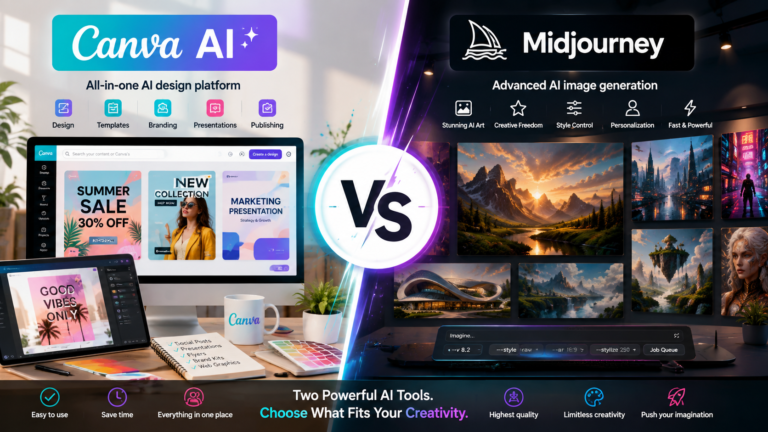
If you’re producing website content regularly, our How to Use Canva AI guide explores another option for creating and editing visual content.
9. Prompt Control
Good prompting matters with either platform.
Midjourney offers a large set of parameters that can alter generation behavior. These include Aspect Ratio, Chaos, Raw Mode, Stylize, Style Reference, Image Weight, Quality, Weird, Version and several others.
Firefly combines prompts with visual settings and references, which can be easier for beginners who prefer adjusting controls rather than placing numerous instructions into prompt syntax.
Winner for advanced prompt experimentation: Midjourney
Winner for approachable visual controls: Adobe Firefly
10. Using Reference Images
Both platforms allow reference images to influence new creations.
Midjourney distinguishes between different reference approaches. Image Prompts can influence elements such as content, composition and colors, while Style References concentrate on visual aesthetics.
Firefly supports style and composition references for generated images and also allows references within editing workflows.
Winner: Tie
The important point is understanding what you want the reference to control before generating your image.
11. Adobe Creative Cloud Integration
Firefly clearly wins this category.
Adobe has incorporated Firefly-powered functionality into its broader creative environment, including products such as Photoshop, Illustrator and Adobe Express.
This can be especially valuable for designers who don’t want AI generation to exist as an isolated part of their workflow.
You might generate or modify an asset with AI and then continue refining it using traditional design tools.
Midjourney has its own creation and editing ecosystem, but deep Adobe Creative Cloud integration isn’t its purpose.
Winner: Adobe Firefly
12. Commercial Content
This is an important distinction for businesses.
Adobe explicitly describes its Firefly models as commercially safe and says they are trained on licensed content, including Adobe Stock, and public-domain content where copyright has expired. Adobe also says it doesn’t train Firefly models on Creative Cloud subscribers’ personal content.
Adobe states that outputs from Firefly AI models can be used commercially, while reminding users that partner models available through Firefly may need to be evaluated separately.
That doesn’t automatically mean every Firefly image is free from every possible legal concern. Users still need to consider trademarks, publicity rights, misleading content and other issues relevant to the particular project.
Winner for clearly structured commercial positioning: Adobe Firefly
13. Creating Consistent Brand Assets
Businesses often need more than one attractive image.
They need a collection of assets that look as though they belong to the same organization.
Adobe offers enterprise-oriented Firefly features including Style Kits and Custom Models intended to support consistent branded creation.
Midjourney’s Style References, Style Creator and Personalization can also be extremely useful for maintaining a recognizable visual direction.
The difference is largely one of emphasis.
For personal creative consistency: Midjourney
For structured business branding: Adobe Firefly
14. Creative Experimentation
Sometimes you don’t have a finished concept.
You simply want to explore.
Midjourney is particularly well suited to this kind of iterative creative process because its style systems, personalization, parameters and aesthetic focus provide many ways to push an idea in different visual directions.
Firefly can certainly be used for ideation, but its strengths become especially apparent when generation is combined with editing and production.
Winner for pure visual exploration: Midjourney
15. Complete Creative Workflow
The final question isn’t simply which platform produces the prettier image.
Ask what happens after the image is generated.
If you want to generate, edit, expand and continue working with assets inside a broader professional design ecosystem, Firefly has a compelling advantage.
If your priority is rapidly experimenting with visual ideas, distinctive aesthetics, styles and highly customizable generations, Midjourney may be the stronger fit.
Winner: Depends on your workflow.
Adobe Firefly vs Midjourney: Which Should You Choose?
The easiest way to choose is to think about what you create most often.
Choose Adobe Firefly if you:
- Already use Adobe creative applications.
- Frequently edit existing photographs or graphics.
- Want Generative Fill and Generative Expand.
- Create marketing or business assets.
- Prefer visible creative controls.
- Need AI generation inside a broader design workflow.
- Place particular importance on Adobe’s commercial-safety approach.
Choose Midjourney if you:
- Prioritize highly creative AI image generation.
- Enjoy experimenting with artistic styles.
- Want extensive prompt parameters.
- Want Style References and Personalization.
- Frequently explore concepts before deciding on a final direction.
- Want to develop recognizable personal visual styles.
- Primarily care about image-generation creativity.
Use Both if you:
Don’t necessarily need to choose only one.
A creator could use Midjourney for visual exploration and concept development, then use Adobe tools for additional editing and production.
Alternatively, Firefly may handle most everyday design work while Midjourney is used when a project calls for more extensive visual experimentation.
The better workflow is the one that reduces unnecessary steps while producing the result you need.
A Simple Adobe Firefly vs Midjourney Test for Beginners
If you’re still unsure, don’t choose based entirely on feature lists.
Test both tools with the same creative assignment.
- Choose one image you genuinely need, such as a blog featured image, social media graphic or marketing concept.
- Write one clear description of the desired subject, environment, composition and mood.
- Generate the concept in Adobe Firefly.
- Generate the same concept in Midjourney.
- Compare how accurately each platform follows your idea.
- Try changing the style without changing the subject.
- Test a different aspect ratio.
- Try using a reference image.
- Attempt one realistic revision.
- Compare how much work is required to reach the final result.
- Consider whether the image needs further editing.
- Compare which interface you prefer.
- Consider how the image will be used commercially.
- Record which platform required fewer corrections.
- Choose based on the complete workflow rather than one impressive generation.
This small test will tell you more about which tool suits your workflow than simply looking at other people’s generated images.
Common Mistakes When Comparing Adobe Firefly and Midjourney
1. Judging Both Tools From One Image
AI generation varies.
Don’t decide that one platform is superior because one prompt happened to produce a better first result.
Test several realistic prompts.
2. Using Different Prompts for the Comparison
If you’re comparing image quality, begin with similar instructions.
Otherwise, you’re partly comparing your prompts rather than the tools.
3. Ignoring the Editing Workflow
Generating the image is only part of many projects.
Consider how much editing, resizing, branding and refinement happens afterward.
4. Assuming More Artistic Means Better
A visually dramatic result isn’t automatically the most useful result.
Marketing graphics, educational illustrations and website images may need accuracy and consistency more than artistic complexity.
5. Ignoring Commercial Requirements
Consider how generated assets will actually be used.
Business content may have different requirements from personal experimentation.
6. Expecting Perfect Text in Every Image
AI image generators continue to improve at text rendering, but important wording should still be checked carefully.
For logos, advertisements and branded graphics, verify every letter before publishing.
7. Overcomplicating Prompts
More words don’t automatically produce better images.
Begin with the subject, environment, composition, lighting and desired style, then refine based on the output.
8. Forgetting Aspect Ratio
A beautiful square image may be inconvenient when you actually need a wide website banner.
Choose dimensions with the final destination in mind.
9. Ignoring Reference Tools
Reference images can make it easier to communicate composition or visual style than repeatedly rewriting a prompt.
Learn how each platform handles them.
10. Choosing Based Only on Popularity
The most talked-about tool isn’t necessarily the best tool for your particular workflow.
Choose based on what you actually create.
Frequently Asked Questions About Adobe Firefly vs Midjourney
Is Adobe Firefly better than Midjourney?
Neither platform is universally better.
Adobe Firefly may be better for people who prioritize image editing, Adobe integration, structured business workflows and Adobe’s commercial-safety approach. Midjourney may be better for users who prioritize artistic experimentation, aesthetic personalization and extensive image-generation controls.
Is Midjourney better for AI art?
Midjourney is particularly strong for artistic experimentation. Its current V8.2 model emphasizes aesthetics and image quality, while features such as Style References, Personalization and Style Creator provide extensive control over visual direction.
Is Adobe Firefly good for beginners?
Yes. Firefly provides visual controls alongside text prompting, making it relatively approachable for people beginning with generative image creation.
Can Adobe Firefly edit existing images?
Yes. Firefly’s Generative Fill can add or replace selected parts of an image, while Generative Expand can create additional imagery beyond the existing frame.
Can Midjourney edit images?
Yes. Midjourney’s web Editor supports capabilities including Remix, inpainting, Pan, Zoom Out, layers and Retexture.
Which is better for graphic designers?
Adobe Firefly may be especially convenient for designers already using Adobe applications because Firefly capabilities are integrated throughout Adobe’s creative ecosystem.
However, designers may still use Midjourney for concept generation and artistic experimentation.
Which is better for social media images?
Both can work well.
Midjourney may be preferable when you want distinctive visual concepts, while Firefly can be particularly useful when the image needs additional editing or will become part of a larger Adobe design workflow.
If social content is your priority, our ChatGPT for Social Media: 15 Powerful Ways to Create Better Content guide can help with captions, ideas and planning alongside your visuals.
Which is better for website featured images?
Either platform can produce website imagery.
The better choice depends on the visual style of the site, how much editing is required, and whether maintaining a consistent design system is important.
Our How to Use Canva AI guide also covers another useful option for creating website and marketing graphics.
Can Adobe Firefly images be used commercially?
Adobe states that outputs from its Firefly AI models can be used commercially and describes those models as commercially safe, while noting that users are responsible for determining the suitability of outputs from partner models available through Firefly.
Should I use Adobe Firefly and Midjourney together?
You can.
For example, Midjourney can be useful for creative exploration, while Adobe’s ecosystem can be useful for further editing and production. Whether paying for both makes sense depends on how frequently you use each platform.
Final Thoughts on Adobe Firefly vs Midjourney
The Adobe Firefly vs Midjourney comparison doesn’t have one universal winner.
Both platforms have developed into powerful creative environments, but their strengths are different.
Midjourney stands out when visual experimentation, artistic direction, personalization and style exploration are central to the project. Features such as Style References, Personalization, Style Creator and extensive generation parameters give creators many ways to develop a particular aesthetic.
Adobe Firefly becomes especially compelling when AI generation needs to connect with editing and production. Generative Fill, Generative Expand and integration with Adobe’s broader creative ecosystem can make it easier to move from an initial AI-generated concept toward a finished asset.
Adobe’s approach to commercially safe Firefly models is another meaningful consideration for marketers, businesses and professional creators.
For someone primarily interested in creative AI image generation and artistic exploration, I would lean toward Midjourney.
For someone who already works with Adobe applications, regularly edits existing assets, creates marketing materials, or wants AI generation integrated into a broader professional creative workflow, I would lean toward Adobe Firefly.
And for creators who need both, the two platforms don’t necessarily have to be competitors. They can serve different stages of the same creative process.
If you want to explore either platform in more depth, continue with our How to Use Adobe Firefly: 15 Powerful Ways to Create AI Images in 2026 and How to Use Midjourney: 15 Powerful Ways to Create AI Images in 2026 guides.