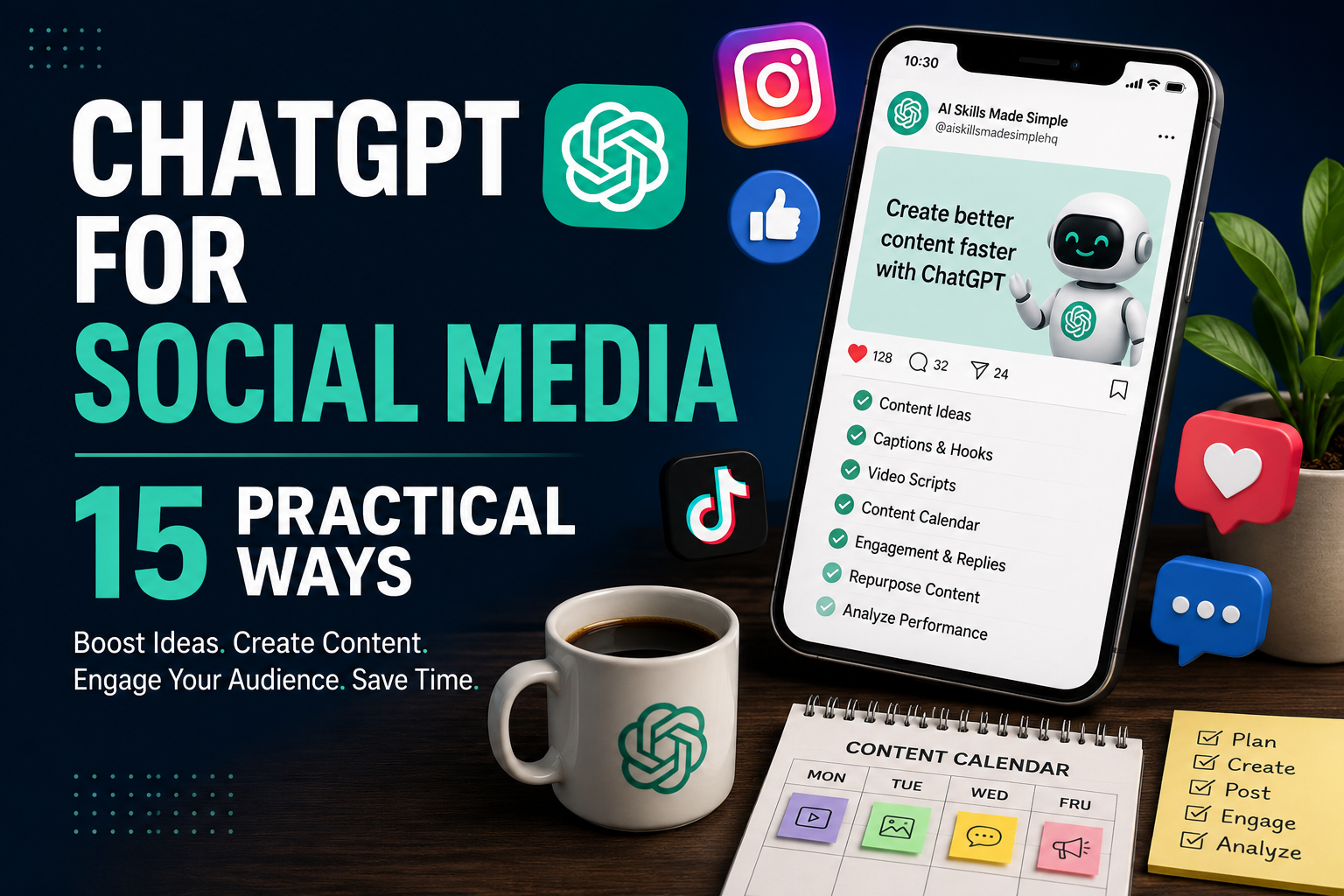
How to Use ChatGPT for Social Media: 15 Practical Ways
ChatGPT for social media can help you spend less time staring at a blank screen and more time creating useful content for your audience. Whether you post on Instagram, TikTok, Facebook, LinkedIn, or other platforms, ChatGPT can assist with brainstorming ideas, writing captions, planning content, and repurposing material you already have.
The key is to use AI as an assistant rather than allowing it to replace your own voice. Generic prompts often produce generic posts. Better results come from giving ChatGPT information about your audience, platform, goals, preferred tone, and the message you want to communicate.
In this beginner-friendly guide, we’ll explore 15 practical ways to use ChatGPT for social media, including example prompts you can adapt for your own accounts. We’ll also look at ways to maintain your brand voice, review AI-generated content, and build a more efficient social media workflow.
What Is ChatGPT for Social Media?
Using ChatGPT for social media means using AI to assist with tasks involved in planning, creating, improving, and repurposing social media content. Instead of starting every post from scratch, you can give ChatGPT information about your audience, platform, topic, and goal and ask it to help develop ideas.
For example, you can use ChatGPT to brainstorm post topics, create caption variations, develop hooks, organize a content calendar, rewrite posts for different platforms, or turn a longer article into several shorter social posts.
ChatGPT does not know your audience or brand automatically. The more useful context you provide, the more relevant its suggestions are likely to be. You should also review generated content for accuracy, tone, originality, and whether it genuinely provides value to your audience.
15 Practical Ways to Use ChatGPT for Social Media
The following methods can help you incorporate AI into different parts of your social media workflow without handing over the entire creative process.
1. Generate Social Media Content Ideas
Coming up with fresh ideas consistently can be one of the most time-consuming parts of social media. ChatGPT can help you brainstorm topics based on your niche, audience, platform, and content goals.
Instead of asking simply for “social media ideas,” provide details about who you want to reach and what you want the content to accomplish. You can also ask for a mixture of educational posts, questions, quick tips, stories, and problem-solving content.
Example prompt
Generate 20 social media content ideas about [topic] for [target audience] on [platform]. My goal is to [educate/build awareness/generate engagement]. Include educational posts, practical tips, questions, common mistakes, and problem-solving ideas. Avoid repetitive topics.
Review the suggestions and choose ideas that match your experience, audience, and brand. You can then develop the strongest ideas into individual posts rather than publishing the AI-generated list unchanged.
2. Write Stronger Social Media Hooks
The opening line of a social media post can determine whether someone keeps reading or scrolls past. ChatGPT can help you generate several hook variations so you can compare different approaches before choosing one.
A good hook should create interest without misleading the reader. You can ask for hooks based on a question, surprising insight, common problem, useful benefit, or curiosity while keeping the wording relevant to your audience.
Example prompt
Write 10 engaging opening hooks for a social media post about [topic]. The audience is [target audience]. Use clear, conversational language and create curiosity without exaggeration or clickbait. Keep each hook under 15 words.
Don’t automatically choose the most dramatic suggestion. Select a hook that accurately represents the content that follows and sounds natural for your brand.
3. Create Social Media Captions
Writing captions repeatedly can become difficult, especially when you need different versions for multiple posts. ChatGPT for social media can help turn your main idea into caption options with different lengths, tones, and calls to action.
Give ChatGPT the key message first rather than asking it to invent everything. This helps keep the finished caption aligned with what you actually want to communicate.
Example prompt
Create 3 social media captions about [topic] for [platform]. The main message is [message]. Write one short, one medium, and one longer version. Use a [professional/friendly/educational] tone and finish with a natural call to action.
Edit the caption before publishing so that the language, examples, and personality sound like you rather than a generic AI-generated post.
4. Repurpose Blog Content Into Social Posts
If you’ve already created a useful blog post, newsletter, guide, or video, you don’t necessarily need to start from zero when creating social media content. ChatGPT can help break longer material into several shorter posts while preserving the original message.
This can help you get more value from content you’ve already created and present the same ideas in formats that are easier to consume on social platforms.
Example prompt
Repurpose the following article into 5 social media posts for [platform]: [paste article or key sections]. Give each post a different angle, a strong opening hook, one useful takeaway, and a natural call to action. Preserve the original facts and don’t introduce claims that aren’t supported by the source material.
Review each version independently. A social post should make sense even when the reader hasn’t seen the original article.
5. Create a Social Media Content Calendar
A content calendar can make social media easier to manage by deciding what you’ll publish before each posting day arrives. ChatGPT can help organize your ideas into a realistic weekly or monthly schedule based on your platforms, audience, and available time.
Avoid asking AI to create an unrealistic posting schedule simply because more content sounds better. A smaller schedule you can maintain consistently is usually more useful.
Example prompt
Create a 4-week social media content calendar for [business, brand, or niche]. My target audience is [audience], my main goal is [goal], and I use [platforms]. I can realistically publish [number] times per week. For each post, include the topic, format, purpose, opening hook, and suggested call to action.
Use the calendar as a flexible plan. If a timely topic, customer question, or important update appears, adjust the schedule rather than following it rigidly.
6. Adapt Content for Different Social Platforms
The same message may need to be presented differently on Instagram, TikTok, Facebook, LinkedIn, or other platforms. Each platform has different formats, audiences, and content styles, so copying exactly the same post everywhere isn’t always the best approach.
ChatGPT can help adapt your core message while keeping the underlying information consistent.
Example prompt
Adapt the following content for Instagram, Facebook, LinkedIn, and TikTok: [paste content]. Keep the main message and facts consistent, but adjust the length, structure, tone, hook, and call to action for each platform. Explain briefly why you changed each version.
Review the recommendations against the platform’s current features and your own audience data. Social media platforms change frequently, so don’t assume every formatting or feature suggestion from AI is current.
7. Generate Calls to Action
A call to action tells your audience what you would like them to do after consuming your content. That could mean commenting, saving a post, visiting your website, reading an article, joining an email list, or learning more about an offer.
ChatGPT can help you create several CTA variations so that every post doesn’t end with the same phrase.
Example prompt
Write 10 natural calls to action for a social media post about [topic]. My goal is to encourage people to [desired action]. Keep the CTAs short, conversational, and appropriate for [platform]. Avoid pressure, exaggerated urgency, and repetitive wording.
Choose a CTA that matches the purpose of the post. Not every piece of content needs to sell something; sometimes asking a useful question or encouraging readers to save the information is more appropriate.
8. Create Short-Form Video Scripts
Short-form video often requires a strong opening, a focused message, and a clear ending within a limited amount of time. ChatGPT can help turn an idea into a first-draft script for platforms such as TikTok, Instagram Reels, or YouTube Shorts.
Tell ChatGPT the approximate video length and audience. The finished script should then be edited so it sounds natural when spoken rather than like written article copy.
Example prompt
Write a 45-second short-form video script about [topic] for [platform]. The target audience is [audience]. Start with a strong but accurate hook, explain one useful idea in simple language, include three key points, and finish with a natural call to action. Make the script conversational and avoid exaggerated claims.
Read the script aloud before recording or turning it into a faceless video. Shortening awkward sentences and replacing unnatural phrases can make the final video feel much more authentic.
9. Create Carousel and Post-Series Ideas
Some topics contain too much information for a single short caption. Breaking them into a carousel or a series of related posts can make the information easier for your audience to follow.
ChatGPT can help organize one larger topic into smaller sections while keeping the sequence logical.
Example prompt
Turn [topic] into a 7-slide social media carousel for [audience]. Slide 1 should contain a clear hook. Slides 2–6 should each explain one useful point in simple language. Slide 7 should summarize the main takeaway and include a natural call to action. Keep the text concise enough to read easily on a phone.
You can also ask ChatGPT to turn the same topic into a multi-part post series. Make sure each part provides useful information rather than artificially splitting a simple idea into several posts.
10. Draft Responses to Social Media Comments
Responding to comments can help you maintain conversations with your audience, but finding the right wording isn’t always easy—especially when a question, complaint, or criticism requires a thoughtful response.
ChatGPT can help draft possible replies when you provide the original comment and the facts it needs. You should still review the response before posting it publicly.
Example prompt
Draft three possible replies to this social media comment: [paste comment]. The relevant facts are [provide facts]. Use a friendly and professional tone, acknowledge the person’s point, and keep each response concise. Do not invent information, promises, refunds, discounts, or policies.
For angry customers, sensitive situations, or serious complaints, human judgment becomes particularly important. Avoid automatically posting an AI-generated response without considering the context.
11. Generate Hashtag and Topic Suggestions
ChatGPT can help brainstorm hashtags, keywords, and related topics that may be relevant to a post. This can be useful as a starting point when you’re trying to identify different ways people might describe or search for a subject.
However, ChatGPT should not be treated as a source of real-time hashtag popularity or current platform trends unless it has access to up-to-date information.
Example prompt
Suggest 15 relevant hashtags and related topic phrases for a social media post about [topic] aimed at [audience] on [platform]. Group them into broad, niche, and topic-specific suggestions. Don’t claim that any hashtag is currently trending unless you can verify it with current information.
Use platform search, analytics, or other current data to evaluate the suggestions before relying on them. A relevant hashtag is generally more useful than adding unrelated popular tags simply to increase reach.
12. Turn Customer Questions Into Content
Questions from customers, followers, or potential buyers can provide useful content ideas because they reveal what your audience actually wants to know. Instead of guessing which topics might be useful, you can turn recurring questions into educational posts, short videos, FAQs, or carousels.
ChatGPT for social media can help organize a collection of questions into content themes and suggest different ways to answer them.
Example prompt
Review these questions from my audience: [paste anonymized questions]. Group similar questions into themes and turn them into 10 social media content ideas. For each idea, suggest the best format, such as a short post, carousel, FAQ, or video. Base the ideas only on the information provided and flag anything that requires additional research.
Remove unnecessary personal information before sharing customer messages or questions with an AI tool. In most cases, ChatGPT only needs the question itself—not the person’s name, contact information, or other identifying details.
13. Create Promotional Posts Without Sounding Overly Salesy
Promotional content is important for businesses and creators who sell products or services, but every post doesn’t need to sound like an advertisement. ChatGPT can help explore different ways to explain an offer by focusing on the problem it addresses, how it works, or who it may be useful for.
Provide accurate information about the offer rather than allowing ChatGPT to invent benefits, testimonials, guarantees, discounts, or urgency.
Example prompt
Create three social media posts promoting [product or service] to [target audience]. The offer helps with [problem], and the verified benefits are [benefits]. Write one educational version, one problem-and-solution version, and one direct promotional version. Use only the information I provide and don’t invent testimonials, guarantees, discounts, deadlines, or results.
Review promotional posts carefully before publishing. Any claims about prices, results, availability, guarantees, or special offers should match the actual terms of your product or service.
14. Analyze Your Existing Social Media Content
Your existing posts can provide useful clues about the topics, formats, and messages that connect with your audience. ChatGPT can help organize performance information and identify patterns when you provide the relevant data.
For example, you could provide post topics alongside metrics such as views, reach, comments, saves, shares, or clicks. ChatGPT can then help you look for patterns worth investigating.
Example prompt
Analyze the following social media post data: [paste data]. Compare the topics, formats, hooks, and available performance metrics. Identify patterns in the strongest and weakest posts, suggest three lessons I could test in future content, and clearly separate observations from assumptions. Do not claim that one factor caused a result unless the data supports that conclusion.
Remember that social media performance can be affected by many factors, including timing, audience size, platform distribution, topic interest, and creative execution. Treat AI analysis as a way to generate hypotheses to test rather than proof of what caused a particular result.
15. Develop a More Consistent Brand Voice
A consistent voice can make your social media content feel more recognizable. If some posts sound professional while others sound completely different, ChatGPT can help you define basic writing guidelines and apply them more consistently.
Start with examples of content that genuinely represents how you want your brand to sound. Avoid sharing confidential material simply to teach ChatGPT your style.
Example prompt
Help me create a simple brand voice guide based on these examples of my writing: [paste examples]. Identify characteristics such as tone, sentence length, vocabulary, level of formality, and use of humor. Create five practical writing rules I can follow. Then rewrite the following draft using those rules while preserving its original meaning: [paste draft].
Use the resulting guide as a reference rather than a rigid formula. Your tone may still need to change depending on whether you’re educating your audience, responding to a complaint, celebrating an achievement, or promoting an offer.
These 15 examples show that ChatGPT for social media can assist with much more than writing captions. It can support brainstorming, planning, repurposing, audience engagement, content analysis, and maintaining a more consistent workflow while leaving the final decisions with you.
A Simple ChatGPT Social Media Workflow
Using ChatGPT effectively doesn’t mean asking it to run your entire social media presence. A better approach is to use it at specific stages while keeping strategy, judgment, and final approval in your hands.
A simple workflow could look like this:
- Choose your goal. Decide what you want your social media content to achieve, such as educating your audience, building awareness, encouraging engagement, generating website visits, or promoting an offer.
- Identify your audience. Be clear about who you’re creating content for and what problems, questions, or interests they have.
- Brainstorm content ideas. Use ChatGPT to generate possible topics based on your audience and goal, then choose the ideas that are genuinely relevant.
- Choose the right format. Decide whether each idea works best as a short post, carousel, image, short-form video, question, or another format.
- Create the first draft. Ask ChatGPT to help with hooks, captions, scripts, or outlines using the context you’ve already established.
- Add your own value. Include your experience, examples, opinions, expertise, demonstrations, or other information that makes the content distinctive.
- Check the facts. Verify statistics, product details, claims, quotations, dates, and other factual information before publishing.
- Edit for your voice. Remove generic wording and make sure the final post sounds appropriate for your brand and audience.
- Publish and engage. Post the content and respond thoughtfully to genuine comments and questions.
- Review the results. Use your platform analytics to see what performed well and use those insights when planning future content.
If you want a broader guide to using AI throughout the creative process, read How to Use ChatGPT for Content Creation: 12 Practical Ways.
You can also improve the quality of your instructions with our guide to How to Write ChatGPT Prompts: A Beginner’s Guide with 15 Examples.
Common Mistakes When Using ChatGPT for Social Media
ChatGPT can make social media creation faster, but using it without enough human input can lead to generic, inaccurate, or repetitive content. Avoiding a few common mistakes can help you get more value from AI without weakening your social media presence.
1. Publishing AI Content Without Editing
Don’t assume the first response is ready to publish. Review the wording, remove unnecessary repetition, check factual claims, and make sure the post actually sounds appropriate for your audience.
2. Using the Same Generic Prompts Every Time
Prompts such as “write me an Instagram post” provide very little direction. Include your audience, topic, goal, tone, platform, and important information when those details affect the result.
3. Losing Your Brand Voice
If every post relies heavily on generic AI wording, your content may begin to sound similar to countless other accounts. Add your own examples, opinions, experiences, vocabulary, and personality where appropriate.
4. Trusting AI With Current Trends
Social media trends, platform features, algorithms, and popular hashtags can change quickly. Verify current information rather than assuming ChatGPT automatically knows what is trending today.
5. Creating Too Much Content
AI makes it easy to generate large quantities of posts, but more content isn’t automatically better. A realistic schedule of useful posts is generally more sustainable than publishing large amounts of repetitive or low-value material.
6. Sharing Sensitive Information
Avoid putting confidential business information, passwords, private customer details, financial information, or other sensitive data into prompts unnecessarily. When using customer questions or feedback, remove identifying information whenever possible.
7. Automating Audience Relationships Too Aggressively
Social media is built around interaction between people. AI can help draft a response, but sensitive customer questions, complaints, personal conversations, and important business interactions may require direct human attention.
The strongest approach to ChatGPT for social media is to let AI assist with repetitive creative work while you remain responsible for strategy, accuracy, personality, and audience relationships.
Frequently Asked Questions About ChatGPT for Social Media
Can I use ChatGPT to create social media posts?
Yes. ChatGPT can help brainstorm ideas, draft captions, create hooks, develop short-form video scripts, plan content calendars, and repurpose existing material. Review and edit the output before publishing so it accurately reflects your message and brand voice.
Can ChatGPT create Instagram captions?
Yes. You can provide ChatGPT with your topic, audience, tone, and main message and ask it to create several caption variations. Giving it specific context usually produces better results than simply asking for an Instagram caption.
Can I use ChatGPT for TikTok content?
Yes. ChatGPT can help brainstorm TikTok topics, write hooks, create short-form video scripts, organize talking points, and develop calls to action. Because TikTok trends and features change quickly, verify current platform information rather than relying solely on AI-generated recommendations.
Can ChatGPT create a social media content calendar?
Yes. ChatGPT can organize your ideas into a weekly or monthly calendar based on your audience, goals, platforms, and realistic posting frequency. Treat the calendar as a flexible plan and adjust it using current events, audience feedback, and your platform analytics.
Can ChatGPT generate hashtags?
ChatGPT can suggest hashtags related to a topic, but it should not automatically be treated as a source of current hashtag popularity or trending information. Check suggestions using current platform search and analytics before deciding which hashtags to use.
Will social media platforms penalize AI-generated content?
Platform policies and features can change, so avoid assuming there is one permanent rule covering every platform and every type of AI-assisted content. Review the current policies of the platform you’re using, particularly when creating synthetic or altered media that may require disclosure or labeling.
You can also review OpenAI’s guidance on responsible AI use and safety when deciding how AI fits into your content workflow
Can ChatGPT respond to social media comments?
ChatGPT can help draft possible responses, especially for routine questions. However, complaints, sensitive conversations, customer disputes, and important business interactions should receive appropriate human review before a response is posted.
How do I make ChatGPT social media posts sound more human?
Give ChatGPT examples of your preferred tone, provide specific information about your audience, and tell it which words or styles you want to avoid. Most importantly, edit the final version yourself and add your own examples, experience, opinions, or personality where appropriate.
Final Thoughts on Using ChatGPT for Social Media
ChatGPT for social media can make many parts of content creation and planning easier, from brainstorming ideas and writing hooks to creating captions, developing video scripts, repurposing content, and organizing a content calendar.
The biggest benefit isn’t simply producing more posts. It’s reducing some of the repetitive work involved in social media so you can spend more time deciding what your audience actually needs and creating content worth paying attention to.
Start with one or two tasks that regularly slow you down. You might use ChatGPT to generate ideas for the week, create several headline variations, turn a blog article into social posts, or organize your ideas into a realistic publishing schedule. Once you find a process that genuinely saves time, you can gradually expand how you use AI.
Keep human judgment at the center of the process. Review AI-generated content before publishing, verify important facts, protect sensitive information, and make sure your posts reflect your own brand voice and audience rather than sounding like generic AI output.
Used thoughtfully, ChatGPT can become a useful social media assistant without replacing the creativity, experience, personality, and relationships that make your content distinctive.
If you’re using social media to promote a business, our guide to ChatGPT for Small Business: 15 Practical Ways to Save Time provides additional ideas for marketing, customer service, planning, research, and everyday business tasks.