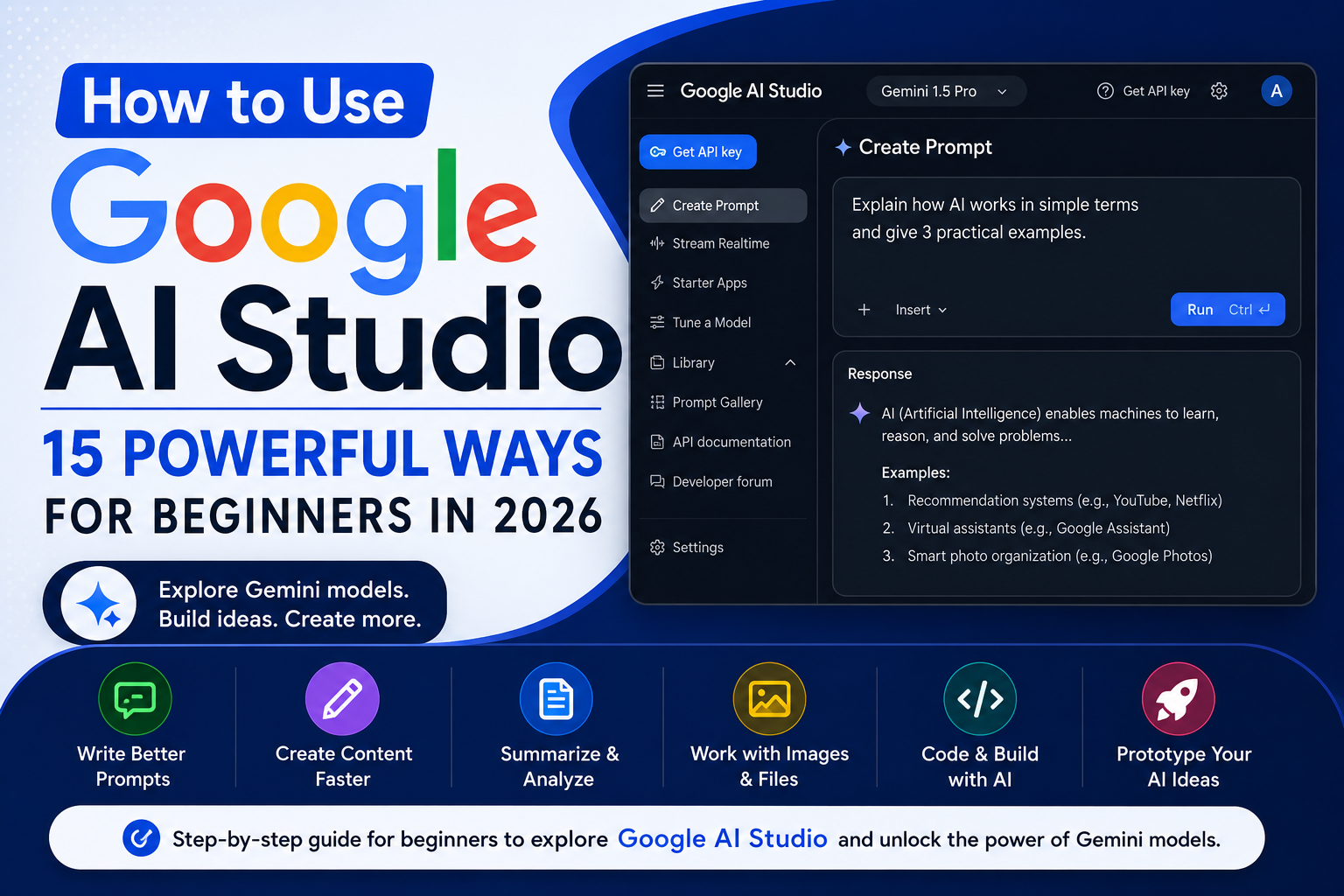
How to Use Google AI Studio: 15 Powerful Ways for Beginners in 2026
Learning how to use Google AI Studio can open up a new level of possibilities if you want to experiment with artificial intelligence beyond a basic chatbot.
Google AI Studio provides an environment for working with Google’s Gemini models, testing prompts, experimenting with different inputs, and developing AI-powered ideas. You don’t have to be an experienced programmer to start exploring what it can do.
Whether you want help with writing, research, brainstorming, analyzing information, creating structured outputs, or experimenting with AI applications, Google AI Studio gives you a flexible place to work.
For beginners learning how to use Google AI Studio, the best approach is to start with simple prompts before experimenting with more advanced features.
In this beginner-friendly guide, we’ll explore 15 practical ways to use Google AI Studio and show how it fits alongside tools such as Gemini, ChatGPT, Claude, and NotebookLM.
What Is Google AI Studio?
Google AI Studio is a browser-based environment from Google designed for experimenting with its Gemini AI models.
While the regular Gemini interface is convenient for everyday conversations, AI Studio gives users more control over how they interact with the underlying AI models.
You can experiment with prompts, provide different types of input, adjust model behavior, test responses, and explore ideas that could eventually become AI-powered applications.
For beginners, however, you don’t need to start by building software.
You can begin by simply learning how prompts and AI models behave.
If you’re wondering how to use Google AI Studio, the easiest approach is to start with simple prompts before exploring its more advanced features.
How to Use Google AI Studio
Getting started is relatively straightforward.
Open Google AI Studio and sign in with your Google account. From there, you can choose an available Gemini model and begin experimenting with prompts.
The interface and available models can change as Google updates the platform, so concentrate on understanding the basic workflow rather than memorizing every button.
Start with a simple instruction such as:
“Explain artificial intelligence to me as if I am a complete beginner and give me five practical examples.”
You can then refine the instruction and compare how the output changes.
Here are 15 useful ways to take things further.
1. Experiment With Better AI Prompts
One of the best ways to use Google AI Studio is to practice prompt writing.
Instead of entering a short request such as:
“Write about productivity.”
Try providing context:
“Write a 500-word beginner-friendly guide explaining five ways small-business owners can use AI to improve daily productivity. Use simple language and practical examples.”
The additional instructions give the model a clearer understanding of the result you want.
2. Brainstorm Content Ideas
Google AI Studio can help generate ideas when you’re struggling to decide what to create.
You can brainstorm:
- Blog topics
- Social media posts
- Video concepts
- Email newsletters
- Product ideas
- Business names
- Marketing campaigns
For example, ask it to generate 20 article ideas around a particular topic and organize them by beginner, intermediate, and advanced difficulty.
Learning how to use Google AI Studio effectively becomes easier once you experiment with different prompts, models, and types of content.
3. Create Article Outlines
Before writing a long article, use AI Studio to develop the structure.
Give it your topic, target reader, main keyword, and intended purpose.
It can suggest headings, subheadings, FAQs, examples, and important questions that the article should address.
You can then decide which suggestions belong in the final article instead of accepting everything automatically.
4. Improve Existing Writing
You can use Google AI Studio as an editing assistant.
Paste text you’ve already written and ask it to improve clarity, grammar, structure, or tone without changing your intended meaning.
For example:
“Rewrite this paragraph using simpler language while keeping the original meaning and avoiding unnecessary technical terms.”
This can be particularly useful when creating beginner-focused educational content.
As you learn how to use Google AI Studio, experiment with different instructions and compare the responses to understand what produces the best results.
5. Summarize Long Information
Long documents and blocks of information can be difficult to process quickly.
Depending on the capabilities of the model and interface you’re using, Google AI Studio can help analyze supplied information and produce shorter summaries.
You can request:
- Key points
- Action items
- Important arguments
- Simple explanations
- Questions and answers
Always verify important information against the original source.
6. Analyze Images and Other Supported Content
Gemini models can work with more than ordinary text.
Depending on the model and features available, you can experiment with supported multimodal inputs such as images and documents.
For example, you could provide an image and ask the model to describe important elements, organize visible information, or help generate ideas based on it.
This makes multimodal AI particularly useful for workflows where information isn’t limited to text.
7. Generate Structured Information
Another powerful feature is getting AI to organize information into a specific format.
You might request:
“Compare these five AI tools using the categories: best use, ideal user, strengths, limitations, and learning difficulty.”
Structured outputs can make complicated information easier to understand and reuse.
8. Develop Social Media Content
Develop Social Media Content
- A short video script
- An Instagram caption
- A LinkedIn post
- Five hooks
- Ten short post ideas
You should still edit the results so the final content reflects your own brand and audience.
As you become more comfortable with how to use Google AI Studio, you can move from basic experiments to more advanced AI workflows.
9. Generate Video Scripts
If you’re creating YouTube videos, Reels, TikToks, or other video content, AI Studio can help structure scripts.
Specify the platform, audience, length, tone, and desired call to action.
For example:
“Create a 45-second beginner-friendly video script explaining three useful ways to use AI at work. Start with a strong hook and finish with a simple call to action.”
10. Research Topics More Efficiently
AI can be useful at the beginning of the research process.
Ask Google AI Studio to explain unfamiliar concepts, identify important subtopics, generate research questions, or organize information you’ve collected.
However, an AI-generated response shouldn’t automatically be treated as a factual source.
Important facts, statistics, quotations, financial information, and other consequential claims should be checked against reliable sources.
11. Learn Difficult Subjects
Google AI Studio can function like an interactive tutor.
You can ask it to explain something at different levels.
For example:
“Explain machine learning to me at three levels: first for a 12-year-old, then for a beginner adult, and finally at an intermediate technical level.”
You can then ask follow-up questions about anything you don’t understand.
12. Practice Coding
For people interested in programming, Gemini models can help explain code, generate examples, identify potential errors, and discuss programming concepts.
Beginners can ask for explanations line by line rather than simply requesting finished code.
AI-generated code should still be reviewed and tested before being used in a real application.
13. Prototype AI Applications
This is where Google AI Studio starts becoming especially interesting.
After experimenting with prompts, developers can use what they’ve learned to prototype experiences powered by Gemini and explore moving those ideas into applications using Google’s available developer tools and APIs.
Even if you’re not ready to build an application, understanding this workflow helps you see the difference between simply chatting with an AI and designing an AI-powered product.
14. Compare Different Prompt Approaches
Don’t assume your first prompt is the best prompt.
Try asking for the same result in several different ways.
For example, compare:
Prompt A: “Give me business ideas.”
with:
Prompt B: “Give me 10 low-cost digital business ideas suitable for a beginner with basic AI skills. For each idea, explain the target customer, what would be sold, and how AI could help operate the business.”
Comparing outputs teaches you how specificity affects AI responses.
15. Build Repeatable AI Workflows
Once you find prompts that consistently produce useful results, turn them into repeatable workflows.
A content workflow might look like:
Idea → Research → Outline → Draft → Edit → Repurpose
Instead of asking AI to complete everything in one enormous prompt, divide the project into stages.
This usually gives you greater control over the final result.
Google AI Studio vs Google Gemini
Google AI Studio and the regular Gemini experience are related, but they’re designed for somewhat different purposes.
Gemini is generally more convenient for everyday AI assistance, such as asking questions, writing, brainstorming, and getting help with daily tasks.
Google AI Studio is particularly useful when you want to experiment more deeply with Gemini models, prompts, model behavior, structured outputs, and potential application development.
If you’re completely new to Gemini, read our guide to How to Use Google Gemini before exploring the more experimental side of Google AI Studio.
Google AI Studio vs ChatGPT
Both platforms can help with writing, brainstorming, analysis, learning, coding, and many other AI tasks, but their interfaces and ecosystems are different.
The better choice depends on what you’re trying to accomplish.
If you’re primarily interested in comparing everyday AI assistants, read our ChatGPT vs Claude vs Gemini comparison.
Is Google AI Studio Good for Beginners?
Yes, as long as you start with the basics.
You don’t need to understand APIs or software development on your first day.
Start by experimenting with simple prompts. Then gradually explore model settings, structured outputs, multimodal capabilities, and more advanced features as you become comfortable.
The goal isn’t to master everything immediately.
It’s to understand what changes the quality of an AI response and how you can use those lessons in real projects.
Once you understand how to use Google AI Studio, it can become a useful addition to your everyday AI toolkit.
Understanding how to use Google AI Studio becomes easier when you practice with real tasks instead of trying to master every feature at once.
Frequently Asked Questions
Is Google AI Studio free?
Google provides access to AI Studio with usage limits and conditions that can vary by model and service. Because pricing and quotas can change, check Google’s current documentation before relying on a particular limit for ongoing work.
Do I need coding skills to use Google AI Studio?
No. Beginners can use the interface for prompt experimentation without being programmers. Coding becomes more relevant when you want to integrate Gemini capabilities into your own applications.
Is Google AI Studio the same as Gemini?
No. They use the same broader Gemini ecosystem, but the products serve different purposes. Gemini is geared toward general AI assistance, while AI Studio provides a more experimental and developer-oriented environment.
Can Google AI Studio help with cont
ent creation?
Yes. It can assist with brainstorming, outlines, rewriting, summarization, scripts, structured content, and other parts of a content workflow.
Can I trust everything Google AI Studio tells me?
No AI model should be treated as automatically correct. Verify important factual claims using reliable sources, especially for financial, medical, legal, academic, or other high-stakes information.
Final Thoughts
Learning how to use Google AI Studio gives you another way to understand and take advantage of Google’s Gemini AI ecosystem.
You can start with simple prompt experiments and gradually move toward research, writing, content creation, multimodal analysis, coding, structured outputs, and AI application prototypes.
The most important thing is to experiment deliberately.
Don’t just ask the AI for an answer. Change your instructions, compare the results, and learn which prompts produce the most useful responses.
As your AI skills improve, you can combine Google AI Studio with other tools to build increasingly powerful workflows.
Learning how to use Google AI Studio can give beginners a practical way to explore Gemini models and understand how modern AI responds to different prompts and instructions.
If you’re still exploring which AI assistant best fits your needs, read our ChatGPT vs Claude vs Gemini: Which AI Assistant Is Best in 2026? comparison next.