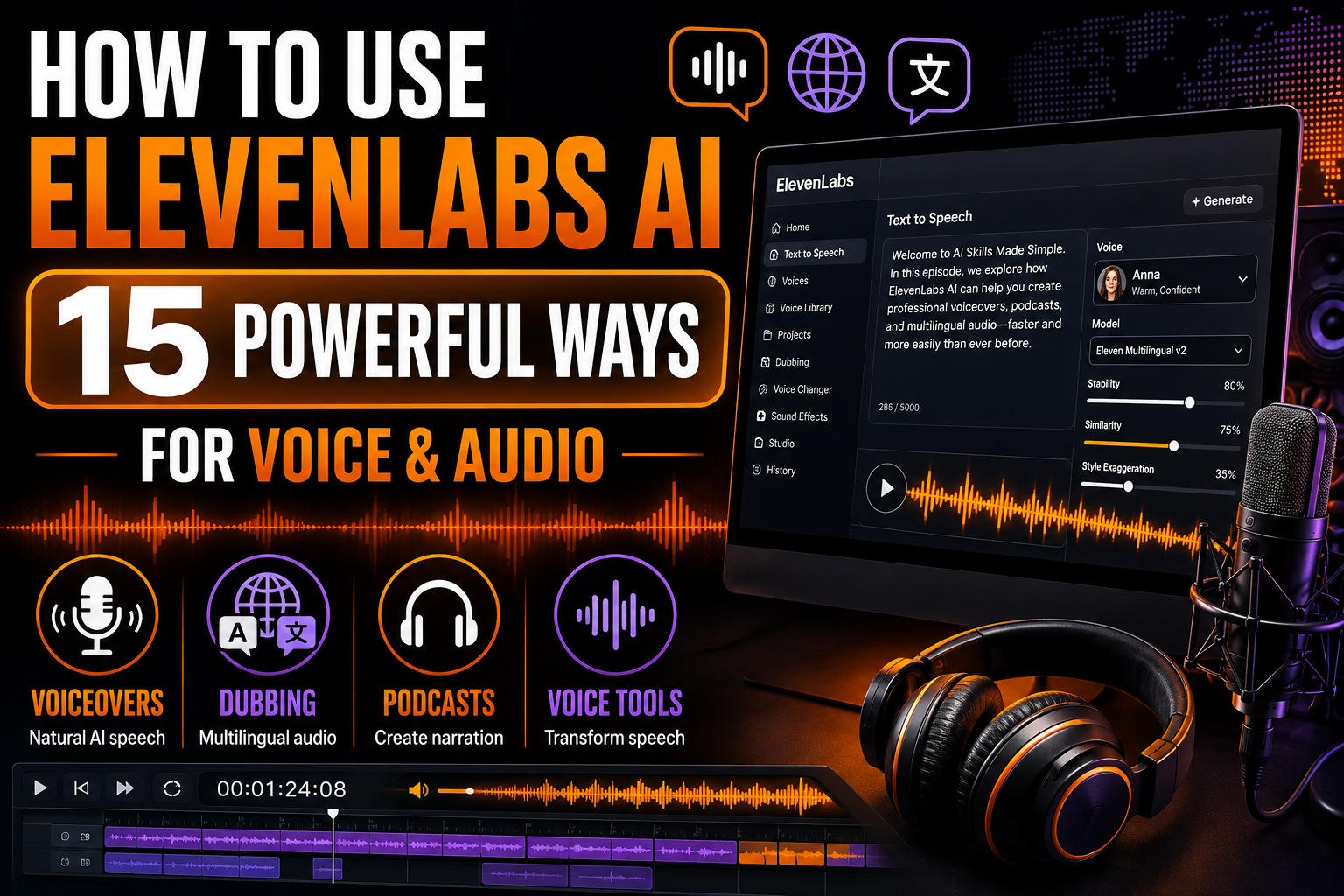
How to Use ElevenLabs AI: 15 Powerful Ways for Voice and Audio
Learning how to use ElevenLabs AI can help you turn written content into natural-sounding speech, create voiceovers, narrate videos, produce educational audio, work across languages, and develop professional audio content without recording every line manually.
ElevenLabs goes beyond basic text-to-speech. Its AI voice technology can generate expressive spoken audio, while other tools support tasks such as voice changing, dubbing, and creating or working with customized voices.
For beginners, the key isn’t trying every feature immediately. Start with a simple piece of text, choose an appropriate voice, generate the audio, listen critically, and then adjust the script or delivery until the result sounds natural for your audience.
In this guide, we’ll explore 15 practical ways to use ElevenLabs AI for voiceovers, narration, podcasts, educational content, multilingual audio, dubbing, accessibility, video production, and other creative workflows. We’ll also cover responsible voice use and important limitations to consider.
What Is ElevenLabs AI?
ElevenLabs is an AI audio platform that provides tools for generating and transforming speech and other audio content. One of its best-known capabilities is text-to-speech, which converts written text into spoken audio using AI-generated voices.
The platform also includes tools for other voice and audio workflows, such as changing a recorded voice, dubbing content into other languages, and creating customized voices where appropriate.
These capabilities can reduce the amount of manual recording required for certain projects, but AI-generated audio still benefits from human review. Pronunciation, pacing, emotion, emphasis, names, numbers, and technical terminology may need adjustment before the finished audio is ready to publish.
How to Get Started With ElevenLabs AI
Begin with a short script and a clear idea of where the finished audio will be used. A YouTube narration, training lesson, podcast introduction, product demonstration, and audiobook chapter may require very different voices and delivery styles.
Choose a voice that suits the audience and purpose, then generate a short sample before processing a large amount of text. Listen for pronunciation, pacing, emphasis, tone, and whether the voice sounds appropriate for the material.
If something sounds unnatural, improve the source text as well as the voice settings. Punctuation, sentence length, wording, abbreviations, and the way numbers or names are written can all influence spoken output.
When working with voice cloning or customized voices, use your own voice or voices you have the appropriate permission and rights to use. Don’t assume that a publicly available recording gives you permission to reproduce someone’s voice.
You can explore the current voice and audio tools on the official ElevenLabs website.
15 Practical Ways to Use ElevenLabs AI
The following examples demonstrate how to use ElevenLabs AI for practical voice and audio projects. The best results usually come from combining a well-written script with an appropriate voice, careful listening, and several rounds of refinement.
1. Create Natural-Sounding AI Voiceovers
One of the easiest ways to learn how to use ElevenLabs AI is to turn a short written script into a voiceover. This can be useful for explainer videos, advertisements, product demonstrations, presentations, tutorials, and other content that needs narration.
Start by choosing a voice that matches the purpose and audience. A professional business presentation may need a different delivery from an energetic social media video or a calm educational lesson.
Generate a short sample first and listen carefully. If the delivery sounds unnatural, try adjusting the script, punctuation, sentence length, or available voice settings before generating the complete recording.
Example prompt
Create a natural, conversational voiceover from this script. The audience is [audience], and the intended mood is [professional/friendly/energetic/calm]. Pay particular attention to clear pronunciation, natural pacing, and appropriate emphasis: [paste script]
2. Narrate Videos Without Recording Every Line Yourself
ElevenLabs can help creators produce narration for YouTube videos, tutorials, demonstrations, social content, documentaries, and other video projects without manually recording every section.
Write the script with spoken delivery in mind. Shorter sentences, natural transitions, and conversational wording often sound better than dense text originally written only for reading.
Generate the narration in manageable sections rather than producing a very long script all at once. This makes it easier to correct pronunciation, change pacing, replace individual lines, and synchronize the finished audio with your visuals.
Example prompt
Generate narration for this video script using a clear, engaging delivery. Keep the pacing suitable for explanatory video content and make transitions between ideas sound natural. I’ll generate the script in sections so individual lines can be corrected if necessary: [paste section]
If you’re developing visual content to accompany your narration, How to Use Canva AI: 15 Powerful Ways for Beginners explores AI-assisted graphics, presentations, video, images, and other creative workflows.
3. Turn Articles and Written Content Into Audio
Existing articles, guides, newsletters, and other written material can be adapted into audio so audiences have another way to consume the information. This can be particularly useful for people who prefer listening while commuting, exercising, or completing other tasks.
Don’t automatically send an entire article through text-to-speech exactly as written. Headings, links, image captions, tables, bullet points, and visual references may need to be rewritten so they make sense when heard rather than seen.
Create an audio-friendly version first, then generate the narration and listen through the complete recording before publishing it.
Example prompt
Adapt this article into a narration-friendly script. Preserve the important information, but rewrite visual references, headings, lists, links, and awkward written phrases so the content sounds natural when spoken aloud. Do not introduce new factual claims: [paste article]
4. Create Podcast Intros, Segments, and Narration
ElevenLabs AI can help with podcast production when you need narration, introductions, transitions, summaries, or other spoken segments. This can be useful for creators who don’t want to record every piece of supporting audio themselves.
AI speech doesn’t have to replace the human host. You can use it selectively for recurring introductions, short explainers, quotations you have permission to reproduce, or clearly presented narrated sections while keeping the main discussion in your own voice.
Keep the delivery consistent across episodes by using an appropriate voice and reviewing pronunciation, pacing, volume, and tone before adding the generated audio to your final edit.
Example prompt
Generate this podcast introduction with a warm, confident, conversational delivery. Keep the pacing natural and make the program title and guest name especially clear. Avoid sounding like an advertisement unless the script specifically calls for that style: [paste introduction]
5. Produce Educational and Training Audio
Teachers, trainers, businesses, and course creators can use ElevenLabs to turn instructional material into spoken lessons. Audio versions can complement written guides, presentations, demonstrations, onboarding material, and other learning resources.
Break complicated subjects into shorter sections rather than creating one long recording. Clear section boundaries make it easier for learners to follow the material and allow you to correct individual sections without regenerating the entire lesson.
Verify educational information before generating the final audio. A natural-sounding voice can make incorrect information sound convincing, so factual review remains important.
Example prompt
Narrate this training lesson for [audience]. Use a clear, patient teaching style with natural pauses between important concepts. Emphasize key terms without sounding exaggerated, and keep technical terminology easy to understand: [paste lesson]
If you’re developing the visual lesson or presentation alongside the narration, How to Use Gamma AI: 15 Powerful Ways to Create Presentations and Content explores AI-assisted presentations, educational material, reports, webpages, and visual storytelling.
6. Narrate Audiobooks and Long-Form Content
ElevenLabs can also support longer narration projects such as books, guides, reports, stories, and other extended material. AI narration can reduce the amount of manual recording required, but long-form projects need more quality control than simply generating one large audio file.
Divide the material into chapters or manageable sections. Maintain consistent voice choices and listen for pronunciation, character names, emotional continuity, pauses, and changes in speaking style between sections.
Make sure you own the content or have the necessary rights to create an audio version. Having access to a book, article, or other copyrighted work doesn’t automatically give you permission to reproduce or distribute it as AI-generated audio.
Example prompt
Narrate this chapter using a natural long-form storytelling style. Maintain consistent pacing and tone, distinguish dialogue clearly without exaggerating it, and pay particular attention to names and unusual terminology. I will review each section before generating the next: [paste chapter]
7. Create Speech in Multiple Languages
ElevenLabs AI can help creators produce spoken content in multiple languages, making it possible to adapt videos, lessons, presentations, and other material for audiences beyond the language of the original content.
Multilingual speech can be particularly useful when you already have translated text and need natural-sounding narration. However, don’t rely solely on AI to determine whether a translation is culturally appropriate or technically accurate.
When the content is important, have the translated script reviewed by someone who understands the language before producing the final audio. Pay particular attention to names, terminology, numbers, regional expressions, and pronunciation.
Example prompt
Generate natural spoken audio from this [language] script for [audience]. Use clear pronunciation and a conversational delivery appropriate for the subject. Pay special attention to these names and terms: [terms]. [Paste translated script]
8. Dub Videos Into Other Languages
AI dubbing can help adapt existing video or audio content for audiences who speak different languages. Rather than simply replacing the original speech with a basic translation, dubbing aims to create translated dialogue that works with the timing and delivery of the original material.
This can be useful for educational videos, interviews, product demonstrations, training material, creator content, and other projects intended for international audiences.
Review the dubbed version with care. Translation errors, names, cultural references, technical terminology, timing, and emotional meaning can all affect whether the new version communicates the same message as the original.
Example prompt
Dub this video from [original language] into [target language]. Preserve the meaning and tone of each speaker as closely as possible. Pay particular attention to names, technical terms, numbers, and cultural references, and flag any phrases that may need human translation review.
9. Transform Recorded Speech With Voice Changer
ElevenLabs’ Voice Changer provides a different workflow from ordinary text-to-speech. Instead of starting only with written text, you can begin with a recorded performance and transform the voice while retaining aspects of the original delivery.
This can be useful when timing, emotion, pacing, or performance matters. For example, a creator can record a line with the desired delivery and then use an appropriate voice for the finished version.
Use voice transformation responsibly. Work with your own recordings and voices, or material for which you have the necessary permission and rights. Don’t use AI voice technology to impersonate someone deceptively or make it appear that a person said something they didn’t say.
Example prompt
Record the dialogue with the pacing, emotion, pauses, and emphasis I want in the final performance. Then use Voice Changer with a voice I have permission to use, review the transformed audio, and regenerate or re-record any lines where the delivery doesn’t sound natural.
If the audio will become part of a visual presentation or video project, How to Use Canva AI: 15 Powerful Ways for Beginners explores AI-assisted video, graphics, images, presentations, and other creative workflows.
10. Create a Custom AI Voice You Have Permission to Use
ElevenLabs provides voice-creation and cloning capabilities that can help you develop a reusable AI version of a voice for appropriate projects. For example, you might use your own voice to create consistent narration without recording every line manually.
A custom voice can be useful for recurring videos, courses, business content, accessibility projects, or other situations where maintaining a recognizable voice across many recordings matters.
Voice cloning requires particular care. Use your own voice or a voice for which you have the necessary consent and rights. Don’t clone another person’s voice simply because recordings of them are publicly available, and don’t use a cloned voice to deceive listeners about who created or approved a recording.
Example prompt
Create a custom voice only from recordings of my own voice or a speaker who has given appropriate permission. Test it with a short neutral script first, review pronunciation and similarity, and use it only for purposes consistent with that permission.
11. Create Character Voices for Stories and Creative Projects
AI-generated voices can help give different characters distinctive personalities in original stories, games, animations, audio dramas, and other creative projects.
Think about the character rather than simply asking for a random voice. Consider age range, energy, personality, speaking pace, emotional style, accent requirements, and the role the character plays in the story.
Create original characters instead of deliberately imitating the recognizable voice of a real person without permission. A distinctive fictional performance can strengthen your project without relying on someone else’s identity.
Example prompt
I need an original voice for a fictional [character description]. The character should sound [personality], speak at a [slow/moderate/fast] pace, and convey [emotion/style]. Keep the performance distinctive without imitating any specific real person.
12. Create Listening Versions for Accessibility and Convenience
Turning written information into speech can make content easier to access for people who prefer or benefit from listening. Audio versions can complement articles, instructions, educational resources, newsletters, reports, and other text-based material.
Accessibility involves more than simply converting every visible word into speech. Rewrite visual references when necessary, explain information contained only in images or charts, and structure longer recordings so listeners can follow the material easily.
AI-generated narration shouldn’t be presented as a universal accessibility solution. Different users have different needs, so providing well-structured text alongside audio can give audiences more ways to access the information.
Example prompt
Adapt this written resource into a listening-friendly script. Preserve the important information, explain visual references that won’t make sense in audio, make lists natural to hear, and divide long sections into clear listening segments: [paste content]
If you need help rewriting source material so it sounds clearer before generating the audio, How to Use Grammarly AI: 15 Powerful Ways for Better Writing explores clarity, tone, rewriting, conciseness, and editing.
13. Create Voiceovers for Social Media Content
ElevenLabs AI can help create short voiceovers for social media videos, explainers, promotional clips, educational posts, and other short-form content. This can be particularly useful for creators who prefer faceless content or don’t want to record narration for every video.
Short-form audio needs to capture attention quickly. Keep the script focused on one main idea, use concise sentences, and choose a delivery style that matches the platform and audience.
Generate several short sections when necessary rather than forcing an entire video into one recording. This makes it easier to synchronize the narration with captions, images, transitions, and other visual elements.
Example prompt
Generate a short voiceover for this [platform] video. The audience is [audience], the main message is [message], and the intended tone is [tone]. Keep the delivery energetic but natural, emphasize the opening line, and finish with a clear call to action: [paste script]
14. Improve Pronunciation, Pacing, and Delivery
Good AI narration depends on more than selecting a voice. Names, abbreviations, technical terminology, numbers, punctuation, sentence structure, and unusual words can all influence how generated speech sounds.
When something is pronounced incorrectly, don’t automatically regenerate the same text repeatedly. Try rewriting the problematic section, spelling out abbreviations where appropriate, changing punctuation, or using available pronunciation controls and dictionaries when supported by your workflow.
Listen to the audio as an audience member would. A technically correct pronunciation can still sound unnatural if the pacing, pauses, emphasis, or emotion doesn’t fit the surrounding material.
Example prompt
Generate a short test containing the difficult names, numbers, abbreviations, and technical terms in my script. Correct any pronunciation problems first, then test the surrounding sentences for pacing and emphasis before generating the complete narration.
15. Build a Repeatable ElevenLabs AI Audio Workflow
Once you understand how to use ElevenLabs AI for individual tasks, you can combine those capabilities into a repeatable production process. This is especially useful when you’re creating recurring videos, lessons, podcasts, narrated articles, or other audio content.
A typical workflow might begin with preparing the script, choosing an appropriate voice, testing difficult pronunciations, generating short sections, reviewing the delivery, correcting problems, and then combining the approved audio with your final project.
Saving successful approaches can also improve consistency. Keep track of the voices, script styles, pronunciation decisions, and production steps that work well for recurring content while continuing to review every final recording.
Example prompt
Help me create a repeatable ElevenLabs AI workflow for producing [type of audio]. Break the process into stages for script preparation, voice selection, pronunciation testing, generation, quality review, corrections, final editing, and publication. Include a checklist for what I should verify myself.
These 15 examples show that learning how to use ElevenLabs AI involves much more than converting text into speech. The platform can support voiceovers, video narration, podcasts, education, audiobooks, multilingual content, dubbing, permitted custom voices, creative projects, accessibility, and repeatable audio-production workflows.
A Simple ElevenLabs AI Workflow for Beginners
ElevenLabs AI becomes easier to use when you treat audio creation as a production process rather than expecting the first generation to be perfect. A structured workflow helps you improve pronunciation, pacing, consistency, and overall audio quality while catching problems before you publish.
Here’s a straightforward process beginners can follow:
- Define the purpose of the audio. Decide whether you’re creating a video voiceover, podcast segment, lesson, audiobook, social media clip, dubbing project, or another type of spoken content.
- Identify your audience. Consider the language, tone, level of formality, and speaking style that will suit the people listening.
- Prepare the script for speech. Rewrite text that sounds natural when read but awkward when spoken. Simplify long sentences and remove unnecessary visual references.
- Choose an appropriate voice. Select a voice and delivery style that fit the subject, audience, and intended mood.
- Generate a short test first. Don’t begin with an entire long-form project. Test a representative section so you can evaluate the voice and delivery.
- Check difficult pronunciations. Test names, brands, locations, abbreviations, technical terminology, numbers, and unusual words before generating the full recording.
- Listen for pacing and emotion. Make sure pauses, emphasis, energy, and speaking speed fit the material rather than focusing only on pronunciation.
- Generate longer projects in sections. Working in smaller segments makes it easier to replace individual lines and maintain quality throughout the project.
- Review every generated section. Listen for missing words, strange pauses, pronunciation errors, inconsistent delivery, or anything that could confuse the audience.
- Edit the final audio. Combine approved sections and, where necessary, balance timing, transitions, background audio, or other production elements in your editing workflow.
- Check permissions and rights. Make sure you have appropriate rights to the script, recordings, voices, music, and other material used in the project.
- Review before publishing. Listen to the complete finished version once more as an audience member would before distributing it.
If you’re creating visuals to accompany your narration, How to Use Canva AI: 15 Powerful Ways for Beginners explores AI-assisted video, graphics, presentations, images, and social content.
For presentation-based projects such as training material, lessons, or business content, How to Use Gamma AI: 15 Powerful Ways to Create Presentations and Content provides another useful workflow for building the visual side of the project.
Common Mistakes When Using ElevenLabs AI
ElevenLabs AI can produce remarkably natural speech, but realistic audio still requires careful preparation and review. Problems with the script, pronunciation, permissions, or context can reduce the quality of a project or create more serious issues if synthetic audio is used irresponsibly.
1. Using Writing That Wasn’t Prepared for Speech
Text written for reading doesn’t always sound natural when spoken aloud. Long sentences, complicated punctuation, visual references, URLs, headings, and dense lists may need to be rewritten before generating the audio.
2. Generating an Entire Long Project Before Testing the Voice
Start with a short representative section. Testing first lets you identify problems with the voice, pronunciation, pacing, or tone before spending time generating a complete narration.
3. Ignoring Pronunciation Problems
Names, brands, abbreviations, numbers, locations, and technical terminology can require special attention. Test difficult words separately and use available pronunciation controls or script adjustments when necessary.
4. Choosing a Voice That Doesn’t Fit the Content
A realistic voice isn’t automatically the right voice. Consider the audience, subject, emotional tone, speaking pace, and purpose of the project when selecting a voice.
5. Cloning or Using Someone’s Voice Without Appropriate Permission
Voice cloning can reproduce recognizable characteristics of a speaker. Use your own voice or voices for which you have the necessary consent and rights, and follow the platform’s current rules for voice creation and use.
6. Using Synthetic Audio to Mislead People
Don’t use AI-generated speech to falsely represent that a real person said, approved, endorsed, or participated in something they did not. Be particularly careful when synthetic audio could reasonably confuse listeners about who is speaking.
7. Forgetting Copyright and Content Rights
Generating narration doesn’t automatically give you the right to reproduce someone else’s book, article, script, music, recording, or other protected material. Make sure you have the necessary rights before publishing or distributing the finished project.
8. Uploading Sensitive Audio or Information Without Considering Privacy
Think carefully before uploading confidential recordings, private conversations, personal information, proprietary material, or other sensitive content. Review ElevenLabs’ current privacy and data-handling information before using the service for sensitive material.
9. Publishing Without Listening to the Complete Audio
Individual sections can sound good while the finished recording still contains inconsistent volume, pacing, pronunciation, transitions, or tone. Listen to the entire final version before publishing it.
The strongest AI-generated audio combines good technology with careful human review. Prepare the script for speech, use voices responsibly, test difficult sections, respect permissions and rights, and listen critically before publishing.
Frequently Asked Questions About ElevenLabs AI
Is ElevenLabs AI free to use?
ElevenLabs offers a free plan that allows beginners to try its AI audio tools, with paid plans providing additional usage and features. Limits, features, and pricing can change, so check ElevenLabs’ current plans before choosing one for a larger project.
What can ElevenLabs AI be used for?
ElevenLabs can be used for AI-generated speech, voiceovers, video narration, podcasts, educational content, audiobooks, multilingual audio, dubbing, voice transformation, and other voice-based projects. Available capabilities depend on the tools and plan you’re using.
Can ElevenLabs turn text into speech?
Yes. Text-to-speech is one of ElevenLabs’ core capabilities. You can enter written text, select an appropriate voice, generate spoken audio, and refine the result based on pronunciation, pacing, tone, and delivery.
Can ElevenLabs clone my voice?
ElevenLabs provides voice-cloning capabilities for eligible uses. Voice cloning should be used with your own voice or a voice for which you have the appropriate consent and rights. Requirements and available cloning options can vary, so review ElevenLabs’ current rules before creating a custom voice.
Can ElevenLabs dub videos into other languages?
Yes. ElevenLabs provides AI dubbing tools designed to translate spoken audio or video into other languages while preserving important characteristics of the original performance. The finished translation should still be reviewed for meaning, pronunciation, terminology, and cultural context.
How many languages does ElevenLabs support?
ElevenLabs supports multilingual speech and dubbing across many languages, but the exact number depends on the particular model or feature being used and can change as the platform develops. Check ElevenLabs’ current documentation when support for a specific language is important to your project.
Can I use ElevenLabs AI commercially?
Commercial-use rights can depend on your ElevenLabs plan, the feature being used, and whether you have the necessary rights to the voice, script, recordings, and other source material. Review the current licensing and plan terms before using generated audio commercially.
Do ElevenLabs AI voices sound realistic?
ElevenLabs is designed to generate expressive, natural-sounding speech, but results vary depending on the voice, model, script, language, pronunciation, and settings. Even realistic output should be reviewed carefully before publication.
Is it legal to clone someone else’s voice with AI?
Voice rights, consent requirements, publicity rights, and applicable laws can vary by jurisdiction and situation. The safest approach is to use your own voice or a voice for which you have clear authorization, and to avoid creating deceptive recordings that misrepresent a real person.
Final Thoughts on How to Use ElevenLabs AI
Learning how to use ElevenLabs AI effectively involves more than entering text and generating a voice. The quality of the finished audio depends on the script, voice selection, pronunciation, pacing, delivery, and the care you take when reviewing the result.
ElevenLabs can support a wide range of audio projects, including voiceovers, video narration, podcasts, educational material, audiobooks, multilingual speech, dubbing, voice transformation, permitted custom voices, fictional characters, accessibility, and social media content.
Start with a short script and generate a test before committing to a larger project. Listen carefully for pronunciation, pacing, emotion, and clarity. For longer recordings, work in manageable sections so individual lines can be corrected without regenerating everything.
Responsible voice use is just as important as audio quality. Use your own voice or voices you have appropriate permission to use, respect copyright and other applicable rights, protect sensitive information, and avoid creating synthetic audio that deceptively represents what a real person said or endorsed.
Used thoughtfully, ElevenLabs AI can make professional-quality voice production more accessible while still leaving the most important decisions—creative direction, accuracy, permissions, and final quality control—in your hands.
Once your narration is ready, you may also need visuals to bring the project together. Our guide to How to Use Canva AI: 15 Powerful Ways for Beginners explores AI-assisted video, graphics, presentations, images, and social media content.